cdn跨域,并在请求时header带Authorization标头验证,Authorization该如何转发至源
lambda->API Gateway->cdn->client
1. lambda作为源,通过API Gateway配置到cloudfront,在cloudfront配置跨域及header转发
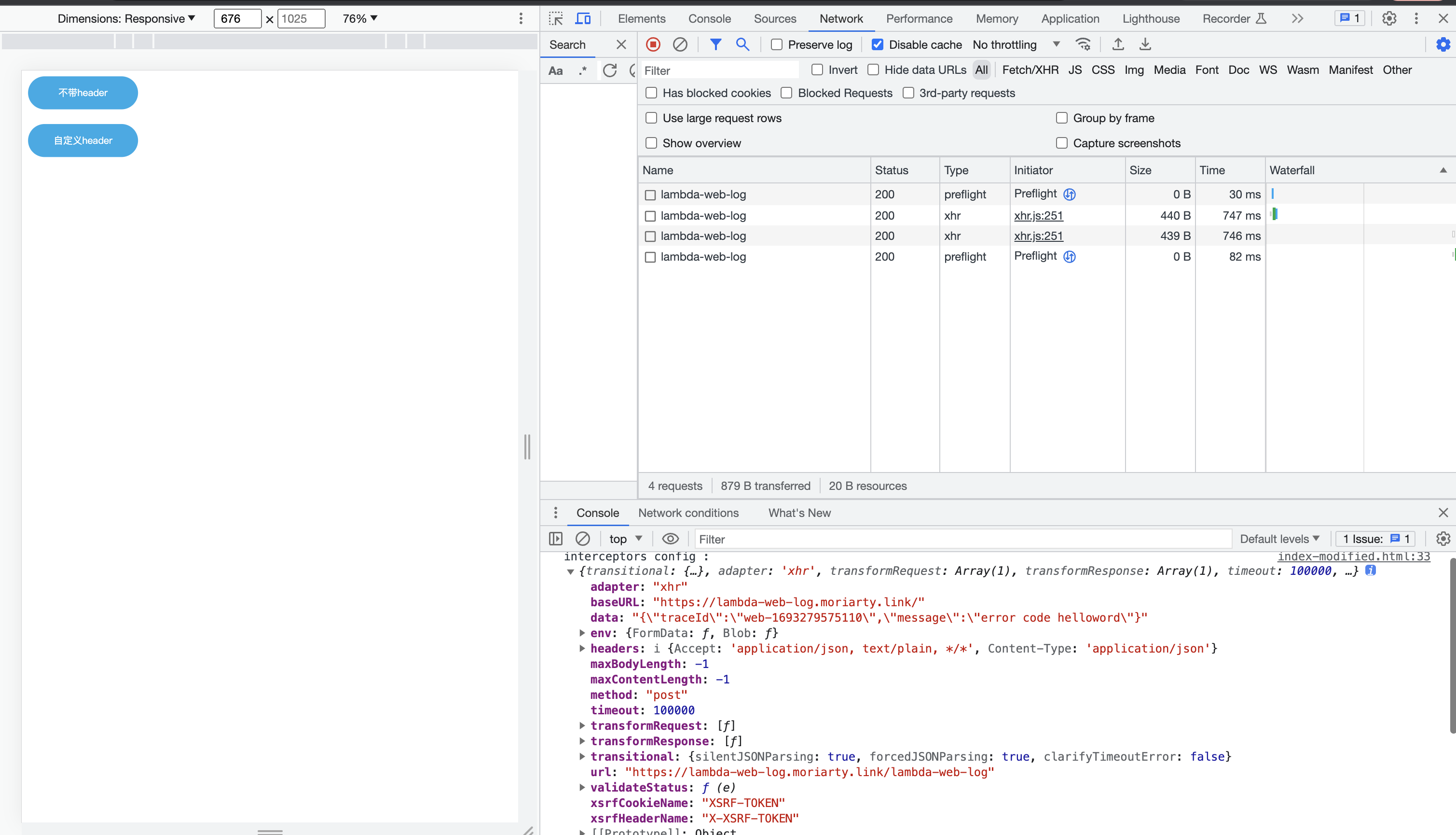
2.编写一个html发起访问进行跨域测试
1.创建lambda
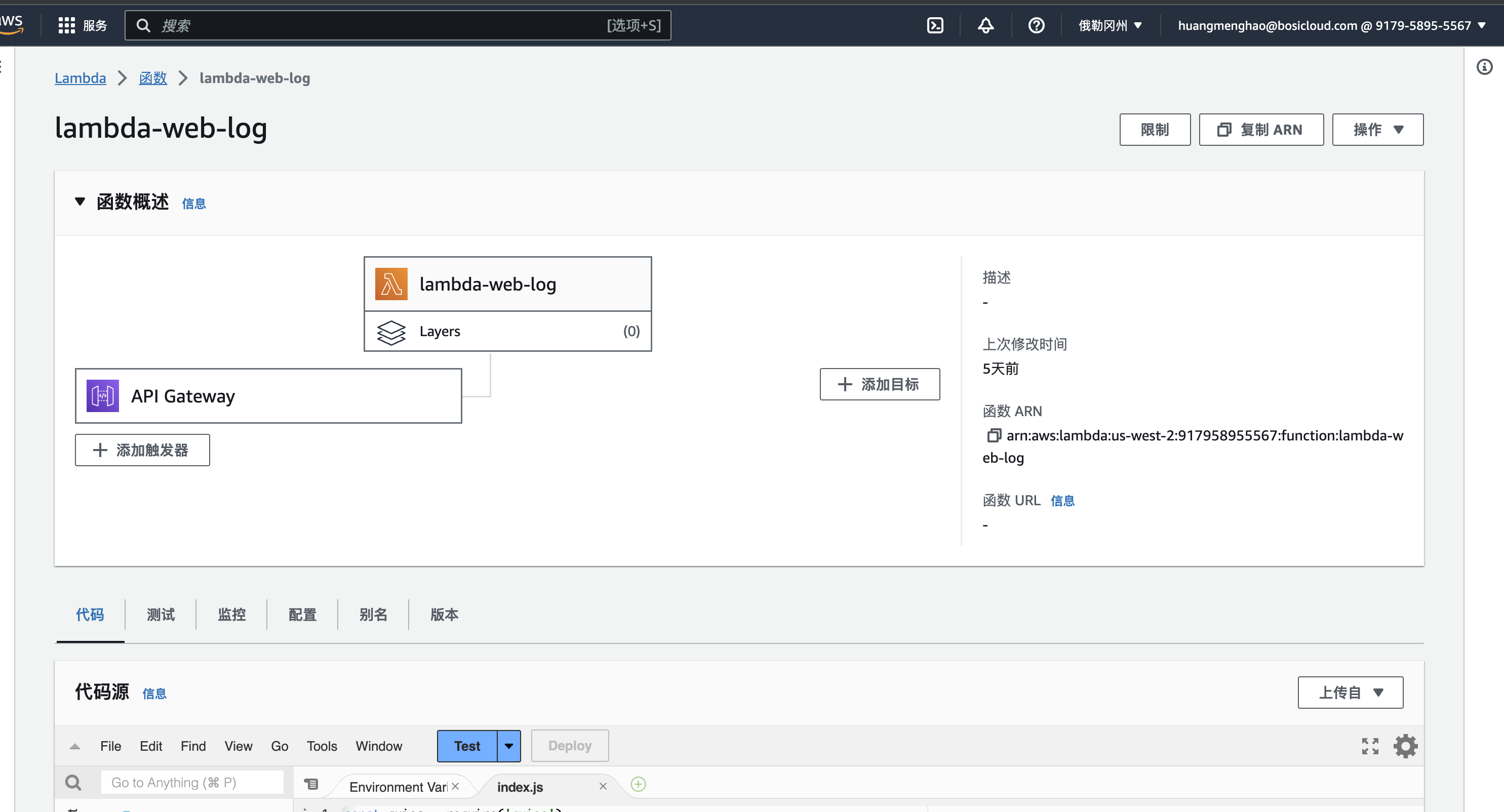
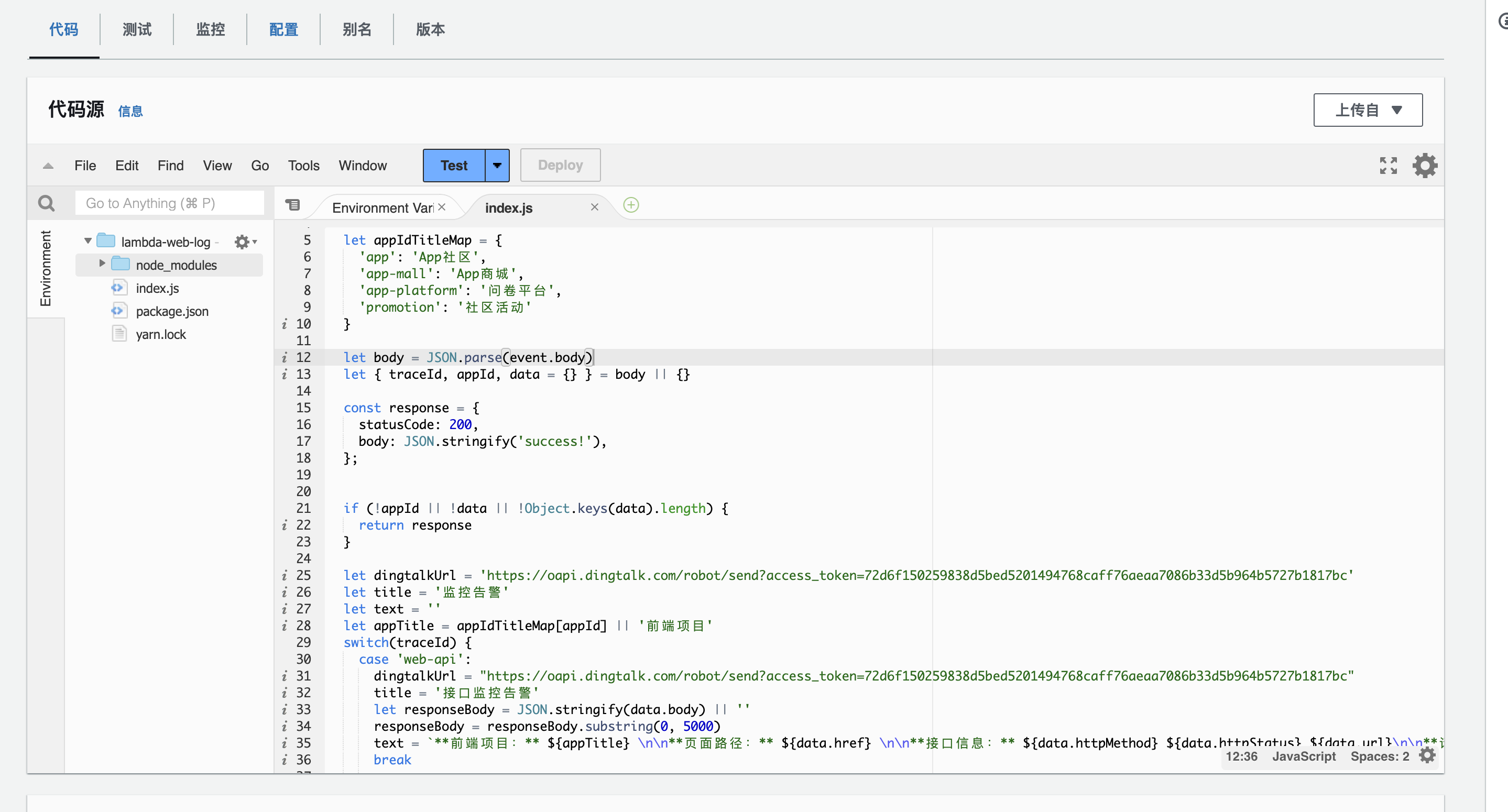
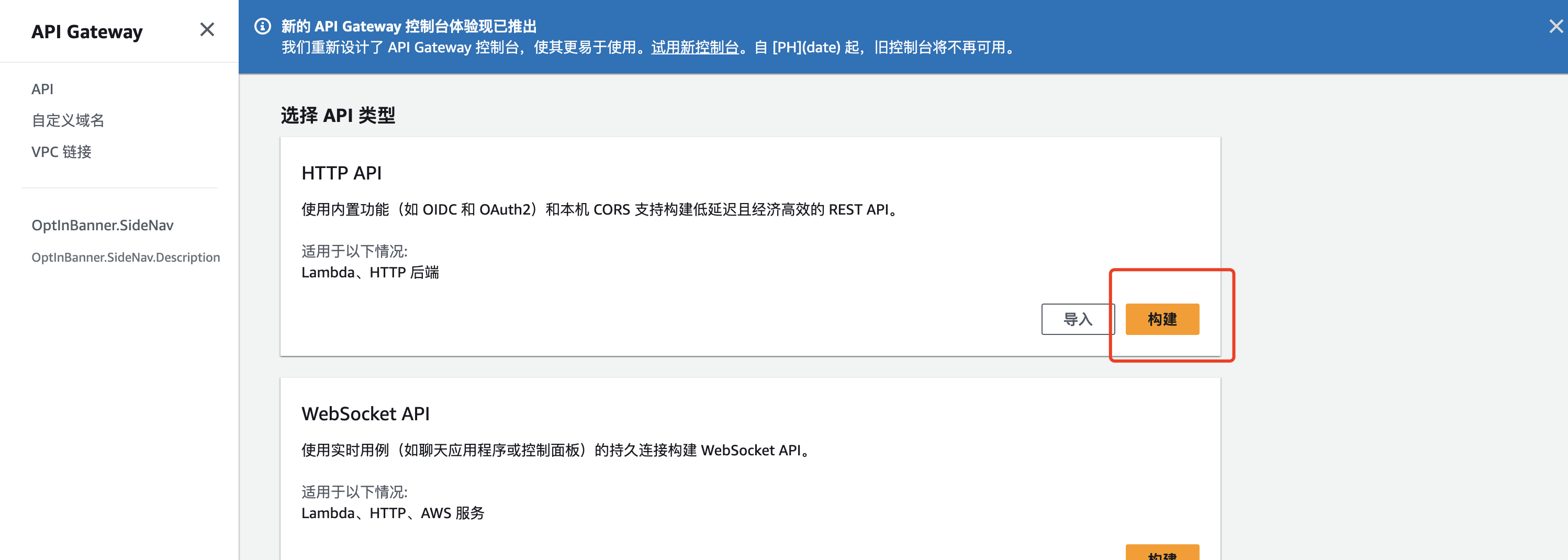
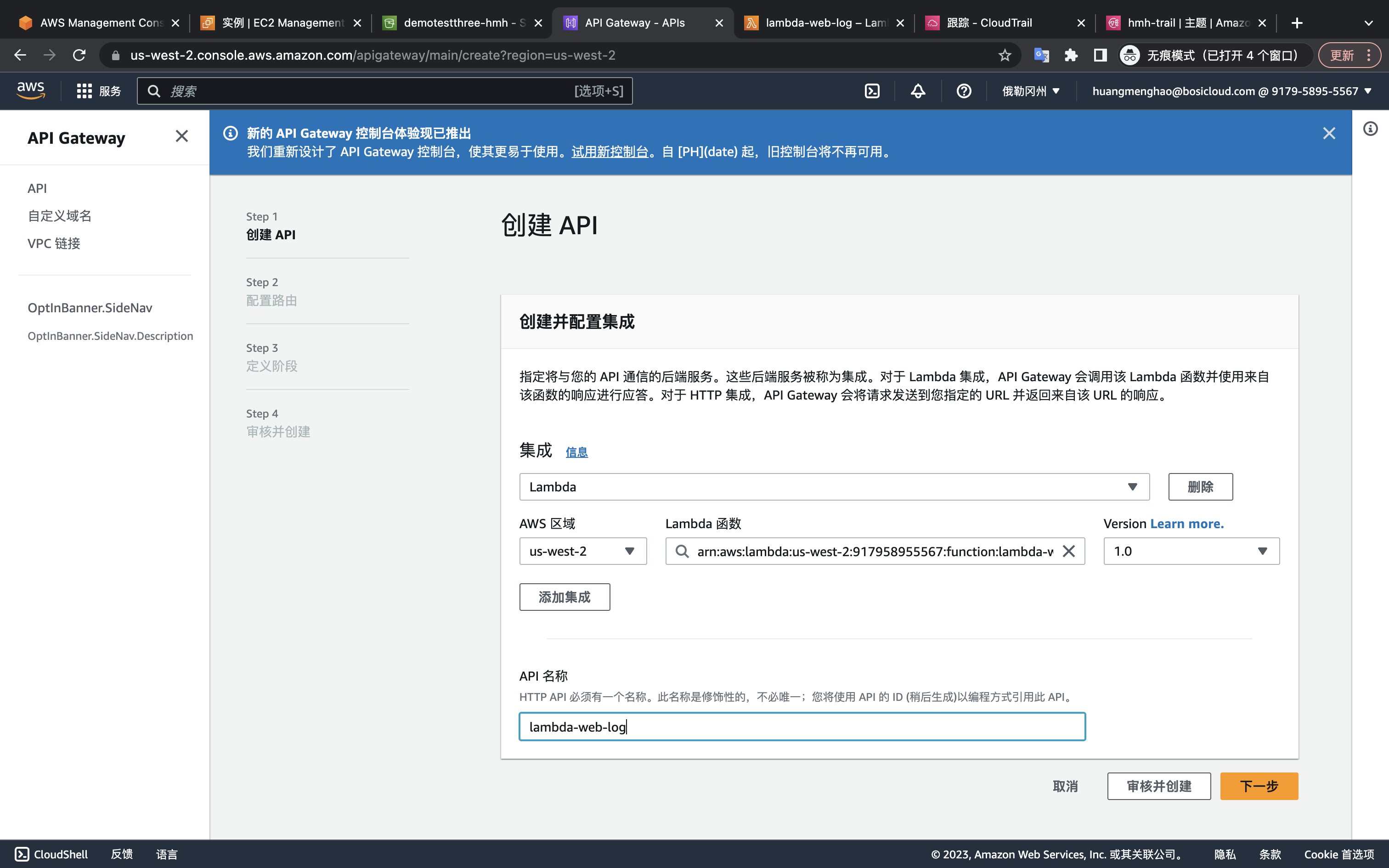
2.创建APIGateway并关联lambda
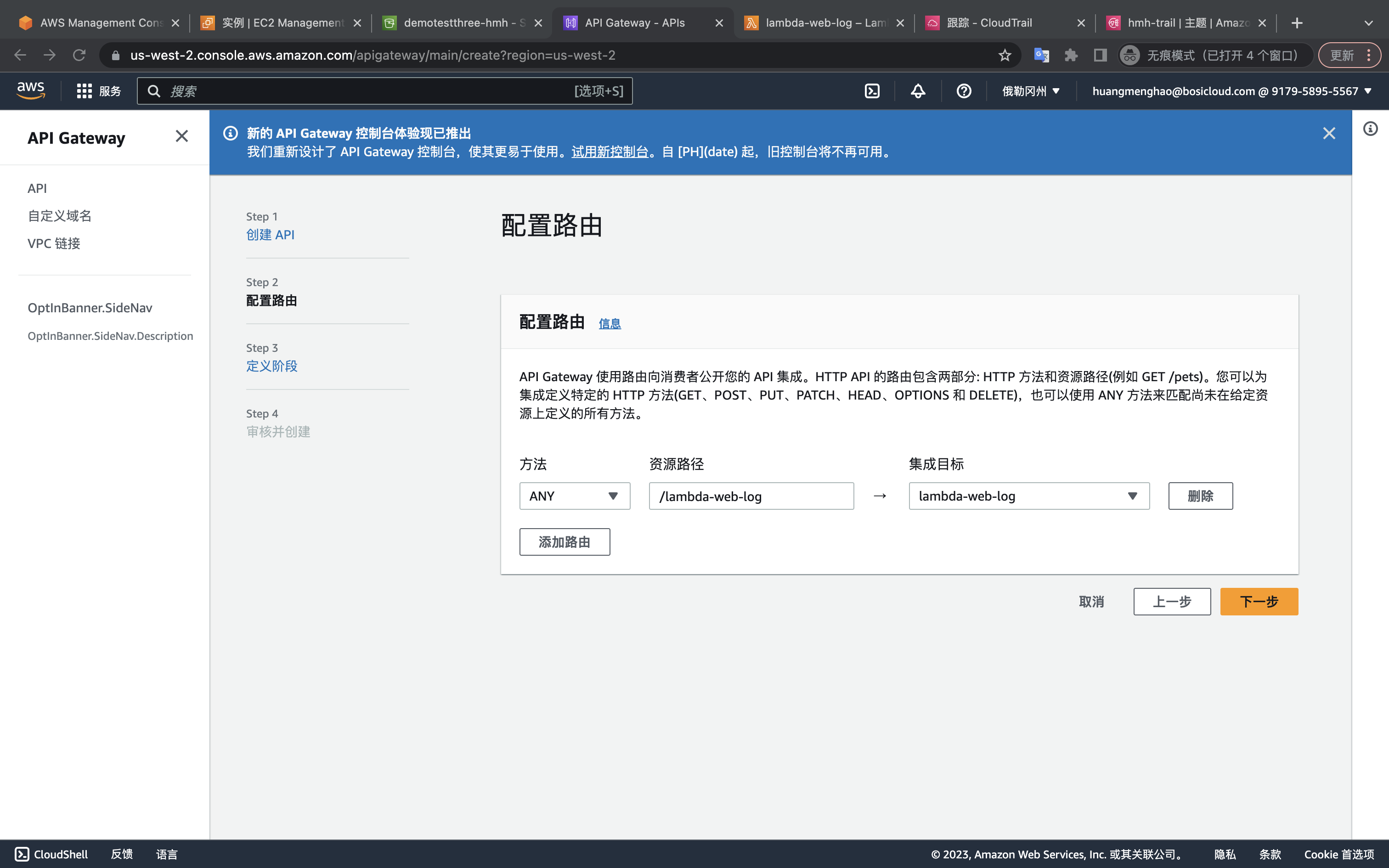
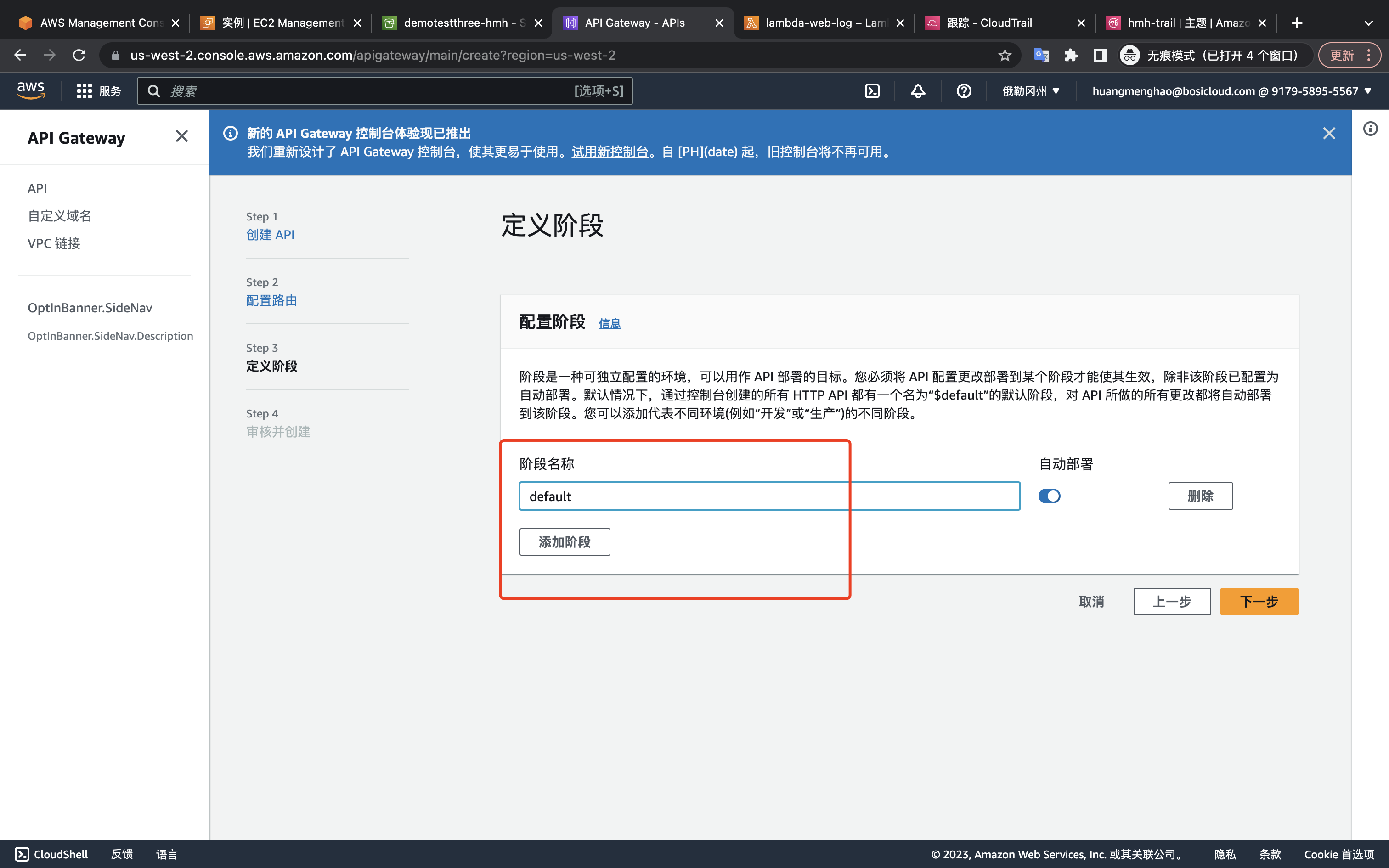
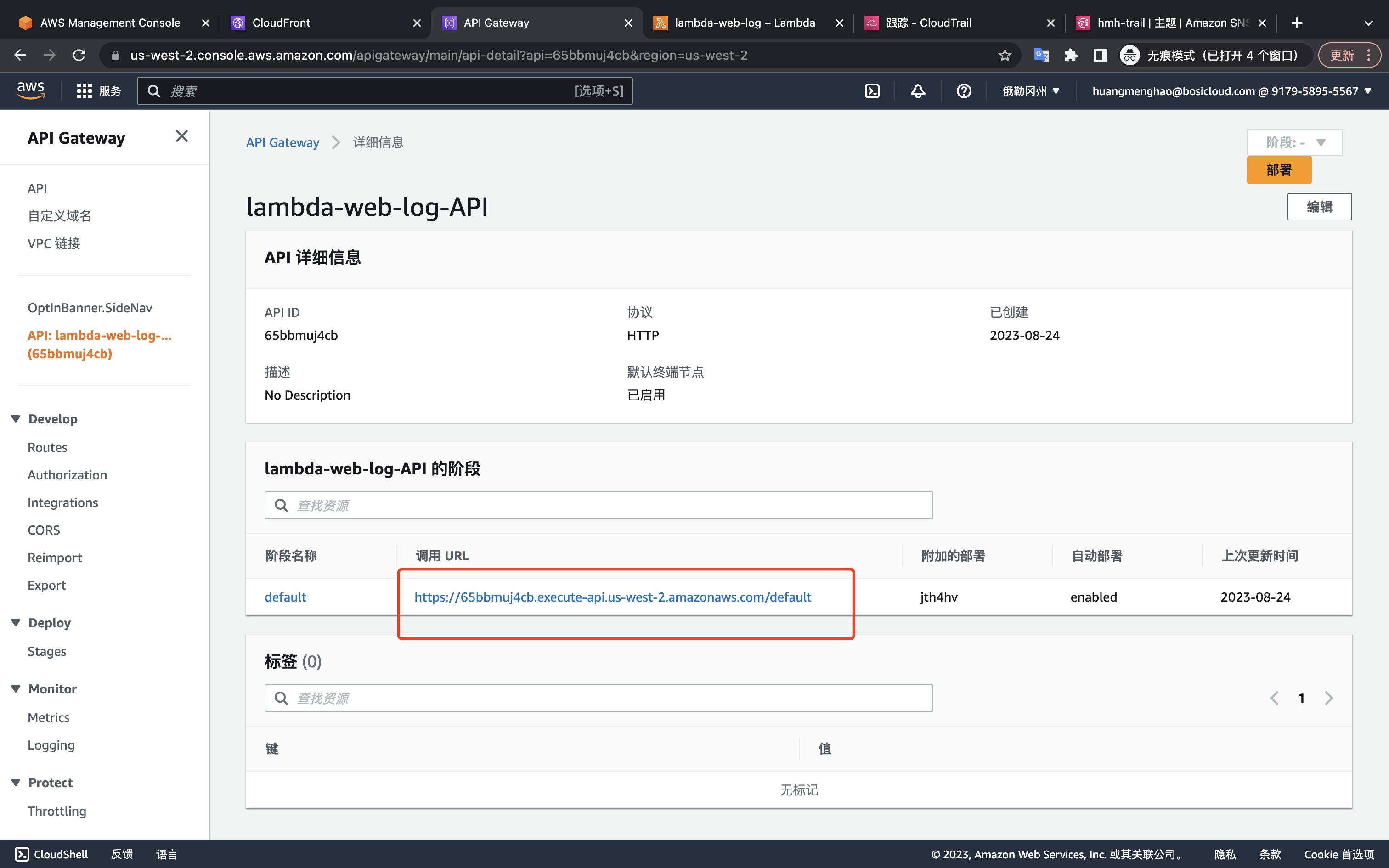
3.创建并配置cdn
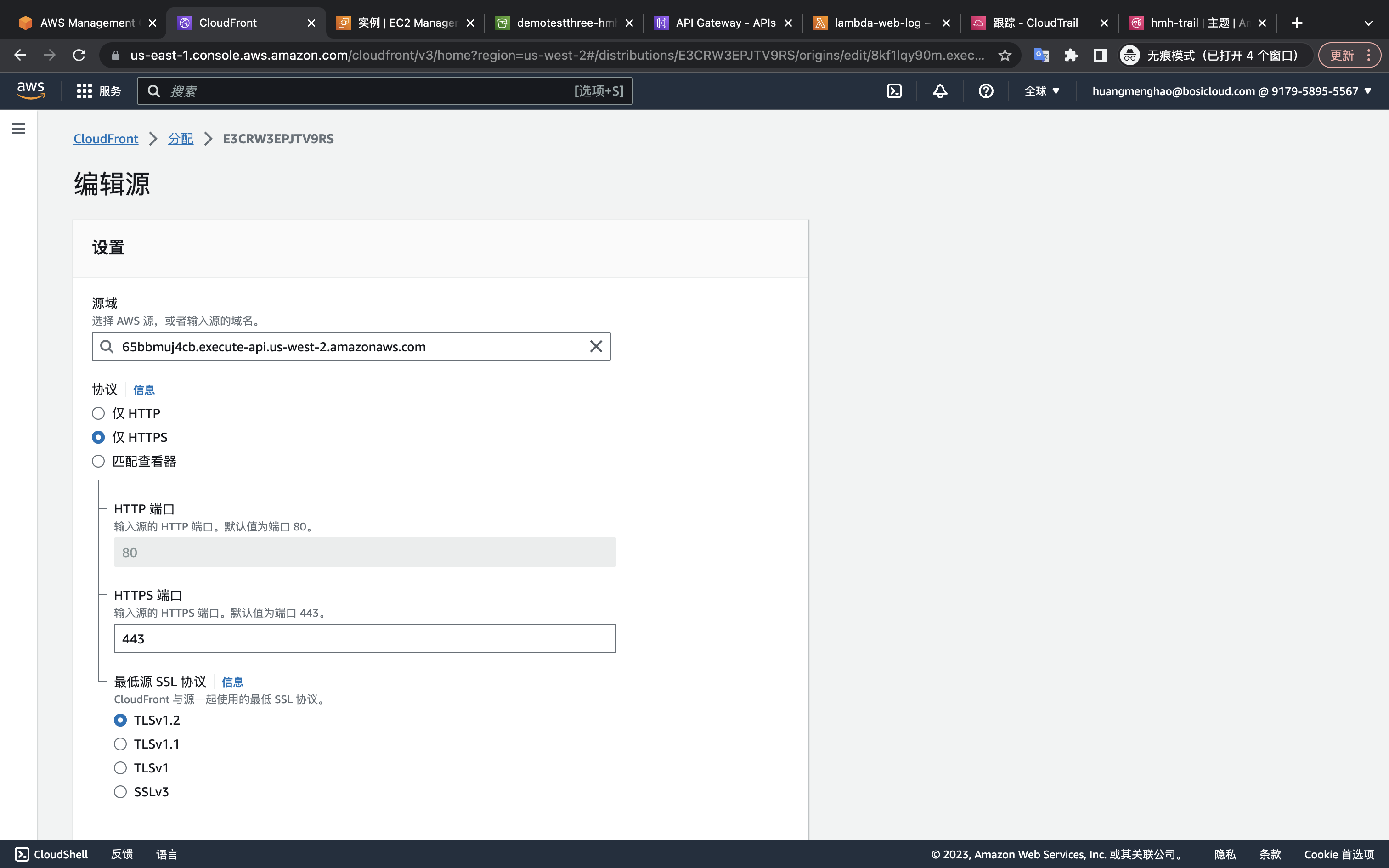
为cdn创建cname
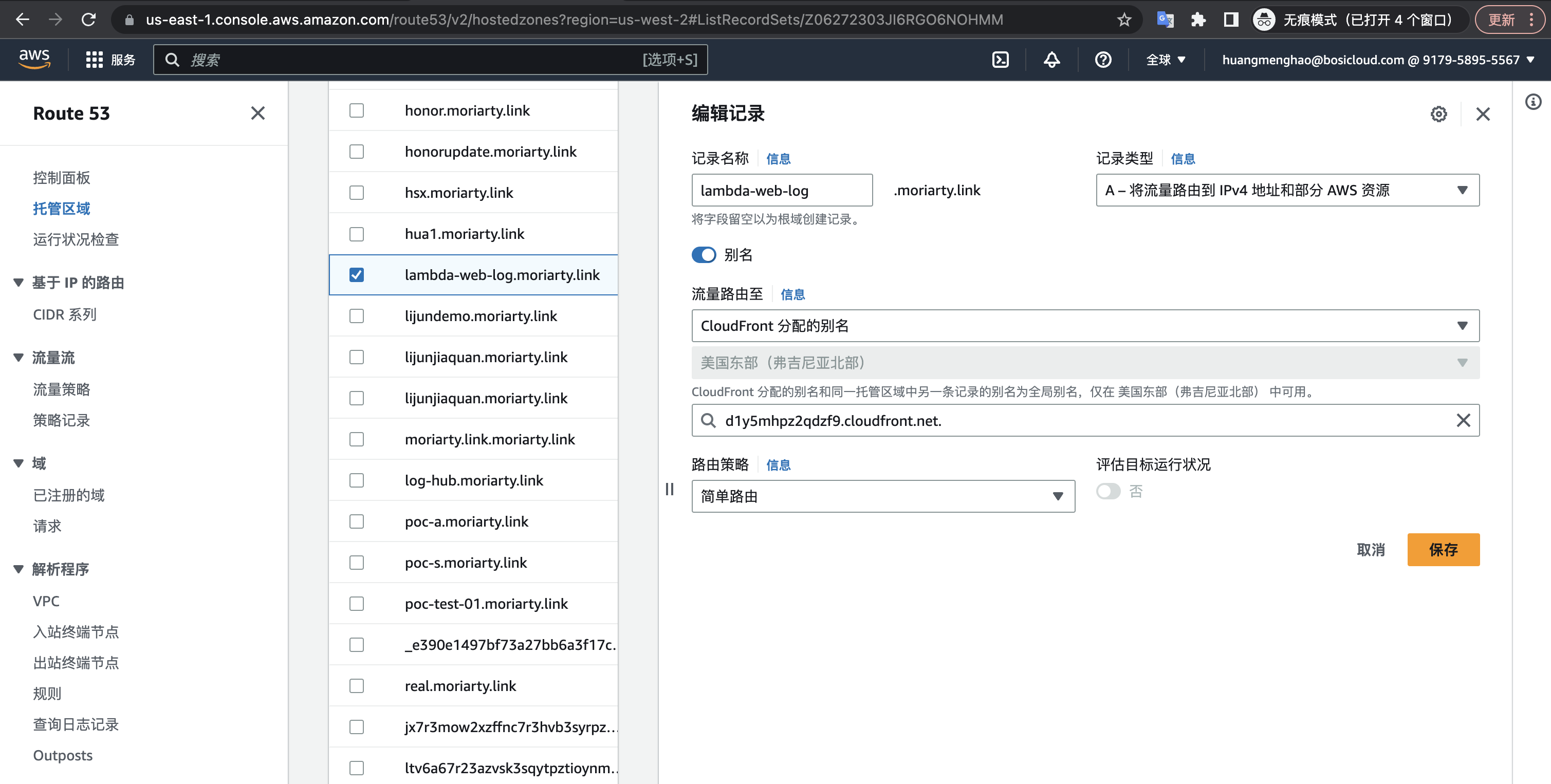
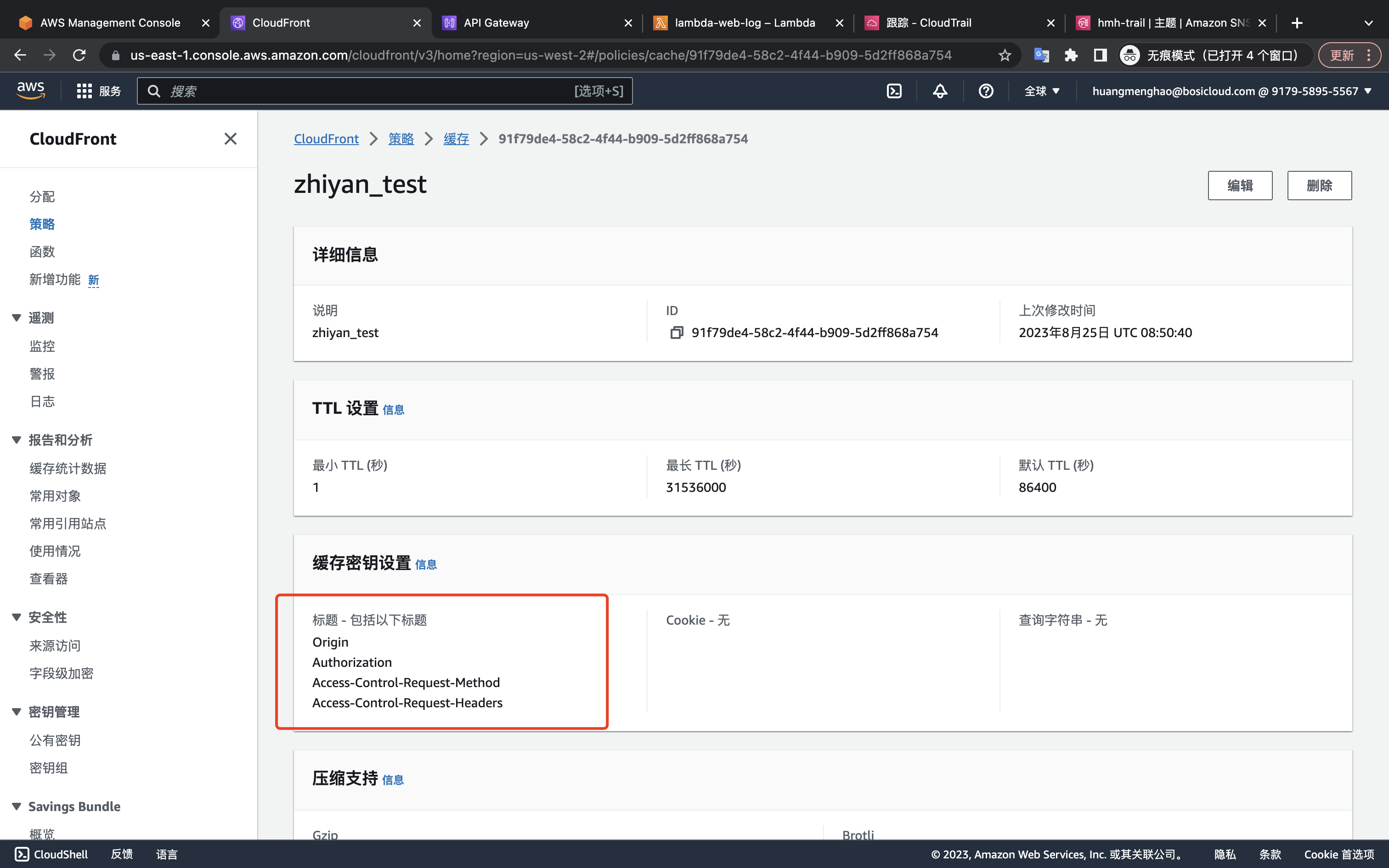
创建缓存策略
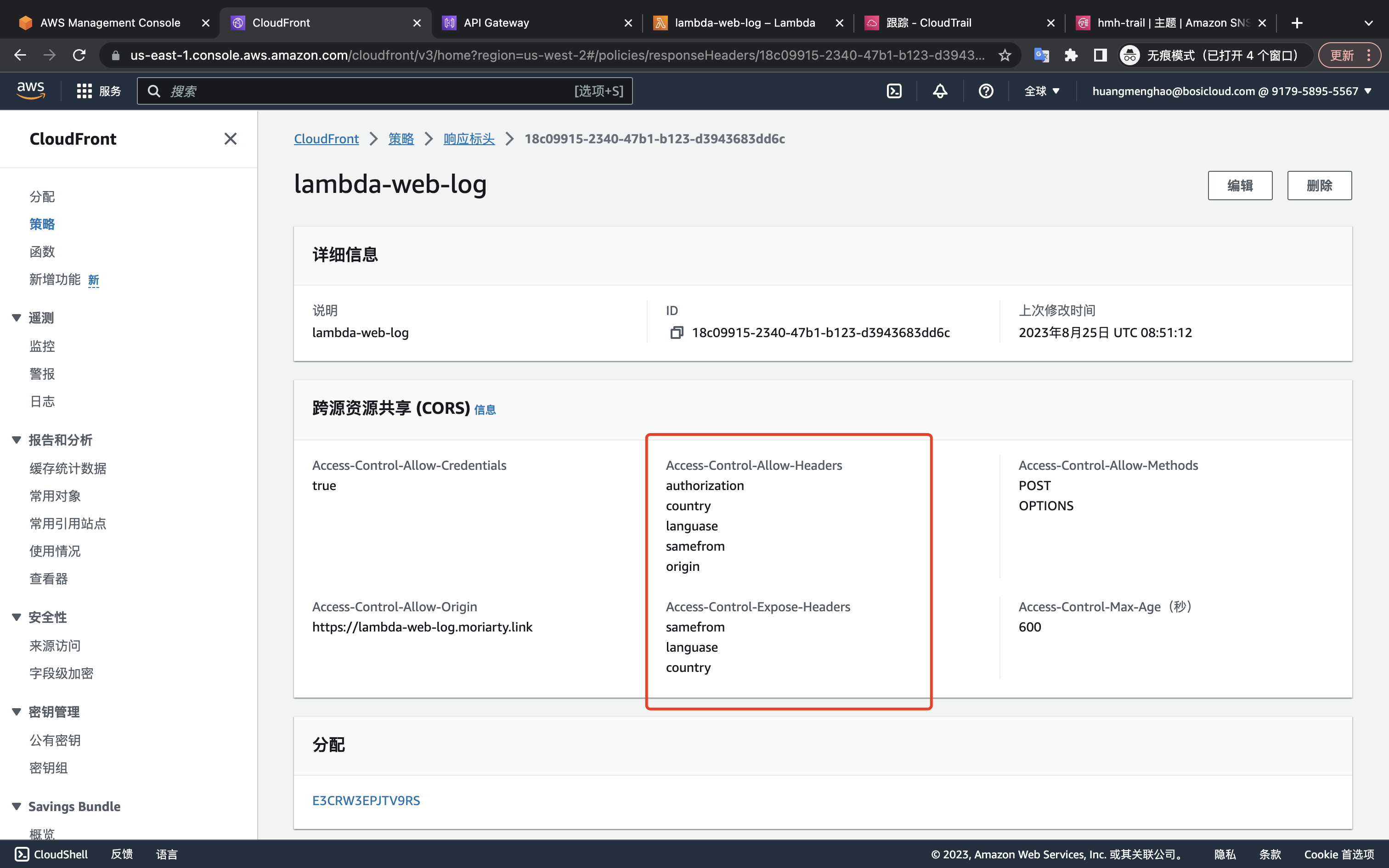
创建响应标头策略(可根据自己需求自定义)
创建function
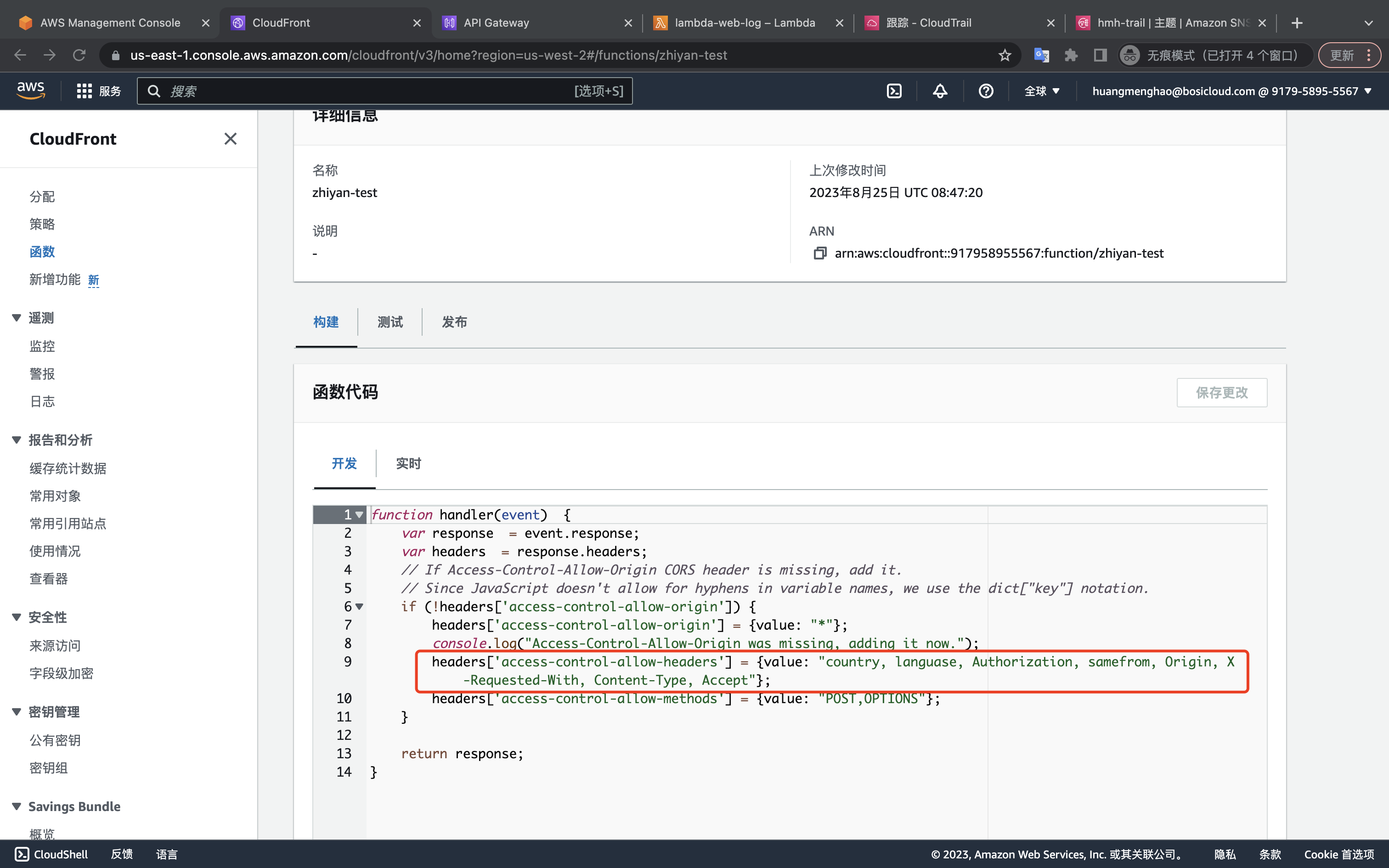
function handler(event)  {
    var response  = event.response;
    var headers  = response.headers;
    // If Access-Control-Allow-Origin CORS header is missing, add it.
    // Since JavaScript doesn't allow for hyphens in variable names, we use the dict["key"] notation.
    if (!headers['access-control-allow-origin']) {
        headers['access-control-allow-origin'] = {value: "*"};
        console.log("Access-Control-Allow-Origin was missing, adding it now.");
        headers['access-control-allow-headers'] = {value: "country, languase, Authorization, samefrom, Origin, X-Requested-With, Content-Type, Accept"};
        headers['access-control-allow-methods'] = {value: "POST,OPTIONS"};
    }

    return response;
} |
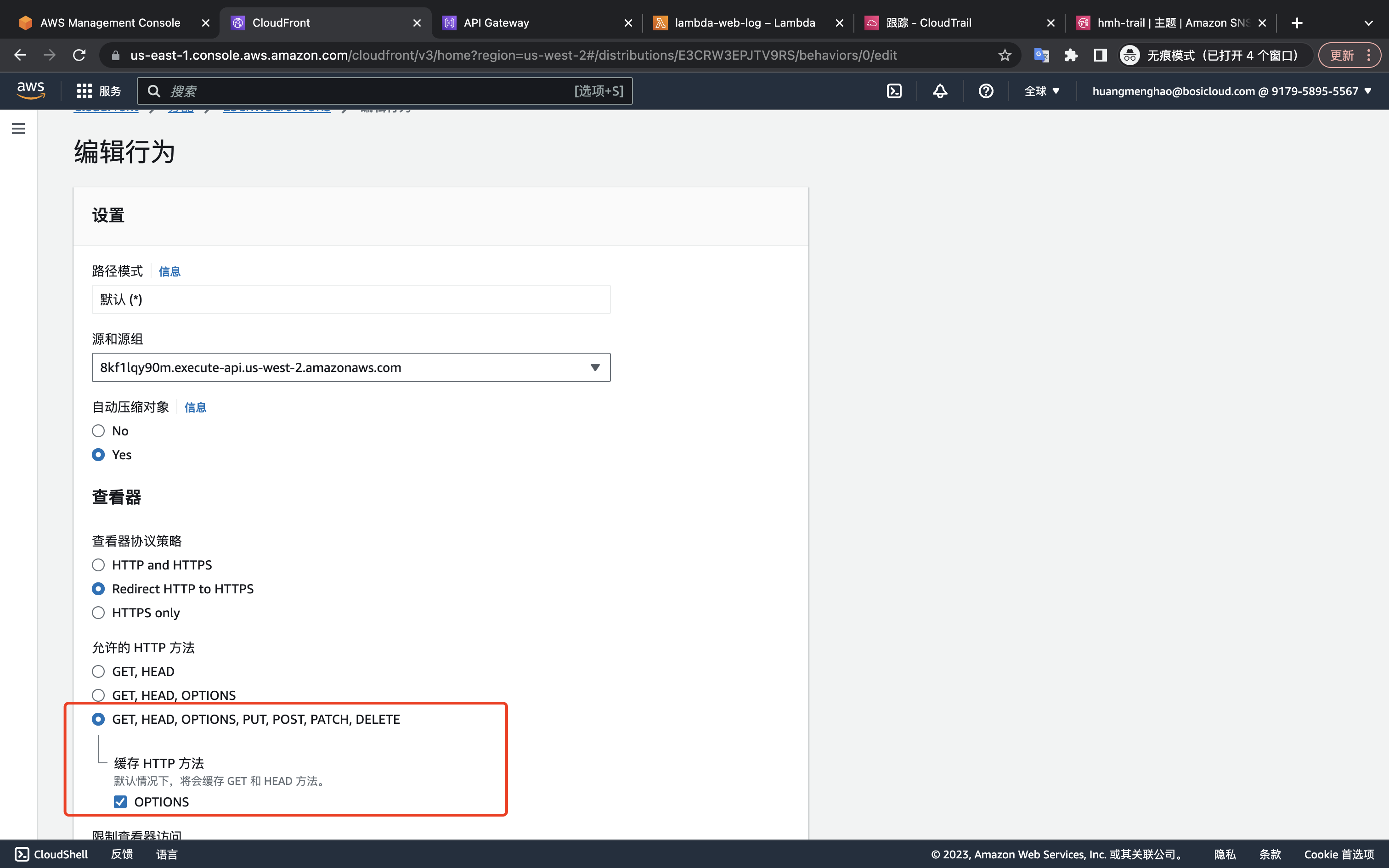
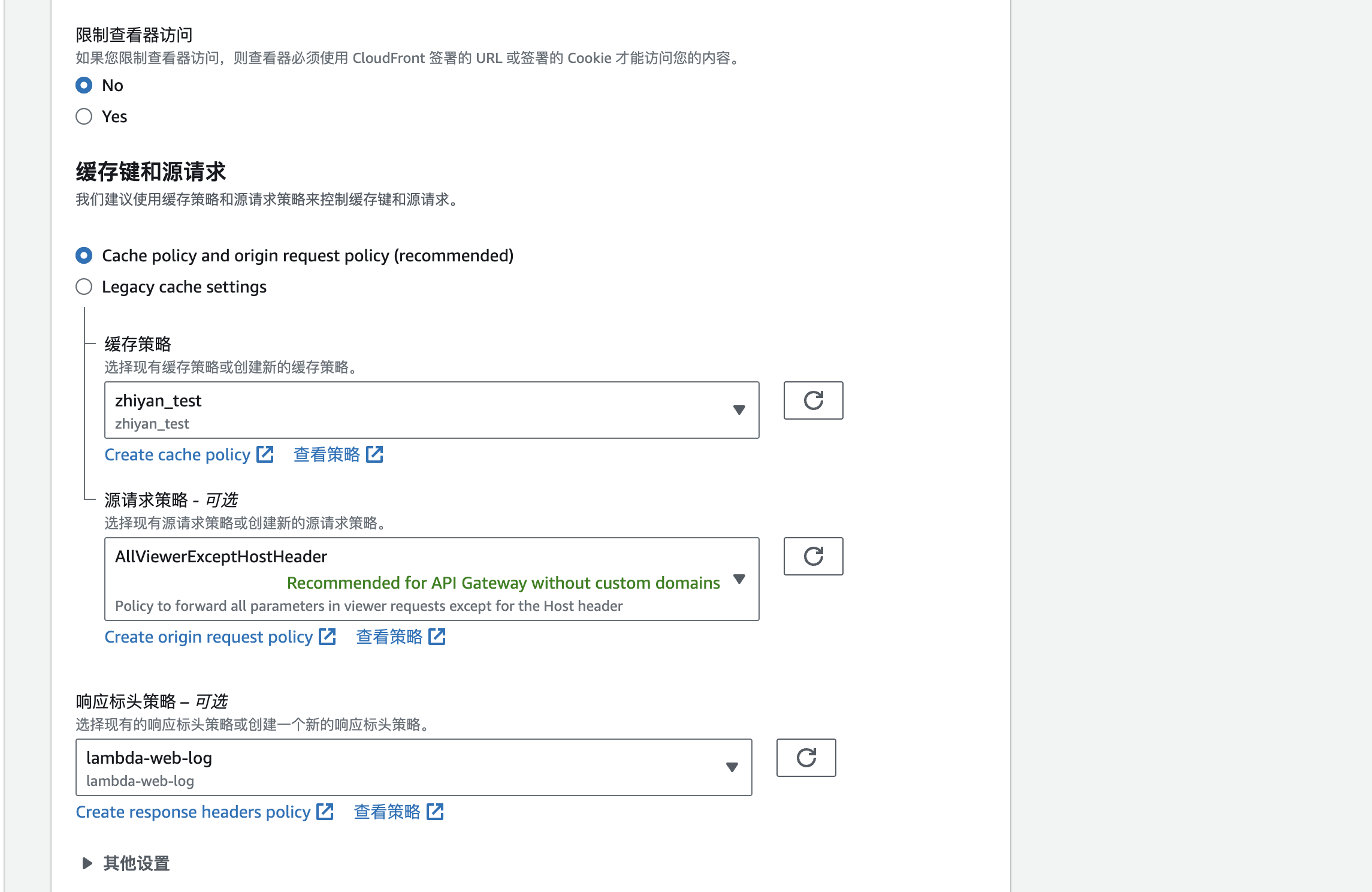
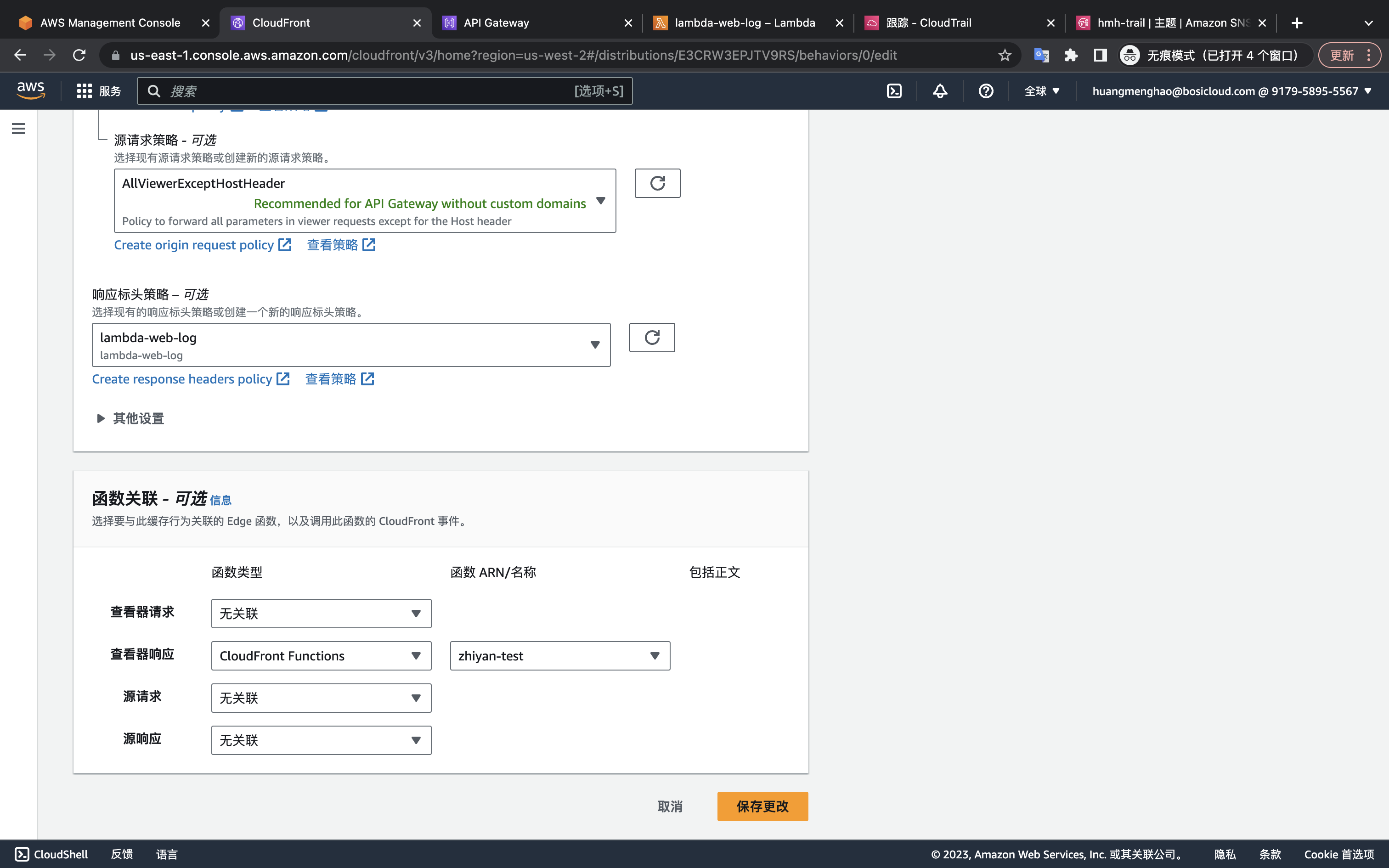
测试html
<!DOCTYPE html>
<html lang="en">
<head>
  <meta charset="UTF-8">
  <meta name="viewport" content="width=device-width, initial-scale=1.0">
  <script src="https://cdn.jsdelivr.net/npm/axios/dist/axios.min.js"></script>
  <title>Document</title>
  <style>
    .apply-btn {
      width: 150px;
      height: 45px;
      line-height: 45px;
      color: #fff;
      background-color: #00ace7;
      border-radius: 45px;
      text-align: center;
      font-size: 13px;
      cursor: pointer;
      margin-bottom: 20px;
    }

  </style>
</head>
<body>
  <script>
    const instance = axios.create({
      baseURL: 'https://lambda-web-log.moriarty.link/',
      timeout: 100000,
    })

    instance.interceptors.request.use(function (config) {
      // 在发送请求之前做些什么
      console.log('interceptors config : ', config)

      return config;
    }, function (error) {
      // 对请求错误做些什么
      return Promise.reject(error);
    })

    instance.interceptors.response.use(function (response) {
      // 对响应数据做点什么
      return response;
    }, function (error) {
      // 对响应错误做点什么
      return Promise.reject(error);
    });

    function handleClick1() {
      instance({
        url: 'https://lambda-web-log.moriarty.link/lambda-web-log',
        method: 'post',
        data: {
          traceId: `web-${Date.now()}`,
          message: 'error code helloword'
        },
      }).then(res => {
        console.log('res: ', res)
      })
    }

    function handleClick2 () {
      instance({
        //url: 'https://lambda-web-log.moriarty.link/',
        url: 'https://lambda-web-log.moriarty.link/lambda-web-log',
        method: 'post',
        data: {
          traceId: `web-${Date.now()}`,
          message: 'error code helloword'
        },
        headers: {
          authorization: 'token',
          country: 'us',
          languase: 'zh',
          samefrom: 'true'
        },
      }).then(res => {
        console.log('res: ', res)
      })
    }

  </script>
  <div class="apply-btn" onclick="handleClick1()">不带header</div>
  <div class="apply-btn" onclick="handleClick2()">自定义header</div>
</body>
</html>
|
配置前
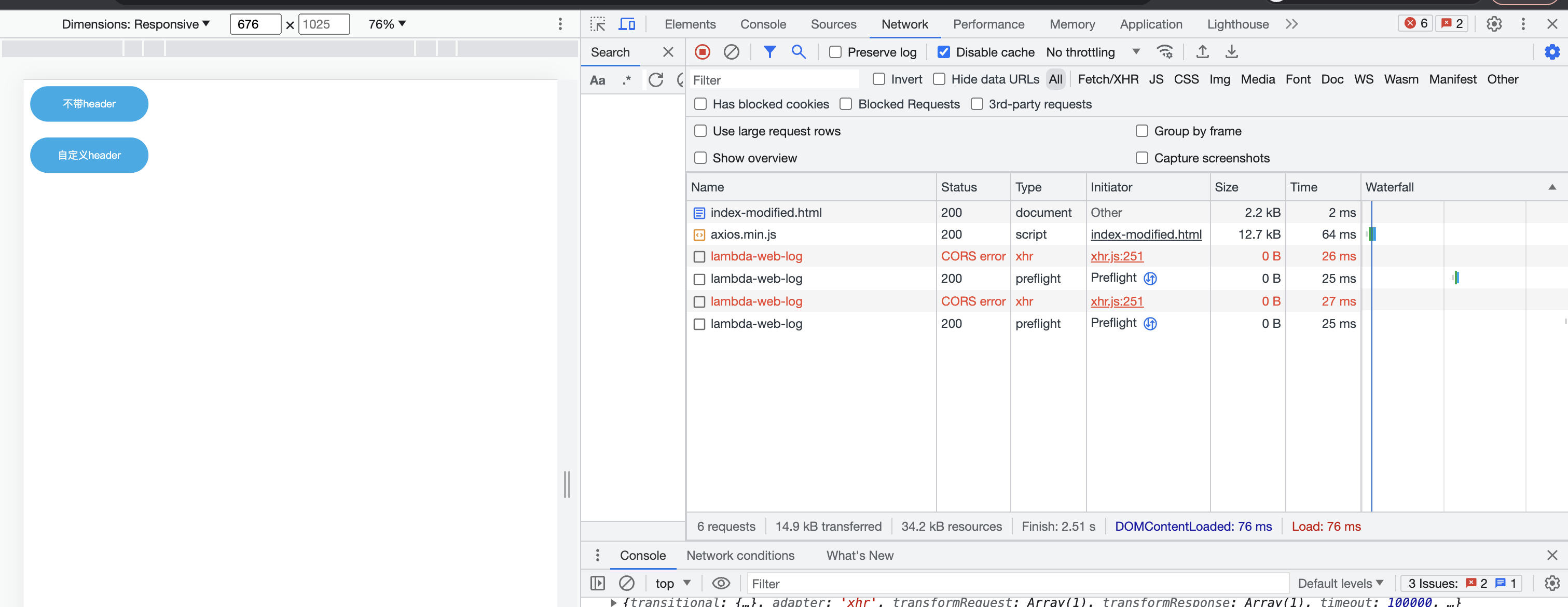
配置后
1.https://aws.amazon.com/cn/blogs/china/several-solutions-to-cloudfront-cross-domain-problem-cors/
2.https://repost.aws/zh-Hans/knowledge-center/no-access-control-allow-origin-error