Kubernetes (k8s) 是一个强大的容器编排平台,用于部署、管理和扩展容器化应用程序。然而,随着集群规模的增长以及应用程序的复杂性增加,有效的监控变得至关重要。Prometheus 是一个广泛使用的开源监控和警报工具,针对 Kubernetes 的监控方案具有很高的重要性,具体原因包括:
github地址:https://github.com/prometheus/prometheus
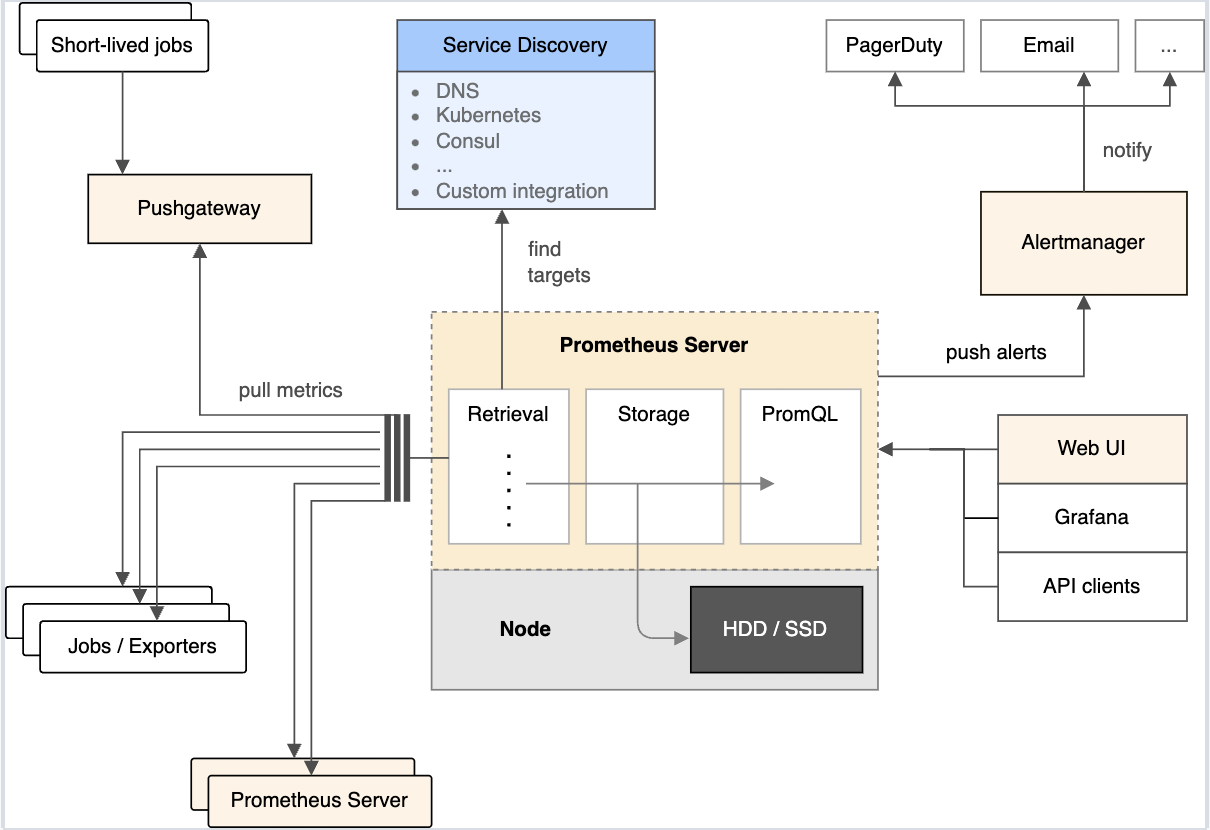
Prometheus Server的作用就是负责数据采集和存储,提供PromQL语句查询的支持
这个组件主要就是触发告警通知的一个组件
临时的Job主动推送到指标的中间网关
需要启动一台ec2,并且绑定role角色。让其拥有执行创建资源的权限。(zrm-role)
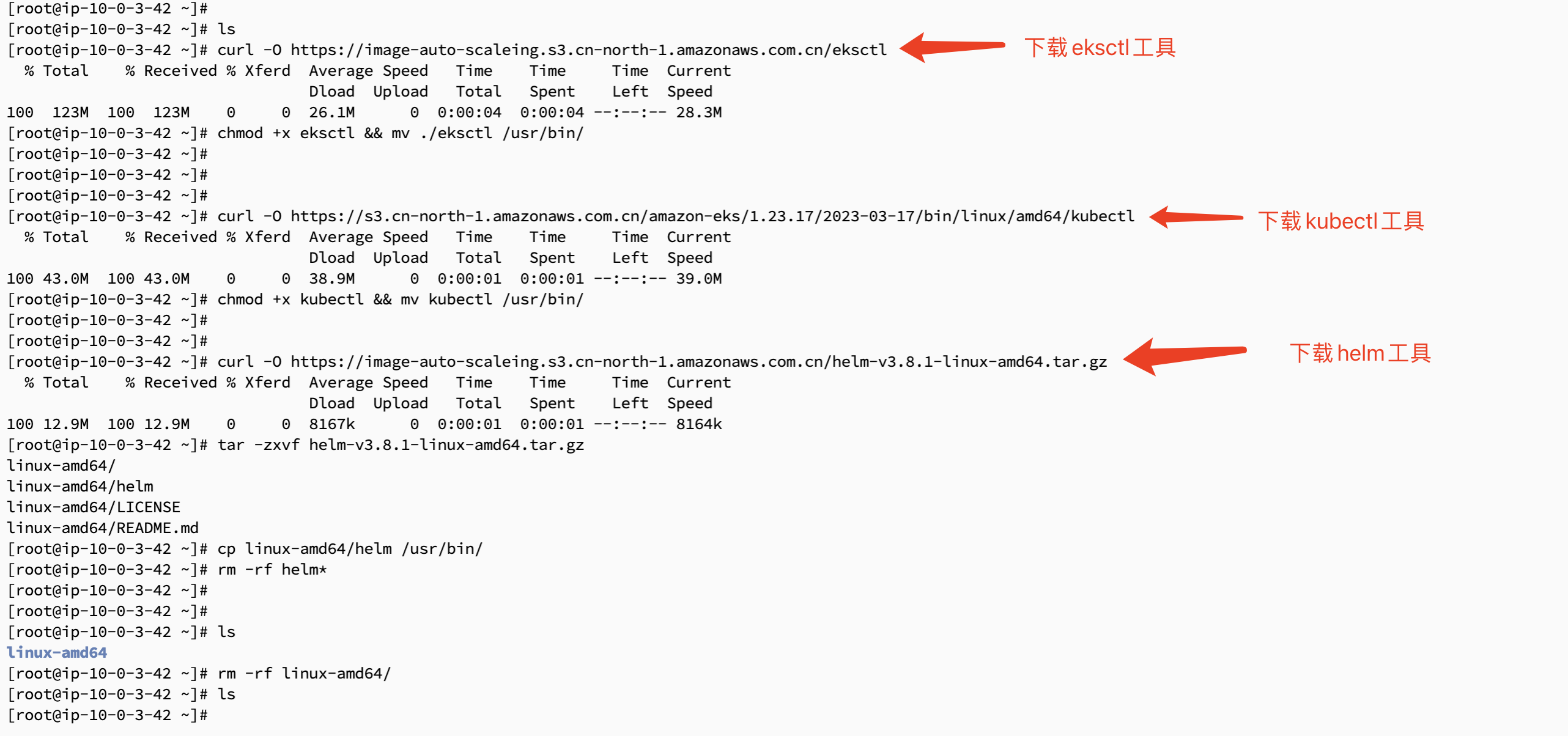
###eksctl工具 eksctl是eks集群部署的命令行工具 curl -O https://image-auto-scaleing.s3.cn-north-1.amazonaws.com.cn/eksctl chmod +x eksctl && mv ./eksctl /usr/bin/ ###kubectl工具 官网地址:https://docs.amazonaws.cn/eks/latest/userguide/install-kubectl.html 这里下载kubectl工具的时候,要选择你对应的集群版本。有时候可以比你的集群版本可以低一个版本 curl -O https://s3.cn-north-1.amazonaws.com.cn/amazon-eks/1.23.17/2023-03-17/bin/linux/amd64/kubectl chmod +x kubectl && mv kubectl /usr/bin/ ###helm安装 curl -O https://image-auto-scaleing.s3.cn-north-1.amazonaws.com.cn/helm-v3.8.1-linux-amd64.tar.gz tar -zxvf helm-v3.8.1-linux-amd64.tar.gz cp linux-amd64/helm /usr/bin/ rm -rf helm* && rm -rf linux-amd64 |
cat > cluster.yaml << EOF
apiVersion: eksctl.io/v1alpha5
kind: ClusterConfig
metadata:
  name: prometheus-eks
  region: cn-northwest-1
  version: "1.26"
vpc:
  id: "vpc-085306cb2975bd281"
  subnets:
    public:
      cn-northwest-1a: { id: subnet-02cbfaaf2093cf95f }
      cn-northwest-1b: { id: subnet-01614bc0f46e7439f }
      cn-northwest-1c: { id: subnet-03a3409ceaabd52e3 }
managedNodeGroups:
  - name: ng-1
    labels: { role: workers }
    instanceType: t3a.large
    desiredCapacity: 2
    minSize: 0
    maxSize: 10
    volumeSize: 50
    ssh:
      allow: true
      publicKeyName: zrm-nx
EOF |
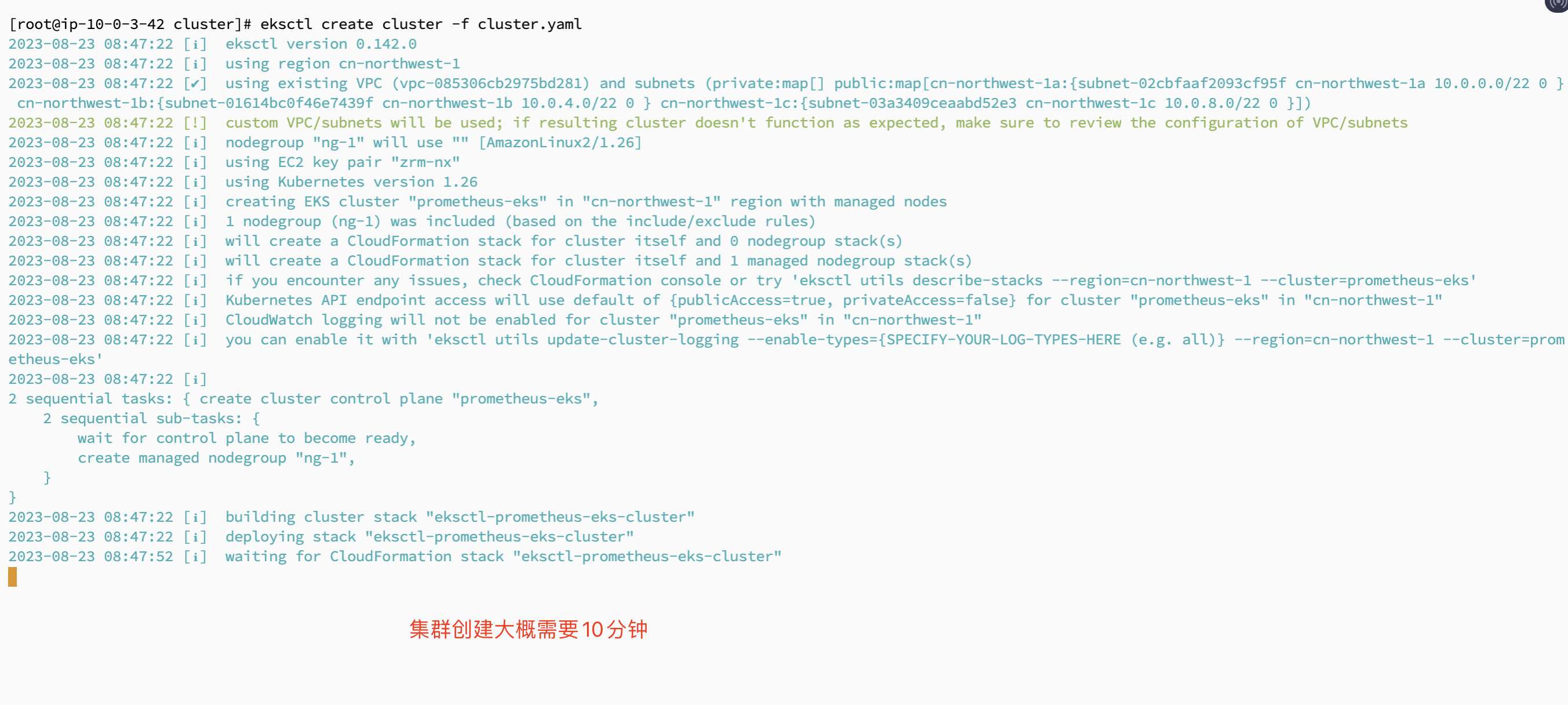
eksctl create cluster -f cluster.yaml
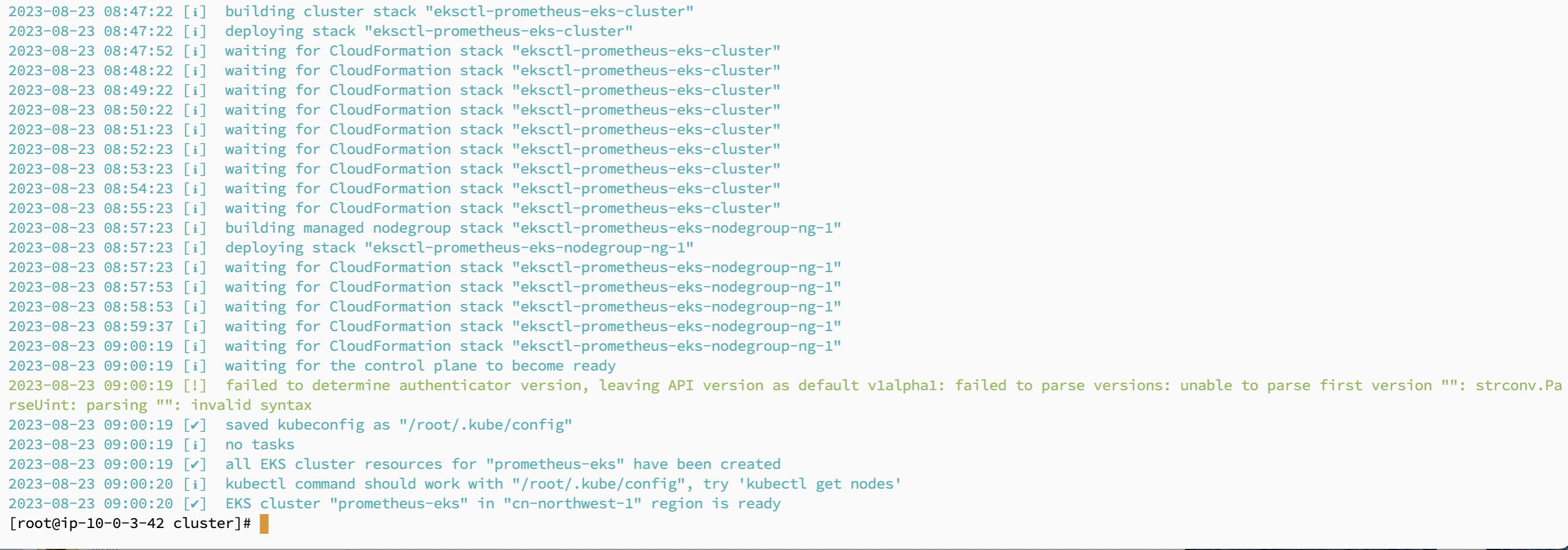
创建完成之后如下图
|
eksctl utils associate-iam-oidc-provider --cluster prometheus-eks --approve
aws eks describe-cluster --name prometheus-eks --query "cluster.identity.oidc.issuer" --output text
cat >oidc.yaml <<EOF
apiVersion: eksctl.io/v1alpha5
kind: ClusterConfig

metadata:
  name: prometheus-eks   ###集群名字
  region: cn-northwest-1  ###集群所在区域

identityProviders:
  - name: upgrade-eks-oidc   ###设置一个名字(任意)
    type: oidc
    issuerUrl: $(aws eks describe-cluster --name prometheus-eks --query "cluster.identity.oidc.issuer" --output text)   ###必须关联OIDC的信息
    clientId: sts.amazonaws.com   ###默认客户端ID
EOF |
eksctl associate identityprovider -f oidc.yaml
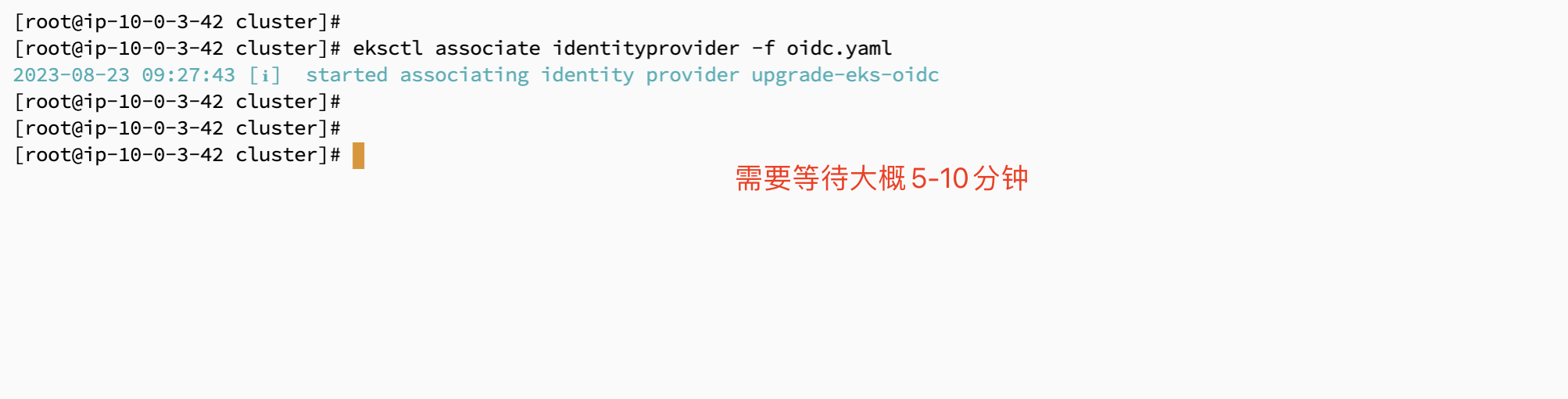
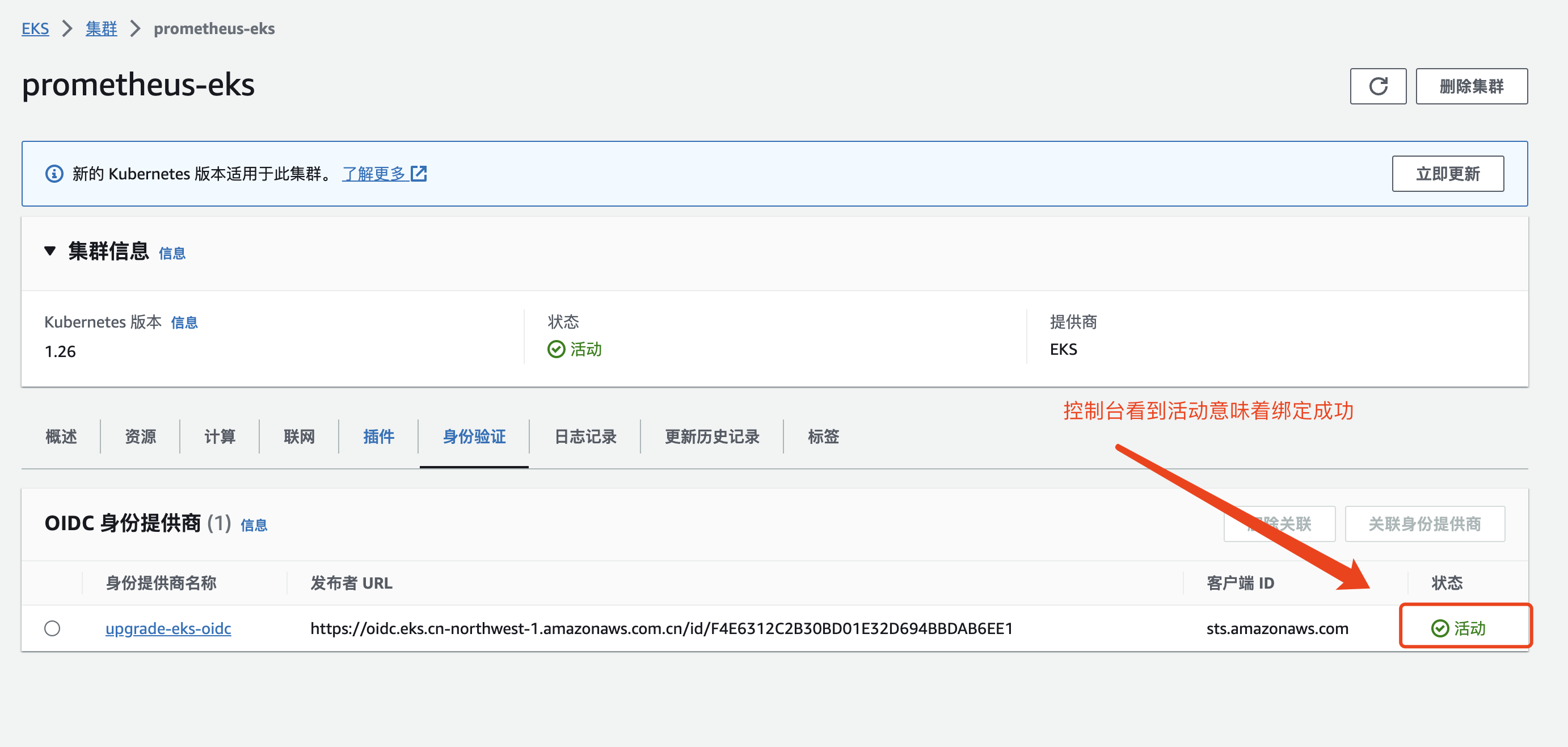
绑定完成之后,可以在控制台查看对应的信息
###下载策略文件
curl -O https://raw.githubusercontent.com/kubernetes-sigs/aws-load-balancer-controller/v2.4.7/docs/install/iam_policy_cn.json
###创建一个策略名字为:AWSLoadBalancerControllerIAMPolicy
aws iam create-policy \
    --policy-name AWSLoadBalancerControllerIAMPolicy \
    --policy-document file://iam_policy_cn.json
这里需要注意的是,如果你的账户中存在这个策略,可以跳过这一步。进行下一步


###eksctl创建一个sa
eksctl create iamserviceaccount \
  --cluster=prometheus-eks \
  --namespace=kube-system \
  --name=aws-load-balancer-controller-eks \
  --role-name AmazonEKSLoadBalancerControllerRole-eks \
  --attach-policy-arn=arn:aws-cn:iam::297669174308:policy/AWSLoadBalancerControllerIAMPolicy \
  --approve


###安装git
yum -y install git
kubectl apply -k "github.com/aws/eks-charts/stable/aws-load-balancer-controller/crds?ref=master"


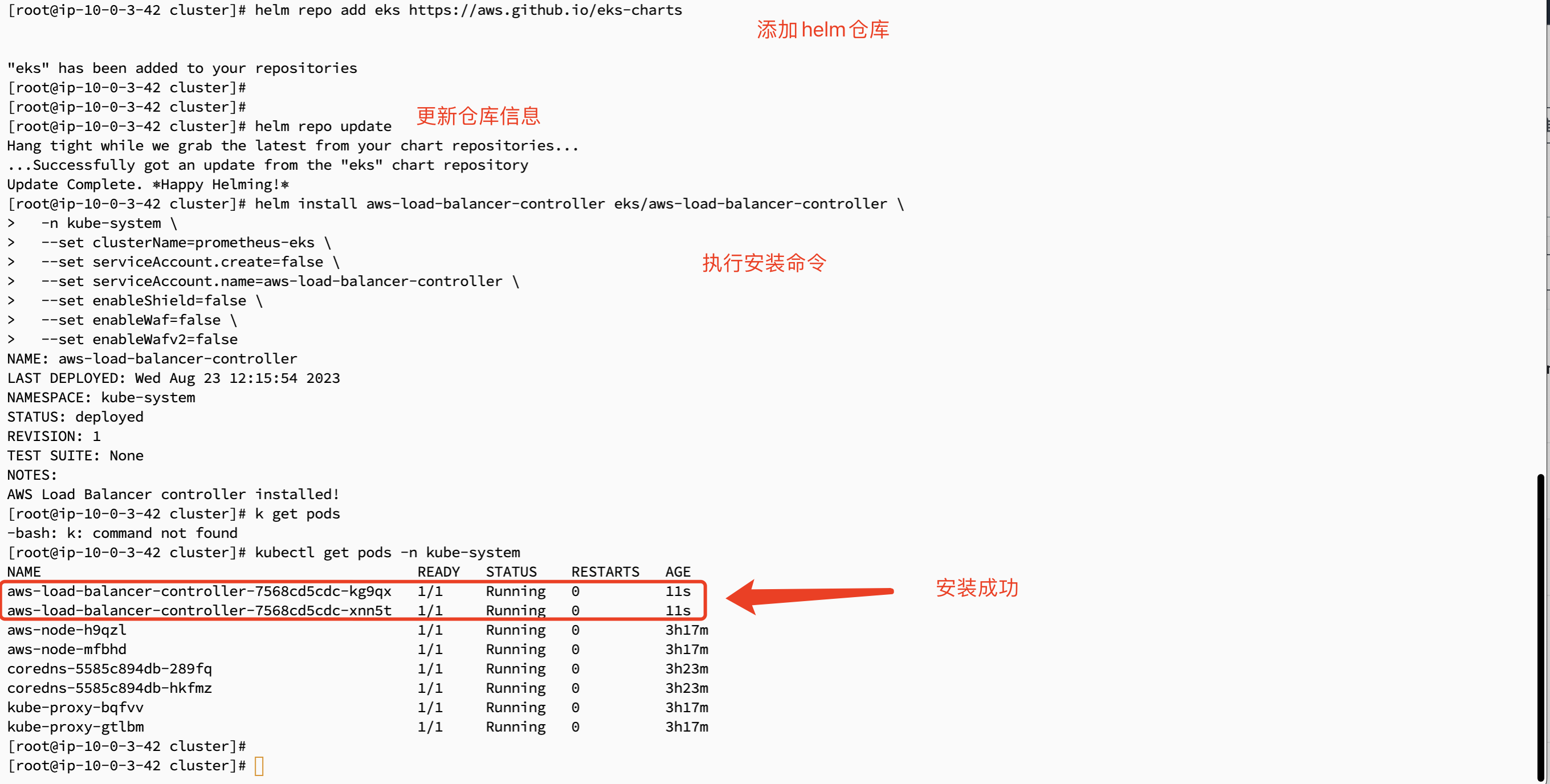
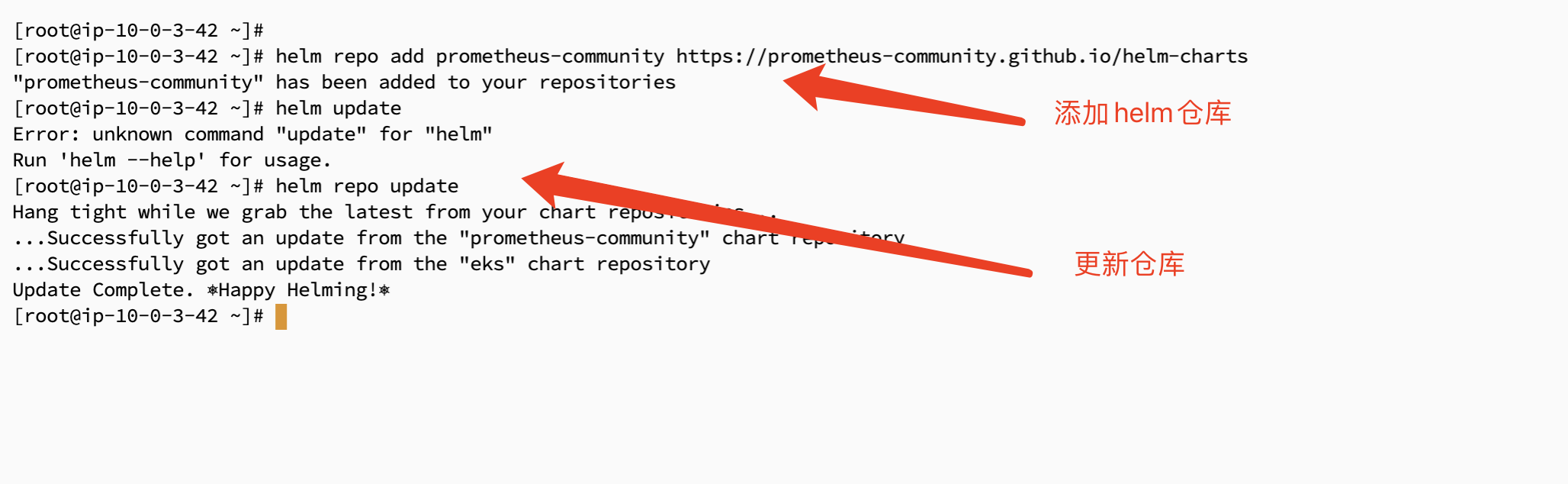
###配置helm仓库
helm repo add eks https://aws.github.io/eks-charts
###更新eks-charts仓库
helm repo update

###部署alb
helm install aws-load-balancer-controller eks/aws-load-balancer-controller \
  -n kube-system \
  --set clusterName=prometheus-eks \
  --set serviceAccount.create=false \
  --set serviceAccount.name=aws-load-balancer-controller \
  --set enableShield=false \
  --set enableWaf=false \
--set enableWafv2=false |
在控制台点击添加EBS插件
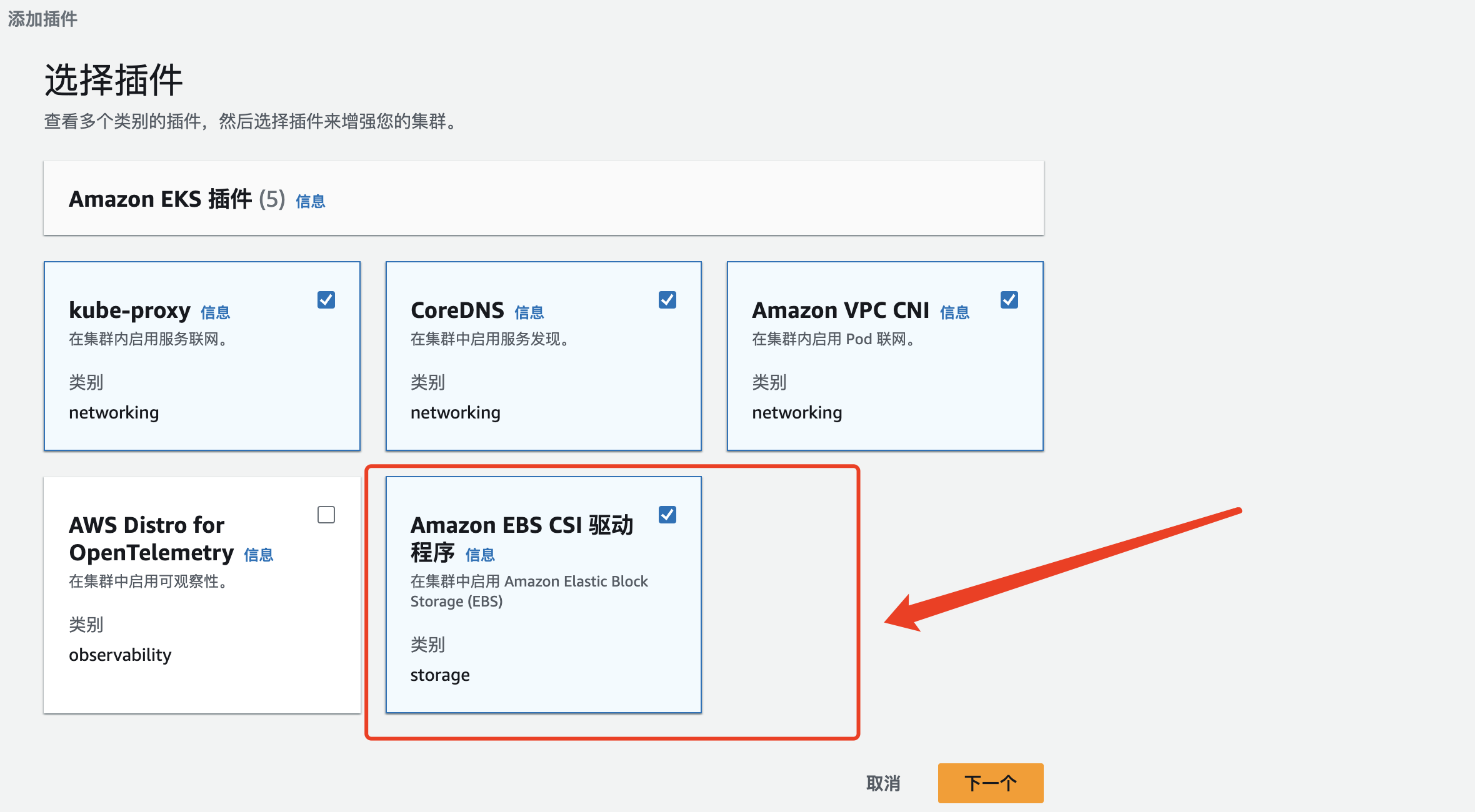
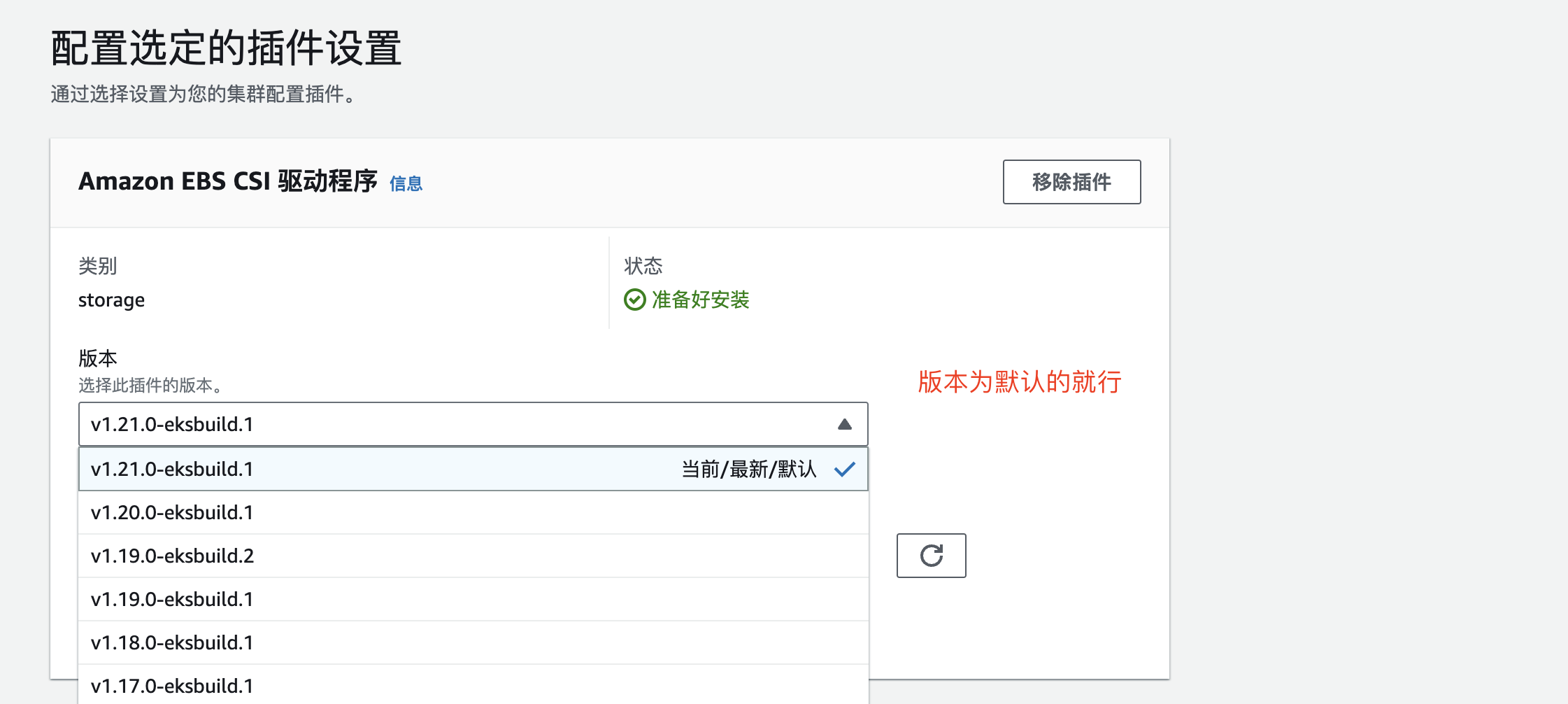
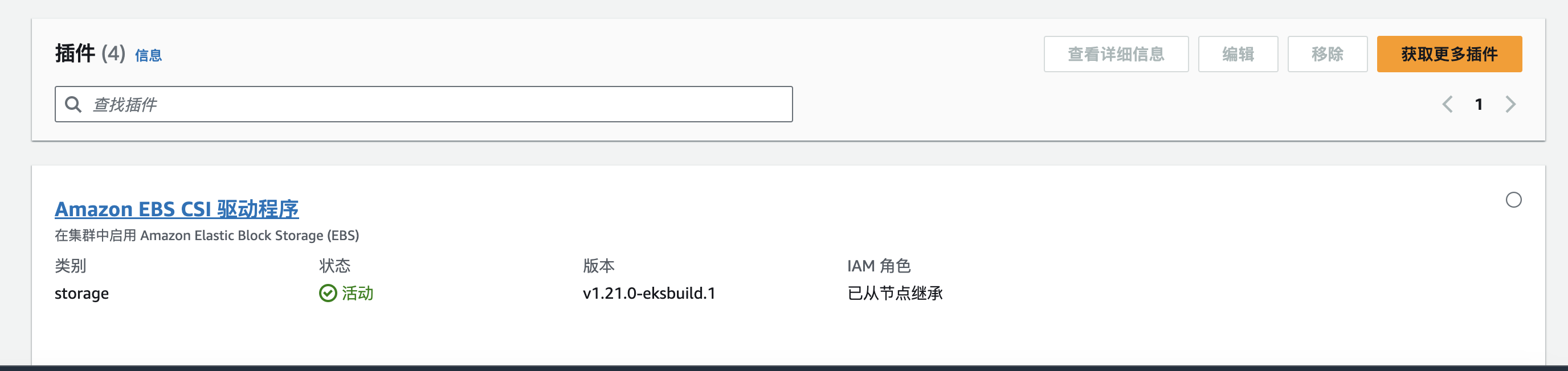
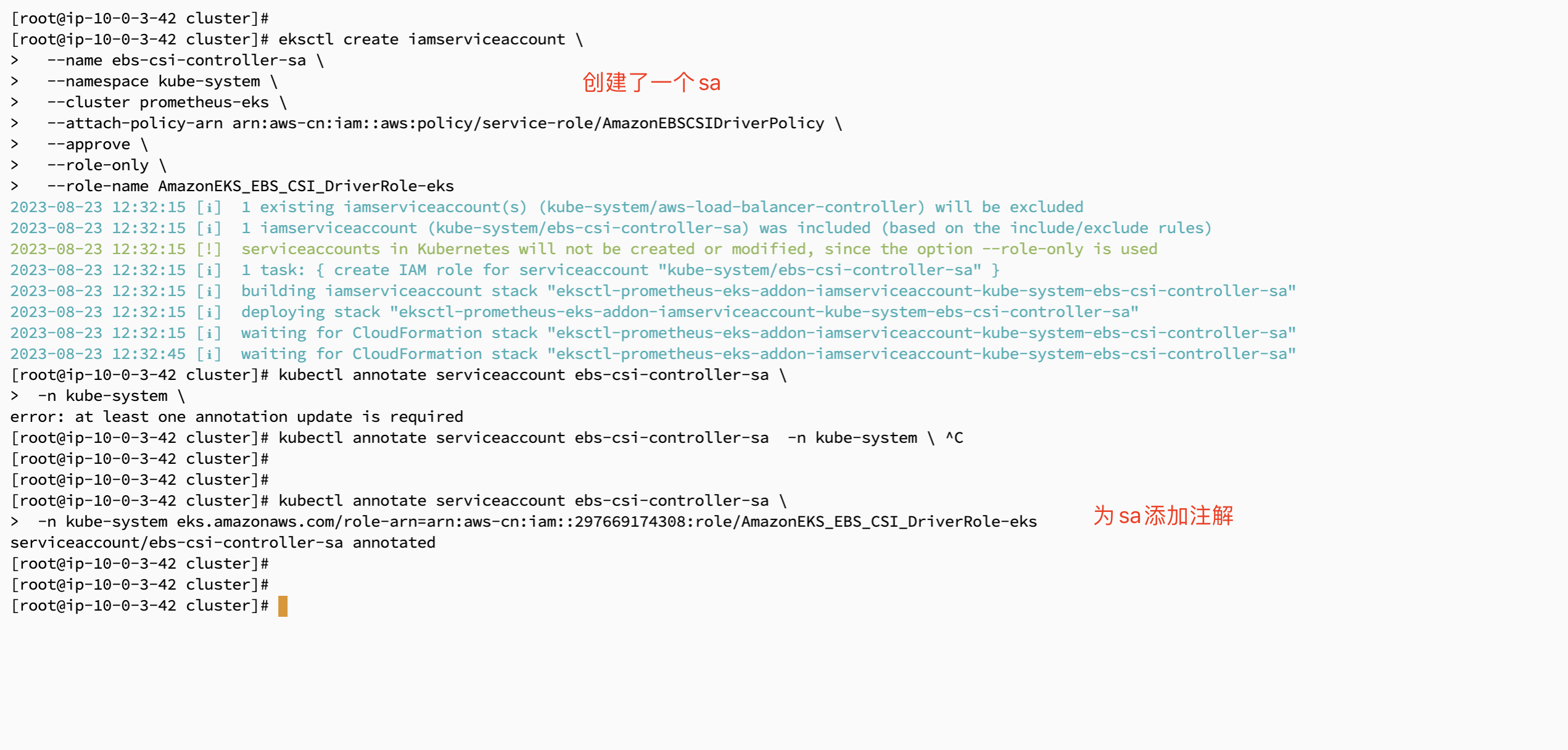
然后使用命令行的方式去添加一个sa
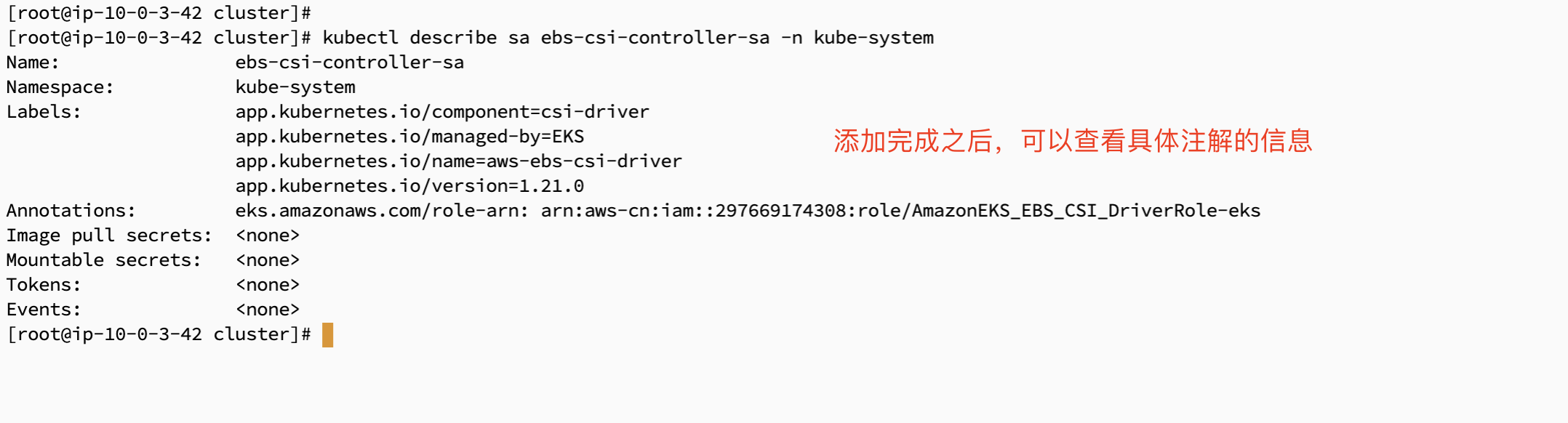
###添加IAM角色绑定权限 eksctl create iamserviceaccount \ --name ebs-csi-controller-sa \ --namespace kube-system \ --cluster prometheus-eks \ --attach-policy-arn arn:aws-cn:iam::aws:policy/service-role/AmazonEBSCSIDriverPolicy \ --approve \ --role-only \ --role-name AmazonEKS_EBS_CSI_DriverRole-eks ###为serviceaccount添加一个注解 kubectl annotate serviceaccount ebs-csi-controller-sa \ -n kube-system eks.amazonaws.com/role-arn=arn:aws-cn:iam::297669174308:role/AmazonEKS_EBS_CSI_DriverRole-eks ###重启生效 kubectl rollout restart deployment ebs-csi-controller -n kube-system |
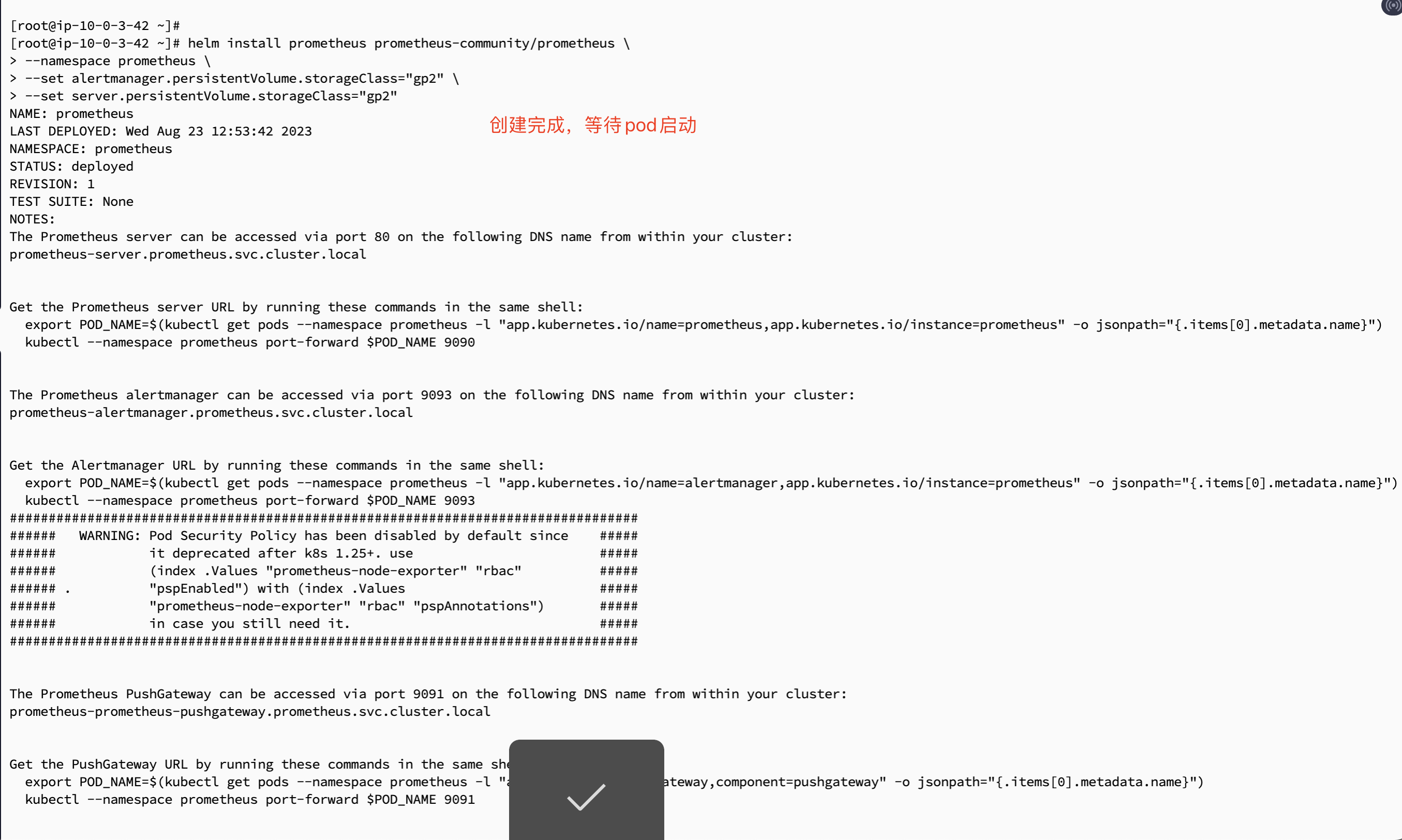
###创建命名空间 kubectl create namespace prometheus ###添加对应helm的仓库 helm repo add prometheus-community https://prometheus-community.github.io/helm-charts ###安装 helm install prometheus prometheus-community/prometheus \ --namespace prometheus \ --set alertmanager.persistentVolume.storageClass="gp2" \ --set server.persistentVolume.storageClass="gp2" |
创建成功,pod启动
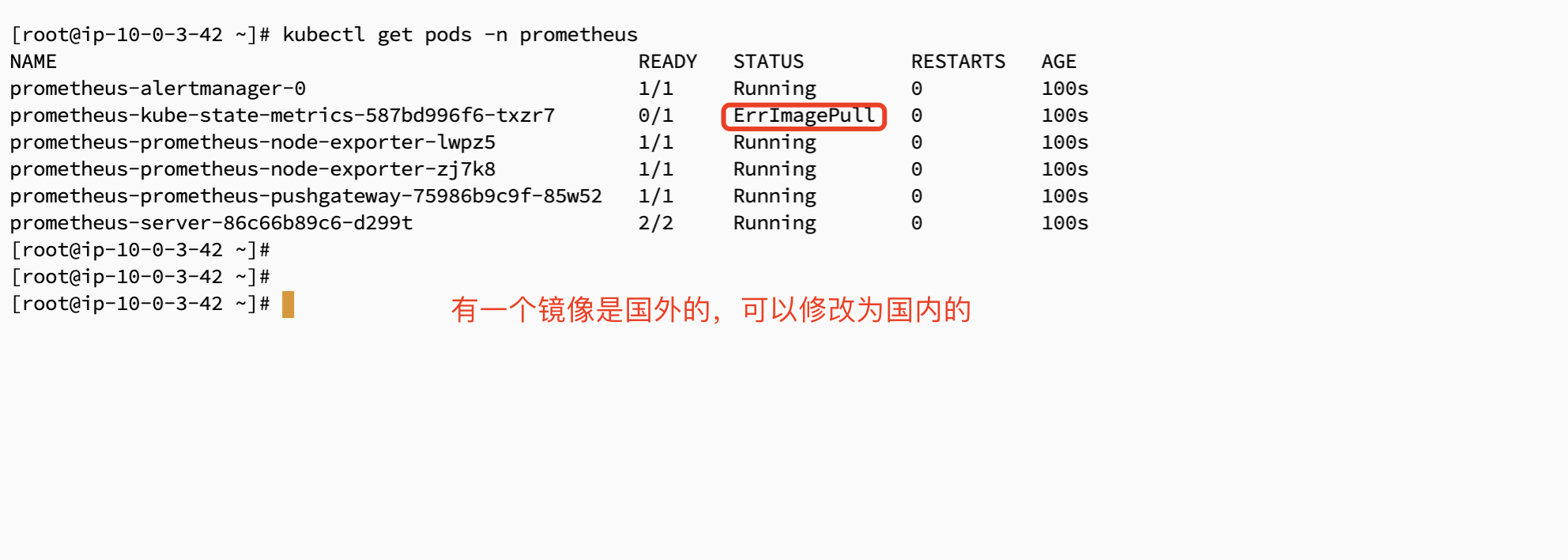
有一个镜像是国外的。你如果是国外服务器部署则无需更改,国内服务器需要更改一下
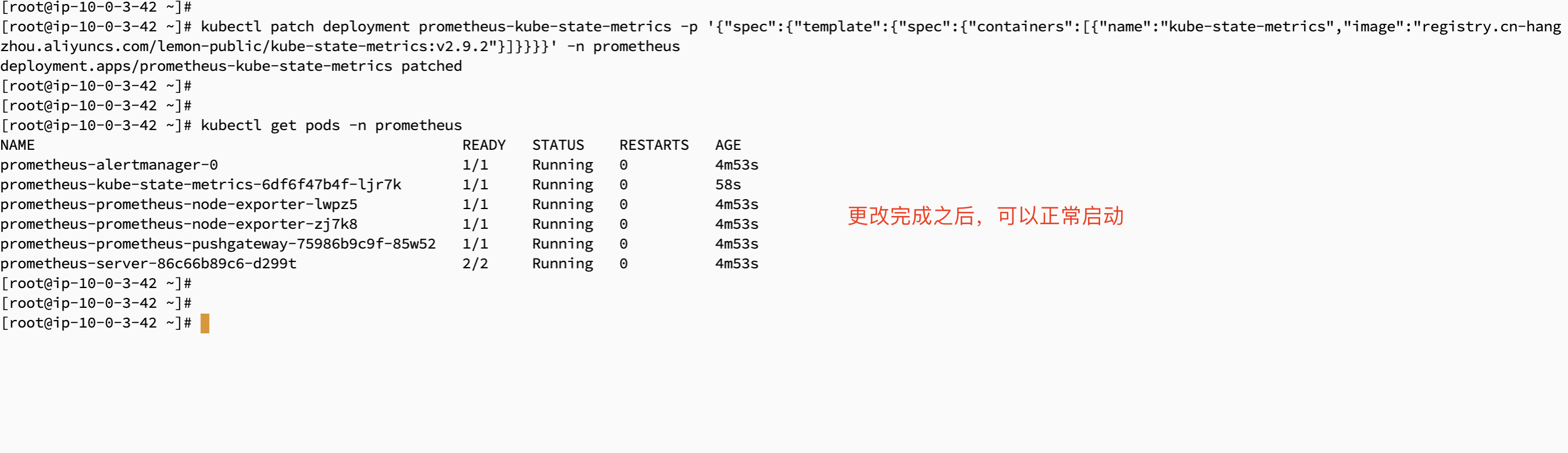
###更改为国内的镜像地址
kubectl patch deployment prometheus-kube-state-metrics -p '{"spec":{"template":{"spec":{"containers":[{"name":"kube-state-metrics","image":"registry.cn-hangzhou.aliyuncs.com/lemon-public/kube-state-metrics:v2.9.2"}]}}}}' -n prometheus |

kubectl get svc -n prometheus ###查看svc的地址以及类型

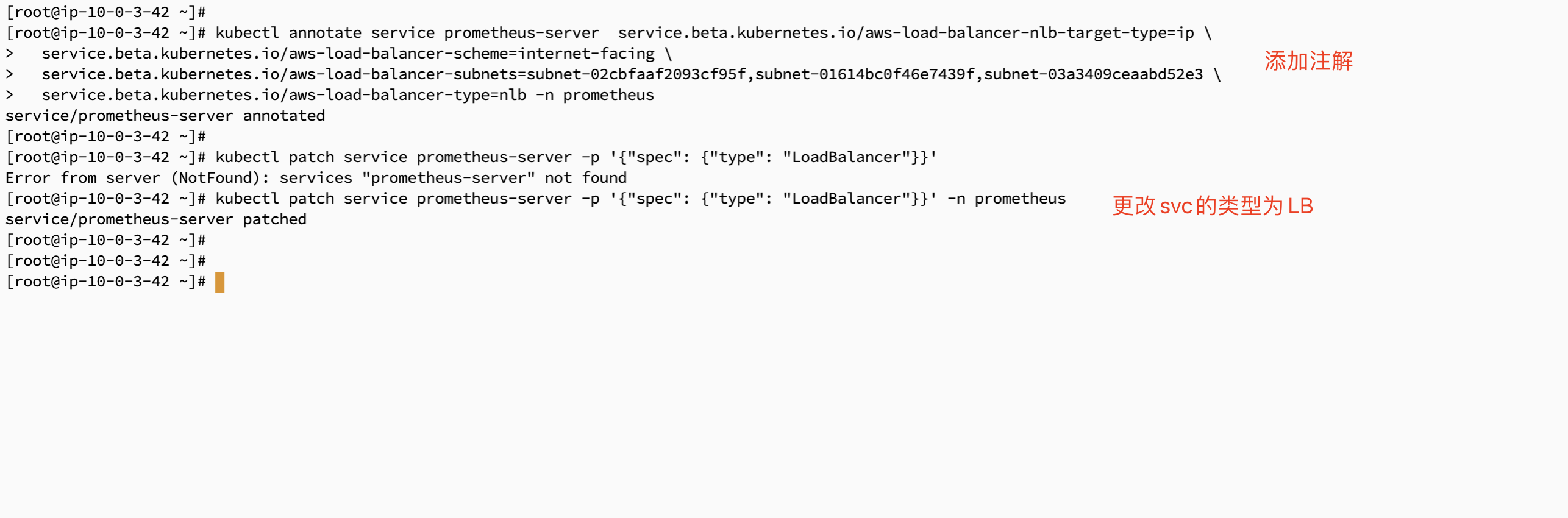
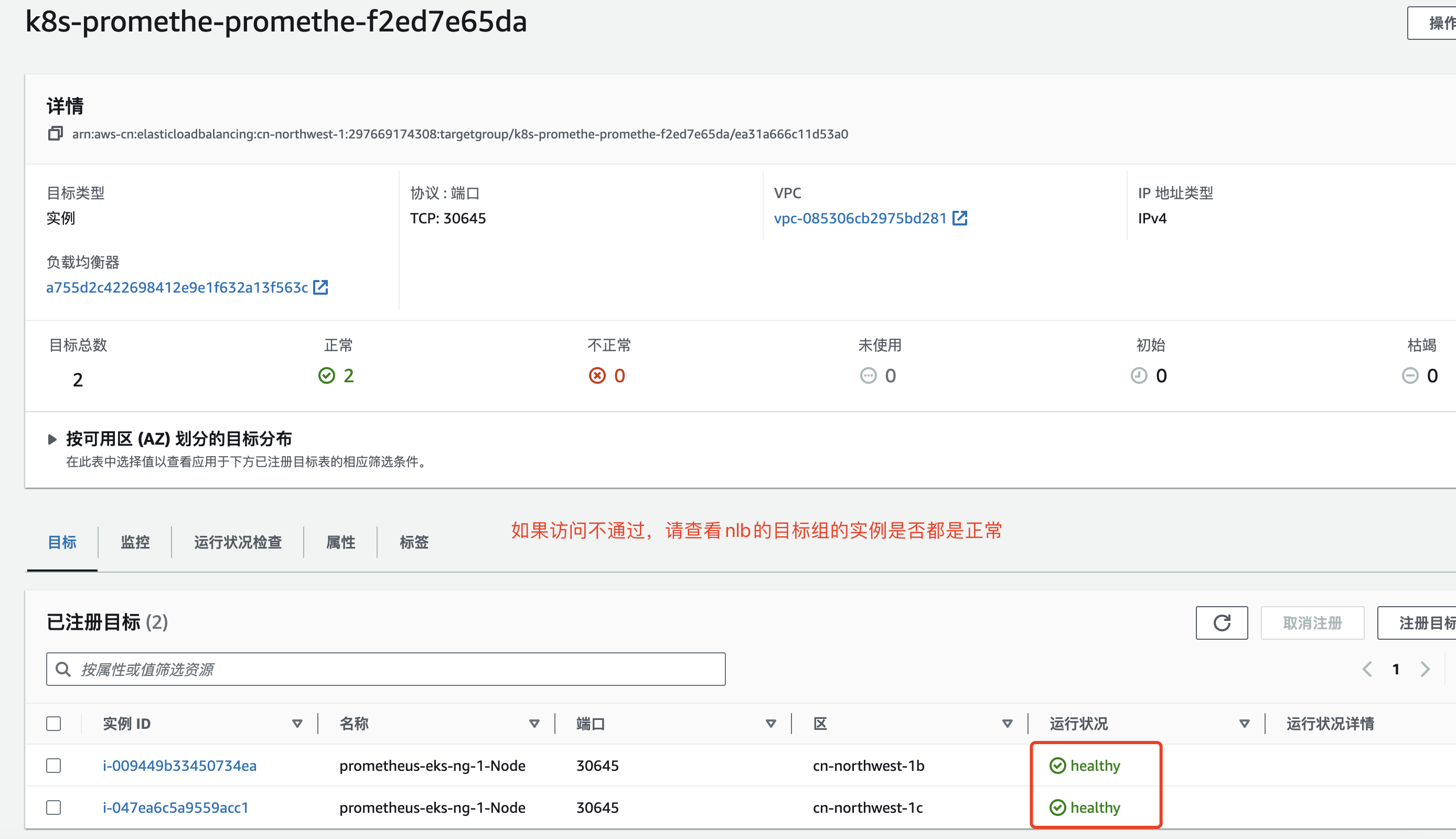
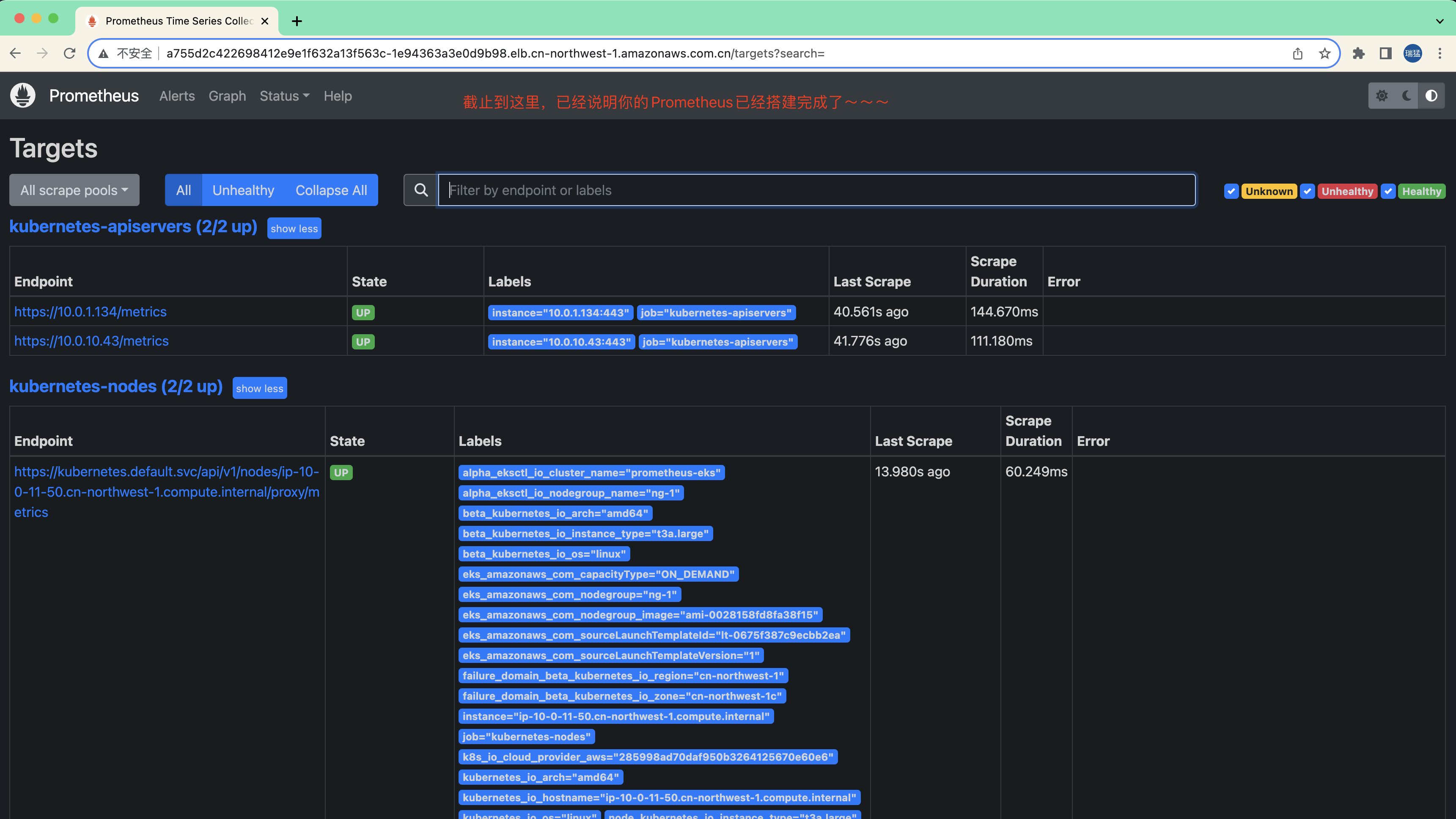
添加注解:更改为LoadBalancer类型
###需要添加注解
kubectl annotate service prometheus-server  service.beta.kubernetes.io/aws-load-balancer-nlb-target-type=ip \
  service.beta.kubernetes.io/aws-load-balancer-scheme=internet-facing \
  service.beta.kubernetes.io/aws-load-balancer-subnets=subnet-02cbfaaf2093cf95f,subnet-01614bc0f46e7439f,subnet-03a3409ceaabd52e3 \
  service.beta.kubernetes.io/aws-load-balancer-type=nlb -n prometheus

###更改类型
kubectl patch service prometheus-server -p '{"spec": {"type": "LoadBalancer"}}' -n prometheus |

序号 | 判定描述 | 自我判定(是/否) |
|---|---|---|
| 1 | 在各搜索引擎中是否能找到知识信息(包括但不限于Google、百度、Bing) | 是 |
| 2 | 是否需要代码集成开发 | 否 |