客户使用自建的VPN网络不稳定,想用aws的client VPN
//将 OpenVPN easy-rsa 存储库克隆到本地计算机并导航到 easy-rsa/easyrsa3 文件夹。
[root@ip-10-0-1-51 ~]# git clone https://github.com/OpenVPN/easy-rsa.git
Cloning into 'easy-rsa'...
remote: Enumerating objects: 5592, done.
remote: Counting objects: 100% (668/668), done.
remote: Compressing objects: 100% (407/407), done.
remote: Total 5592 (delta 292), reused 609 (delta 260), pack-reused 4924
Receiving objects: 100% (5592/5592), 44.64 MiB | 15.04 MiB/s, done.
Resolving deltas: 100% (2590/2590), done.

[root@ip-10-0-1-51 ~]# cd easy-rsa/easyrsa3

//初始化一个新的 PKI 环境
[root@ip-10-0-1-51 easyrsa3]# ./easyrsa init-pki

Notice
------
'init-pki' complete; you may now create a CA or requests.
...
..
  Edit this 'vars' file to customise the settings for your PKI.
  To use a global vars file, use global option --vars=<FILE

//要构建新的证书颁发机构 (CA),请运行此命令并按照提示进行操作,需要输入server name,才能下一步
[root@ip-10-0-1-51 easyrsa3]# ./easyrsa build-ca nopass
Using Easy-RSA 'vars' configuration:
* /root/easy-rsa/easyrsa3/pki/vars
Using SSL:
...
...
If you enter '.', the field will be left blank.
-----
Common Name (eg: your user, host, or server name) [Easy-RSA CA]:hua.test

Notice
------
CA creation complete. Your new CA certificate is at:
* /root/easy-rsa/easyrsa3/pki/ca.crt

//生成服务器证书和密钥,中间需要执行一个yes才能继续
[root@ip-10-0-1-51 easyrsa3]# ./easyrsa build-server-full server nopass
Using Easy-RSA 'vars' configuration:
* /root/easy-rsa/easyrsa3/pki/vars

Using SSL:
...
...

subject=
    commonName                = server

Type the word 'yes' to continue, or any other input to abort.
  Confirm request details: yes
...
...
Notice
------
Certificate created at:
* /root/easy-rsa/easyrsa3/pki/issued/server.crt

Notice
------
Inline file created:
* /root/easy-rsa/easyrsa3/pki/inline/server.inline

//生成客户端证书和密钥,中间需要输入yes才能继续
[root@ip-10-0-1-51 easyrsa3]# ./easyrsa build-client-full client1.domain.tld nopass
Using Easy-RSA 'vars' configuration:
* /root/easy-rsa/easyrsa3/pki/vars

Using SSL:
* openssl OpenSSL 3.0.8 7 Feb 2023 (Library: OpenSSL 3.0.8 7 Feb 2023)
...
...
Type the word 'yes' to continue, or any other input to abort.
  Confirm request details: yes
...
...
Notice
------
Inline file created:
* /root/easy-rsa/easyrsa3/pki/inline/client1.domain.tld.inline

//将服务器证书和密钥和客户端证书和密钥复制到自定义文件夹,然后导航到此自定义文件夹
mkdir ~/custom_folder/
cp pki/ca.crt ~/custom_folder/
cp pki/issued/server.crt ~/custom_folder/
cp pki/private/server.key ~/custom_folder/
cp pki/issued/client1.domain.tld.crt ~/custom_folder
cp pki/private/client1.domain.tld.key ~/custom_folder/
cd ~/custom_folder/

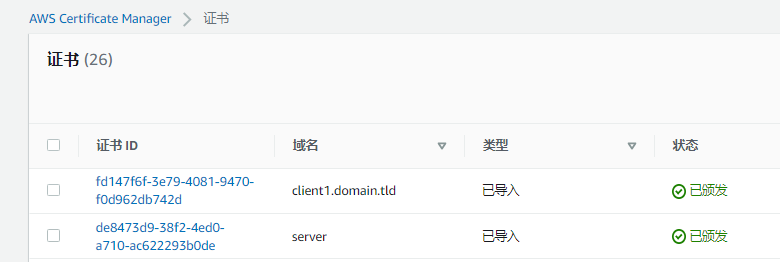
//将服务器证书和密钥以及客户端证书和密钥上传到 ACM。请确保在您打算在其中创建客户端 VPN 终端节点的同一区域中上传证书。
[root@ip-10-0-1-51 custom_folder]# aws acm import-certificate --certificate fileb://server.crt --private-key fileb://server.key --certificate-chain fileb://ca.crt
{
    "CertificateArn": "arn:aws:acm:ap-southeast-1:917958955567:certificate/de8473d9-38f2-4ed0-a710-ac622293b0de"
}
[root@ip-10-0-1-51 custom_folder]# aws acm import-certificate --certificate fileb://client1.domain.tld.crt --private-key fileb://client1.domain.tld.key --certificate-chain fileb://ca.crt
{
    "CertificateArn": "arn:aws:acm:ap-southeast-1:917958955567:certificate/fd147f6f-3e79-4081-9470-f0d962db742d"
}
|
准备在哪个区域创建VPN,就把证书导入到哪个区
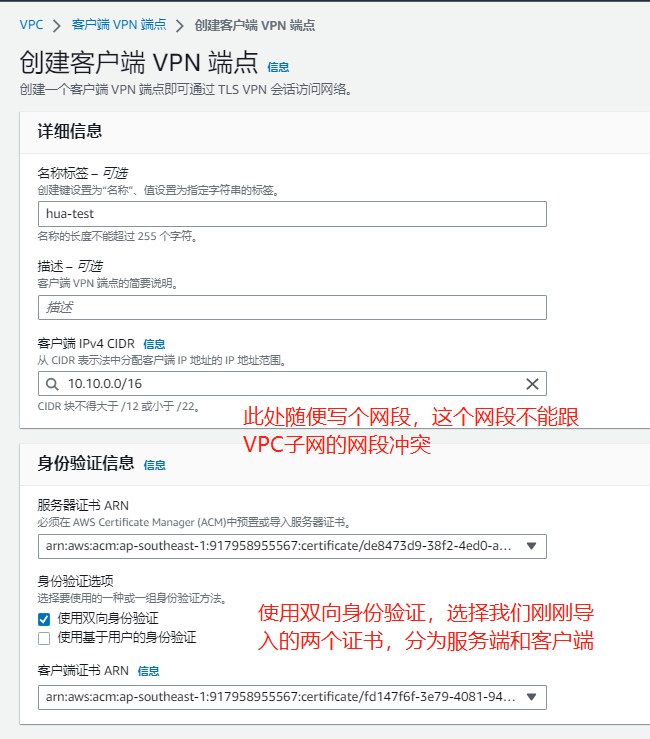
其他信息保持默认,选择创建
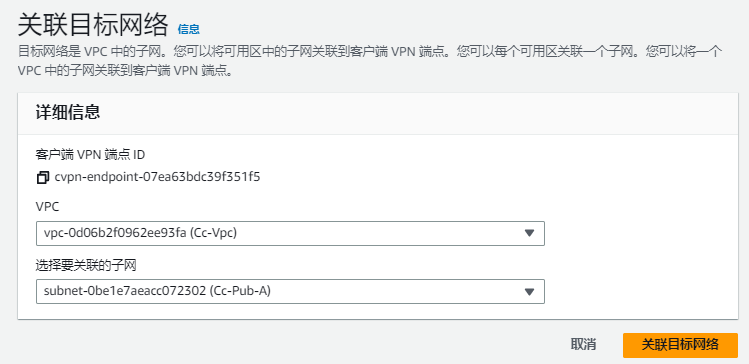
关联子网
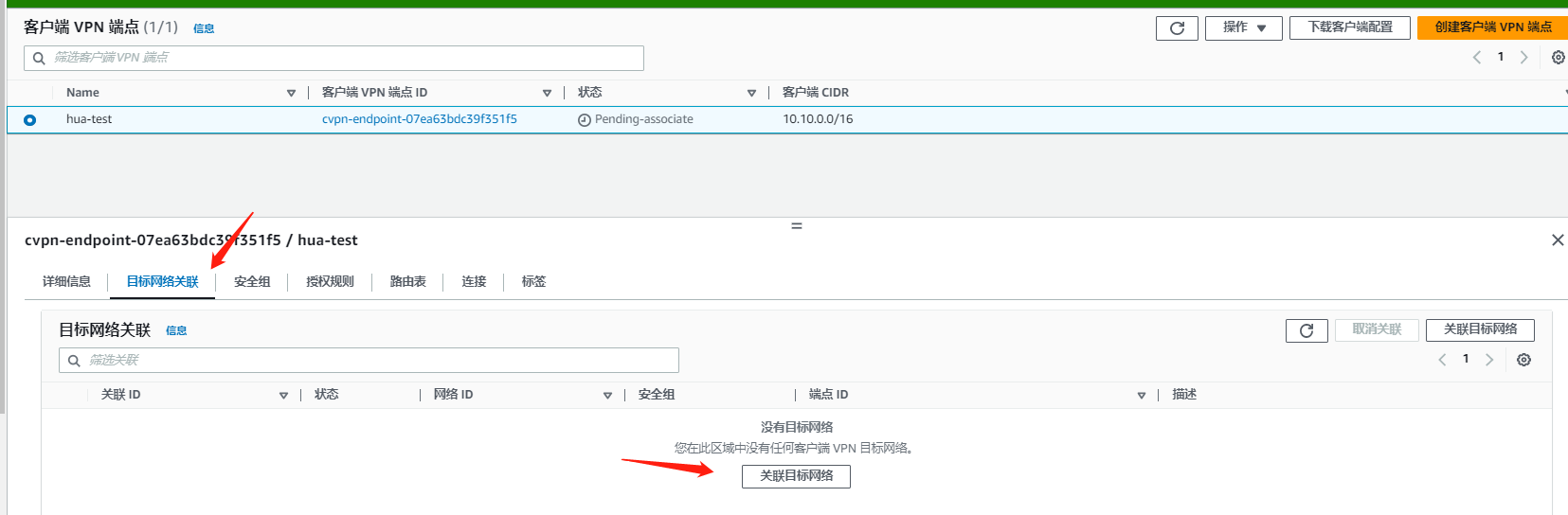
没有特别要求
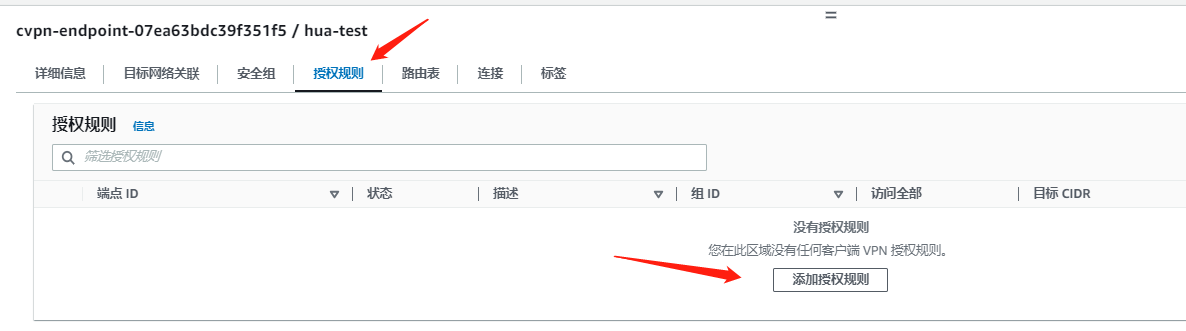
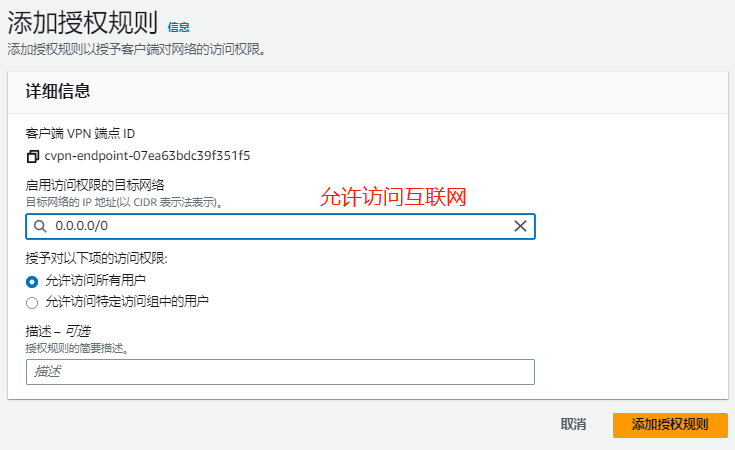
添加授权规则,要使客户端能够访问 VPC,Client VPN 终端节点的路由表中需要有到 VPC 的路由,并且需要有授权规则
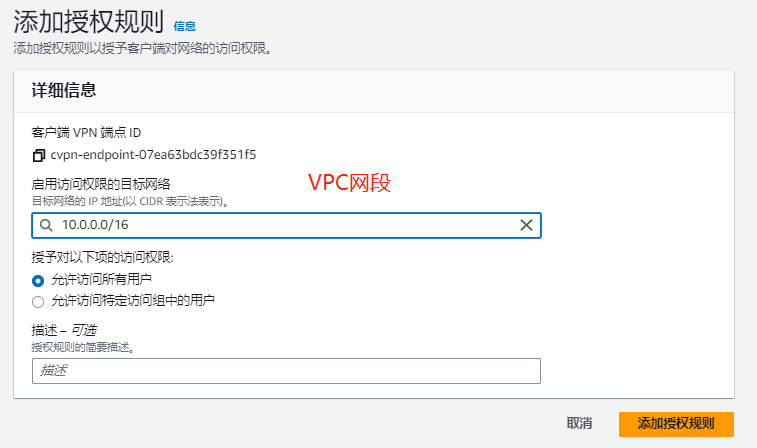
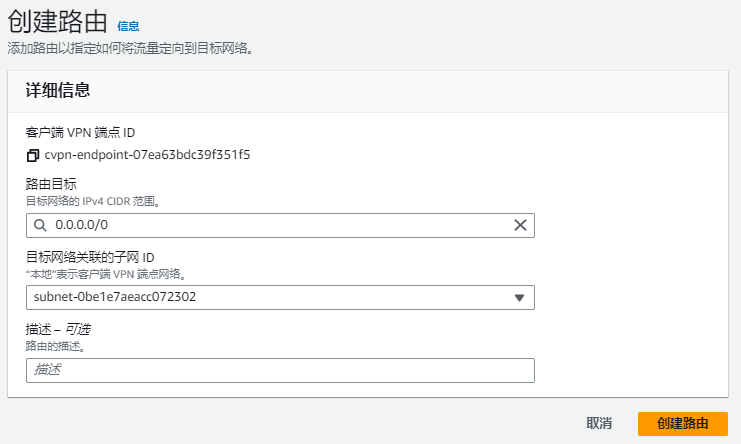
访问互联网配置,需要添加一个路由和授权规则

路由目标0.0.0.0/0

找到前面生成的客户端证书和密钥。可以在克隆的 OpenVPN easy-rsa 存储库中的以下位置找到客户端证书和密钥:
客户端证书 – easy-rsa/easyrsa3/pki/issued/client1.domain.tld.crt
easy-rsa/easyrsa3/pki/private/client1.domain.tld.key使用文本编辑器打开 Client VPN 终端节点配置文件
将 <cert></cert> 和 <key></key> 标签添加到文件中。将客户端证书的内容以及私有密钥的内容放在相应的标签之间
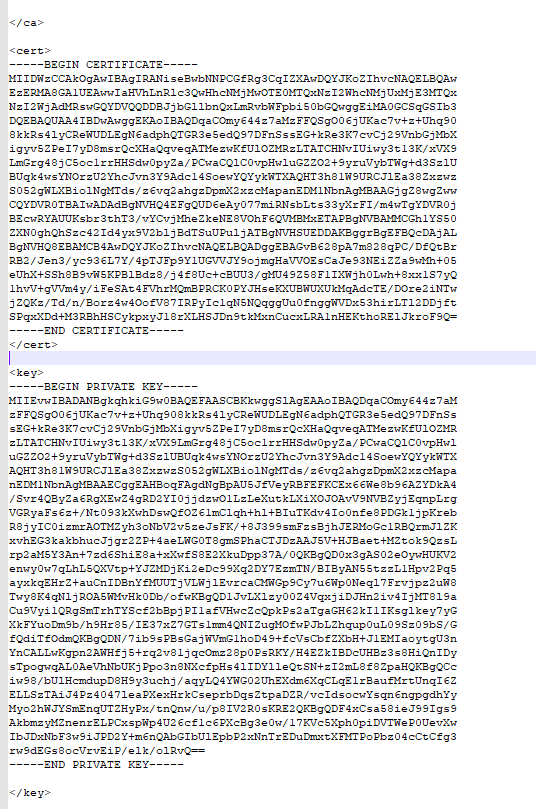
然后保存文件
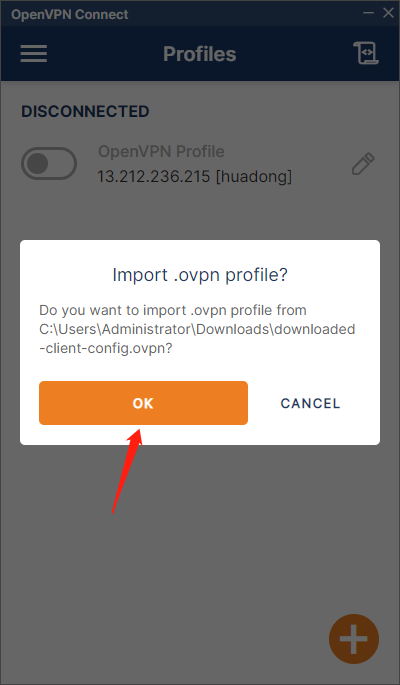
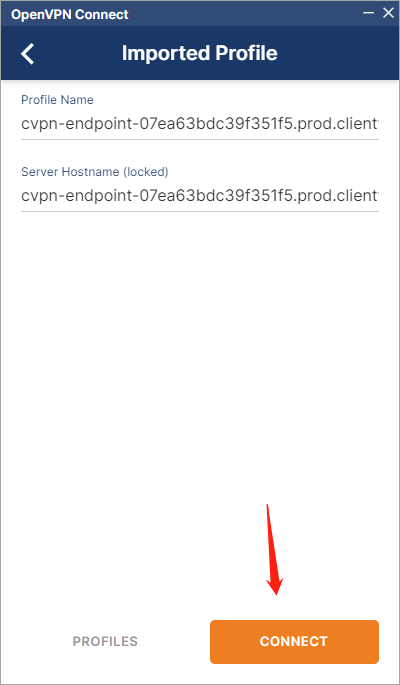
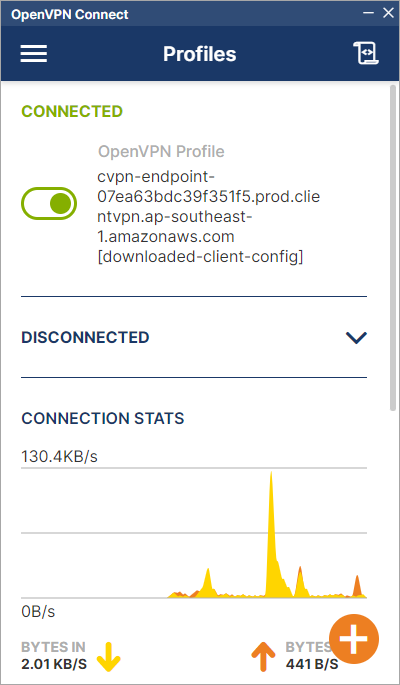
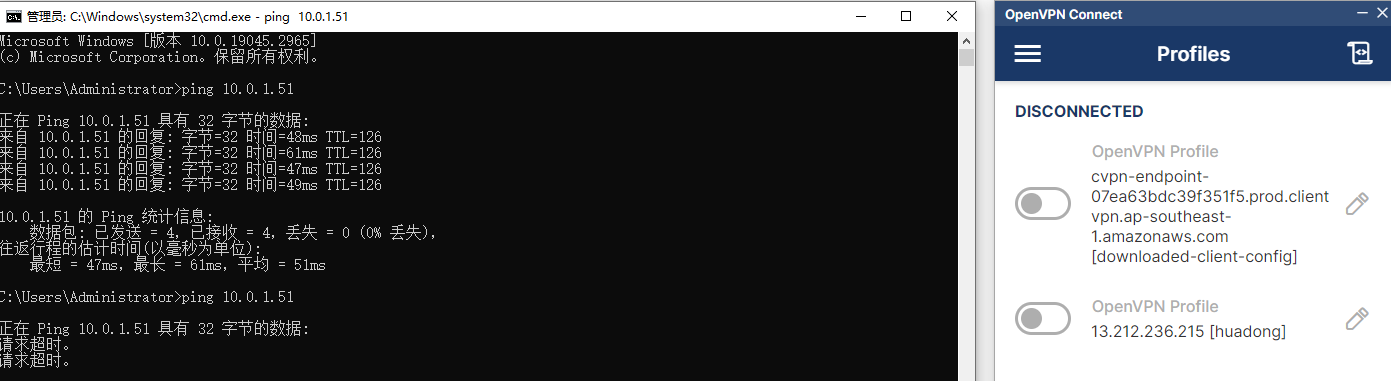
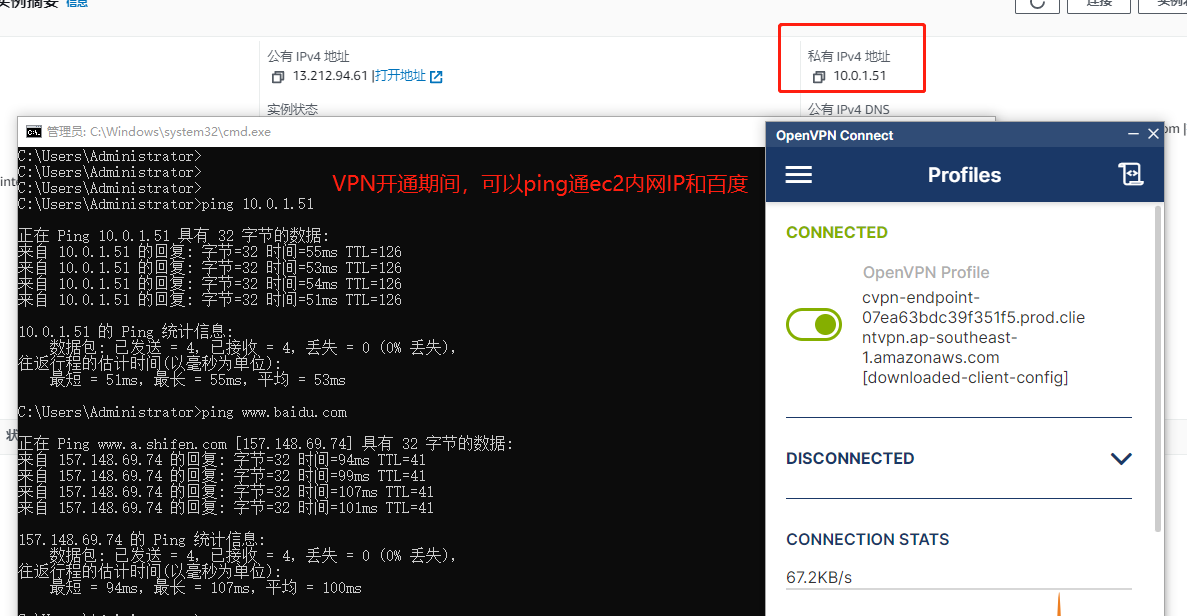
连接上VPN后,测试ping实例的内网IP
关闭VPN后就请求超时