目前,用户在AWS云环境中部署的Timestream InfluxDB服务存在可用区配置错误,需执行可用区域的迁移操作以纠正这一问题。
方案一:
使用S3+Python+influxdb方式进行数据同步
优缺点:
- 传输机制:
- 脚本是调用
influx backup→ 把数据放到临时 S3 → 再influx restore。 - 多了一层 S3 读写和 Python 逻辑。
- 优点:
- 自动化迁移(源和目标都能直接对接 S3,不需要 EC2 有大磁盘)。
- 缺点:
- 比直接
backup/restore慢一些,因为要走 S3 round-trip。 - 每次仍然是全量迁移(没有真正增量),只是能挂靠在 AWS S3 上。
方案概述:
为满足用户需求,我们将执行以下步骤:
- EC2服务器
- S3数据存储
- 获取influxdb token
- 拉取迁移脚本
- 进行服务迁移
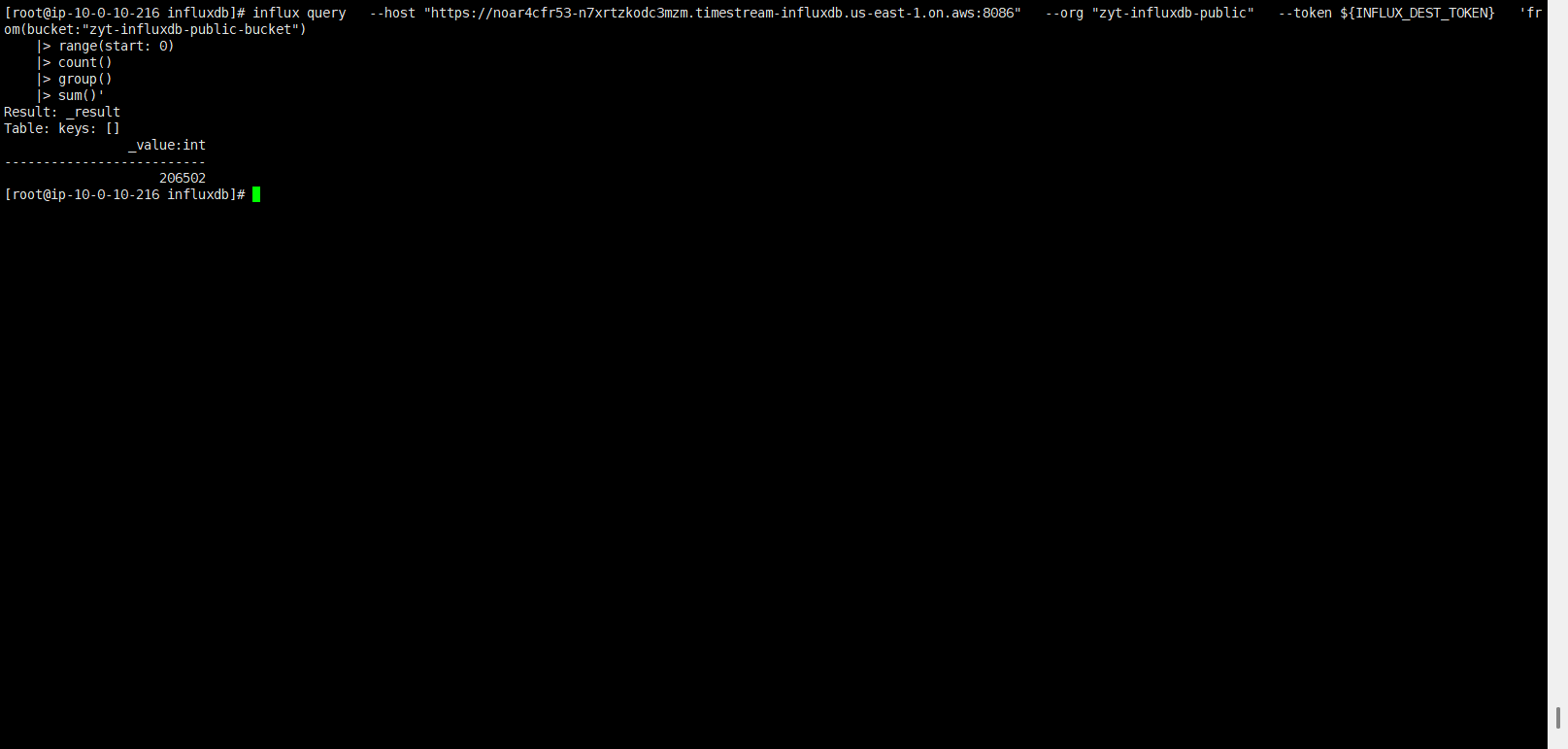
本次迁移演练数据为20w条
操作步骤:
配置AKSK(需有S3、influxdb权限)

准备influxdb服务

源端点:40ecdmdhc5-n7xrtzkodc3mzm.timestream-influxdb.us-east-1.on.aws
目标端点:noar4cfr53-n7xrtzkodc3mzm.timestream-influxdb.us-east-1.on.aws
准备EC2服务器

安装 influxdb命令
# 下载 Influx CLI 二进制
wget https://dl.influxdata.com/influxdb/releases/influxdb2-client-2.7.5-linux-amd64.tar.gz
tar xvzf influxdb2-client-2.7.5-linux-amd64.tar.gz
cp influx /usr/local/bin/

# 验证
influx version
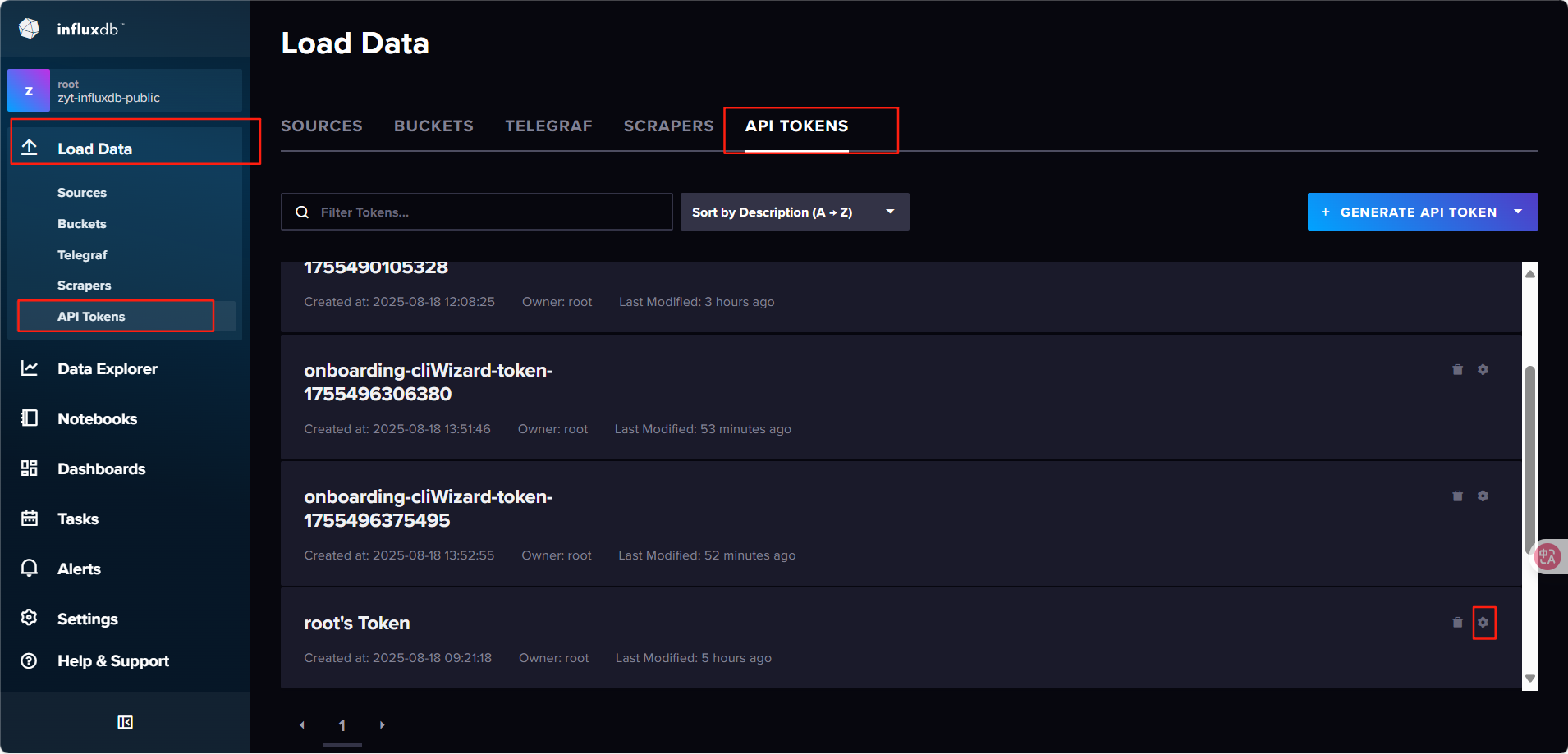
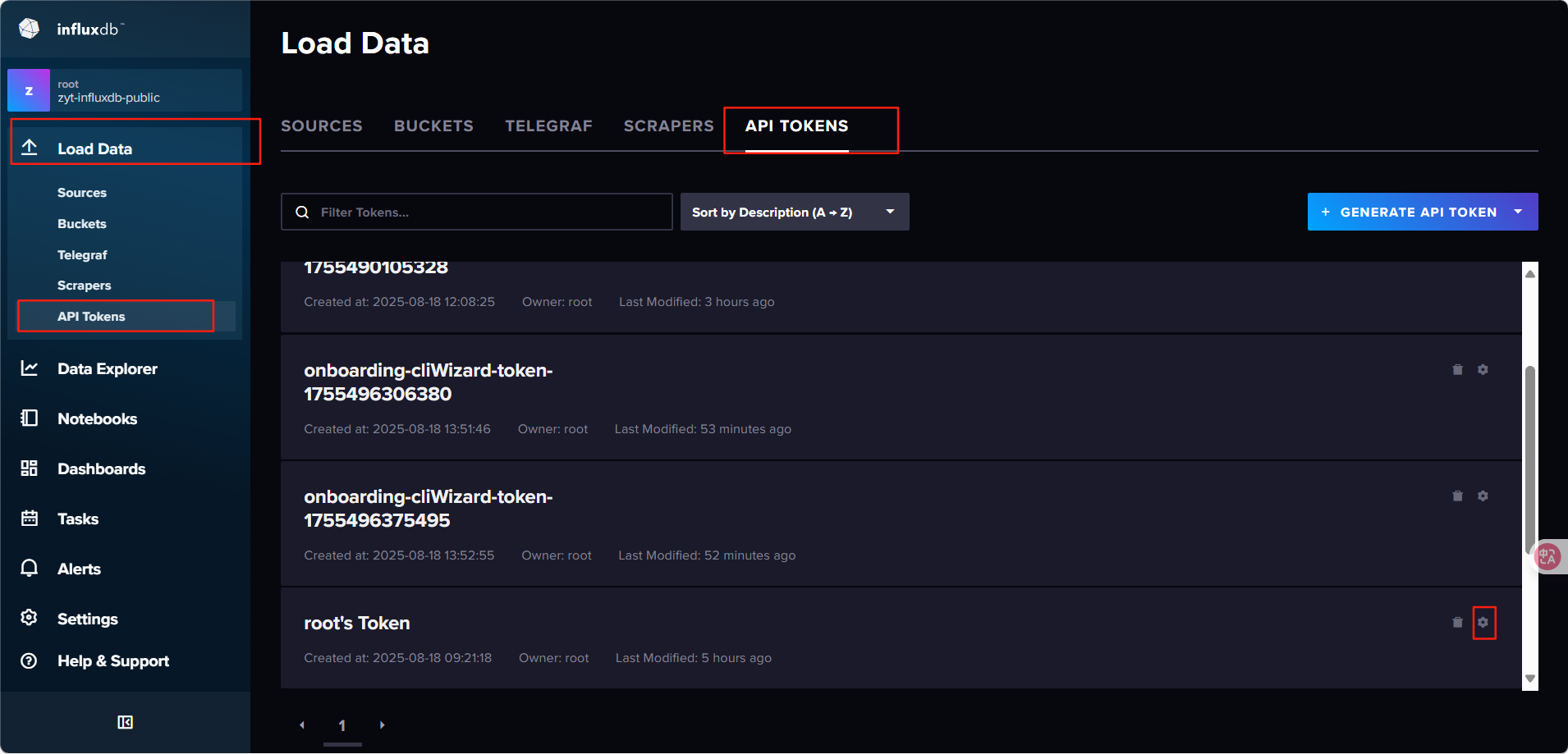
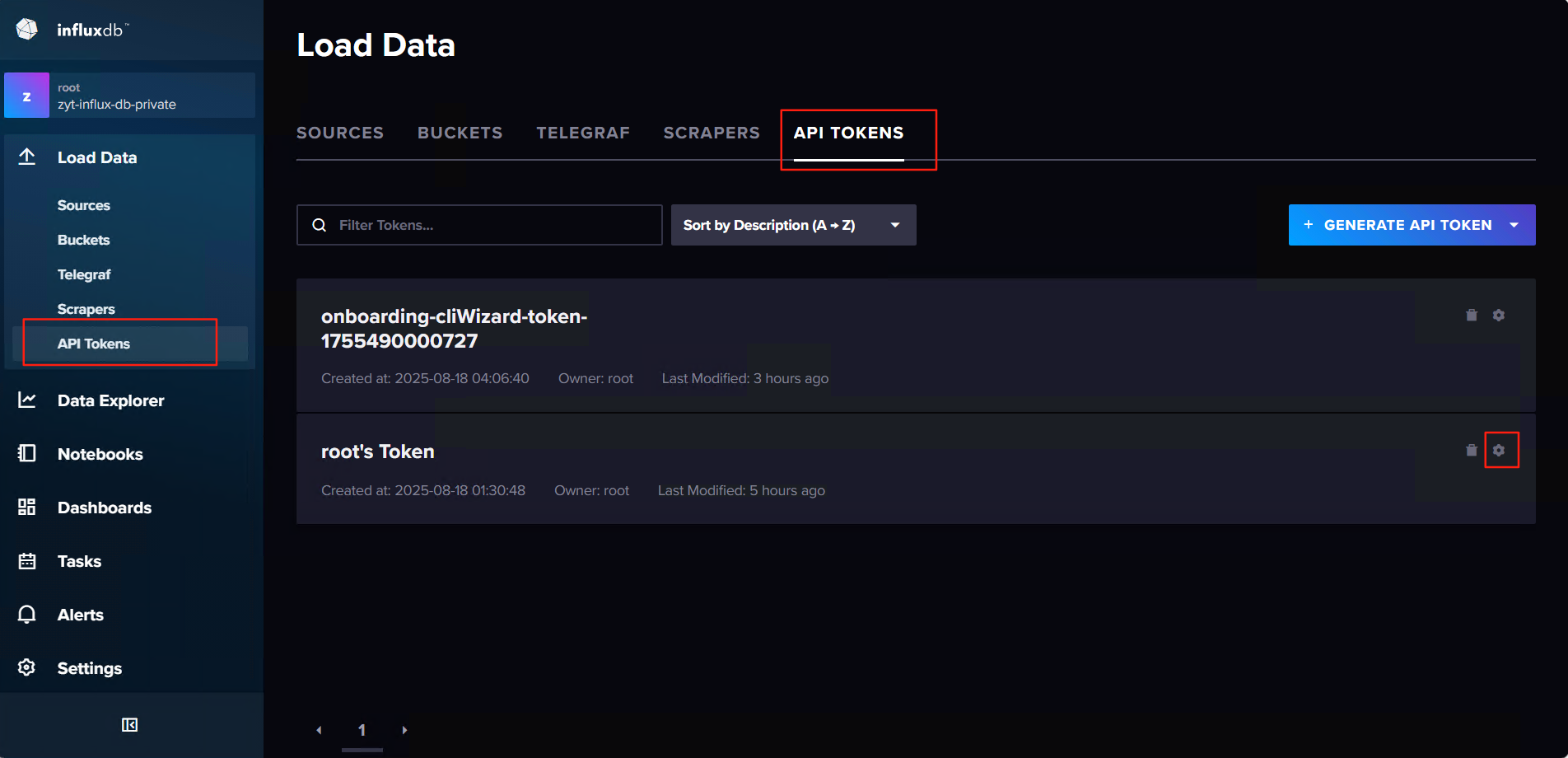
查询influxdb token
源influxdb root token
目标influxdb root token
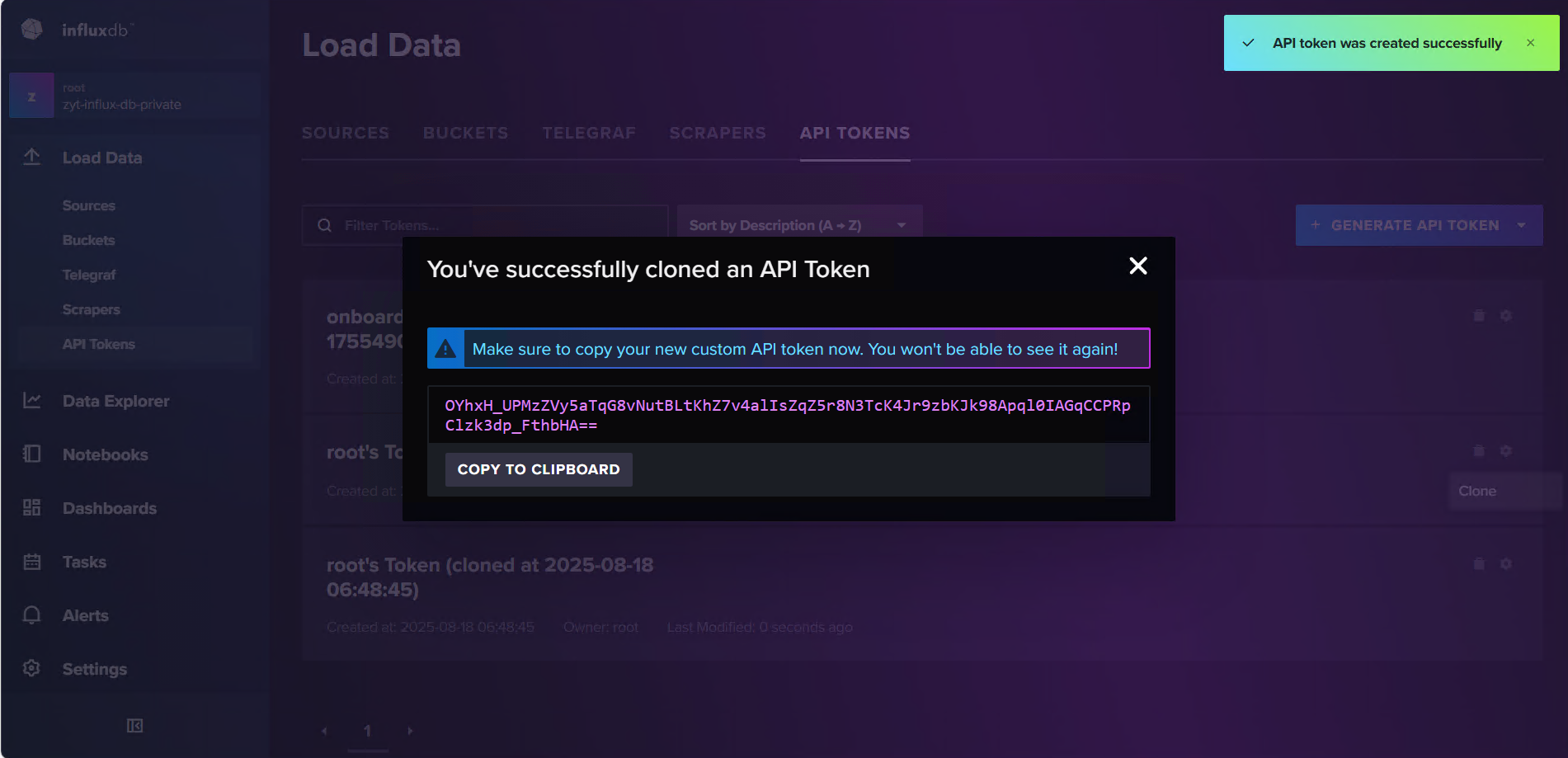
查询org、bucket
配置环境变量
export INFLUX_SRC_TOKEN=O7Y5g1gI1lu_9iymPj_TK2-Qs-Q7Vx_MJ6LNby4jfu0_cB-n-9ihrg7eZpSDDoLS4NZGkmxV62Ep-i-D9WhDsA==
export INFLUX_DEST_TOKEN=OYhxH_UPMzZVy5aTqG8vNutBLtKhZ7v4alIsZqZ5r8N3TcK4Jr9zbKJk98Apql0IAGqCCPRpClzk3dp_FthbHA==
源org、bucket
org
[root@ip-10-0-10-216 ~]# influx org list   --host "https://40ecdmdhc5-n7xrtzkodc3mzm.timestream-influxdb.us-east-1.on.aws:8086"   --token $INFLUX_SRC_TOKEN
ID			Name
978adb6e582f9078	zyt-influxdb-public # 初始化时创建的bucket
bucket
[root@ip-10-0-10-216 ~]# influx bucket list   --host "https://40ecdmdhc5-n7xrtzkodc3mzm.timestream-influxdb.us-east-1.on.aws:8086"   --org zyt-influxdb-public   --token $INFLUX_SRC_TOKEN
ID			Name				Retention	Shard group duration	Organization ID		Schema Type
98a59a242ea3d32f	_monitoring			168h0m0s	24h0m0s			978adb6e582f9078	implicit
c76f8717ed8b2838	_tasks				72h0m0s		24h0m0s			978adb6e582f9078	implicit
b70e9e32a6d6d7c7	zyt-influxdb-public-bucket	infinite	168h0m0s		978adb6e582f9078	implicit
目标org、bucket
org
[root@ip-10-0-10-216 ~]# influx org list   --host "https://noar4cfr53-n7xrtzkodc3mzm.timestream-influxdb.us-east-1.on.aws:8086"   --token $INFLUX_DEST_TOKEN
ID			Name
7a896a3579bbf5aa	zyt-influx-db-private  # 初始化时创建的bucket
bucket
[root@ip-10-0-10-216 ~]# influx bucket list   --host "https://noar4cfr53-n7xrtzkodc3mzm.timestream-influxdb.us-east-1.on.aws:8086"   --org zyt-influx-db-private   --token $INFLUX_DEST_TOKEN
ID			Name				Retention	Shard group duration	Organization ID		Schema Type
26af88eb8bb82bc1	_monitoring			168h0m0s	24h0m0s			7a896a3579bbf5aa	implicit
6fa163eb16e59e8f	_tasks				72h0m0s		24h0m0s			7a896a3579bbf5aa	implicit
46218f5543b0b4f5	zyt-influx-db-private-bucket	infinite	168h0m0s		7a896a3579bbf5aa	implicit
生成测试数据
import requests
import time
import random
import multiprocessing
import sys

url = "https://40ecdmdhc5-n7xrtzkodc3mzm.timestream-influxdb.us-east-1.on.aws:8086/api/v2/write"
params = {
    "org": "zyt-influxdb-public",
    "bucket": "zyt-influxdb-public-bucket",
    "precision": "s"
}
headers = {
    "Authorization": "Token JJRoyoFzyJXCLGF1GN1mJzNp5UIMLxV5fIgqFUSm-SuNbOquclMF3spro56CAmqUa0OP_9LmOm8otMGfLuPLLw==",
    "Content-Type": "text/plain; charset=utf-8"
}

batch_size = 5000
total_batches = 9000    # 每个进程写入 9000 批
workers = 10            # 并发进程数
total_batches_all = total_batches * workers

def worker(proc_id, counter, lock):
    for i in range(1, total_batches + 1):
        ts = int(time.time())
        lines = []
        for j in range(batch_size):
            val = random.random() * 100
            lines.append(f"cpu,host=server{j%100} usage={val:.2f} {ts}")
        body = "\n".join(lines)

        resp = requests.post(url, params=params, headers=headers, data=body, verify=True)

        with lock:
            counter.value += 1

        if resp.status_code != 204:
            print(f"[Worker {proc_id}] Batch {i} failed: {resp.status_code} {resp.text}")

def progress_monitor(counter, start_time):
    while True:
        done = counter.value
        elapsed = time.time() - start_time
        if done > 0:
            avg_time = elapsed / done
            remaining = (total_batches_all - done) * avg_time
            eta_min = remaining / 60
            percent = done / total_batches_all * 100

            bar_len = 40
            filled_len = int(bar_len * percent / 100)
            bar = "█" * filled_len + "-" * (bar_len - filled_len)

            sys.stdout.write(
                f"\rProgress: |{bar}| {percent:6.2f}% "
                f"({done}/{total_batches_all} batches) "
                f"Elapsed {elapsed/60:.1f} min | ETA {eta_min:.1f} min"
            )
            sys.stdout.flush()

        if done >= total_batches_all:
            print("\n✅ All workers finished.")
            break
        time.sleep(5)

if __name__ == "__main__":
    manager = multiprocessing.Manager()
    counter = manager.Value("i", 0)
    lock = manager.Lock()

    start_time = time.time()

    monitor = multiprocessing.Process(target=progress_monitor, args=(counter, start_time))
    monitor.start()

    procs = []
    for w in range(workers):
        p = multiprocessing.Process(target=worker, args=(w, counter, lock))
        p.start()
        procs.append(p)

    for p in procs:
        p.join()

    monitor.join()
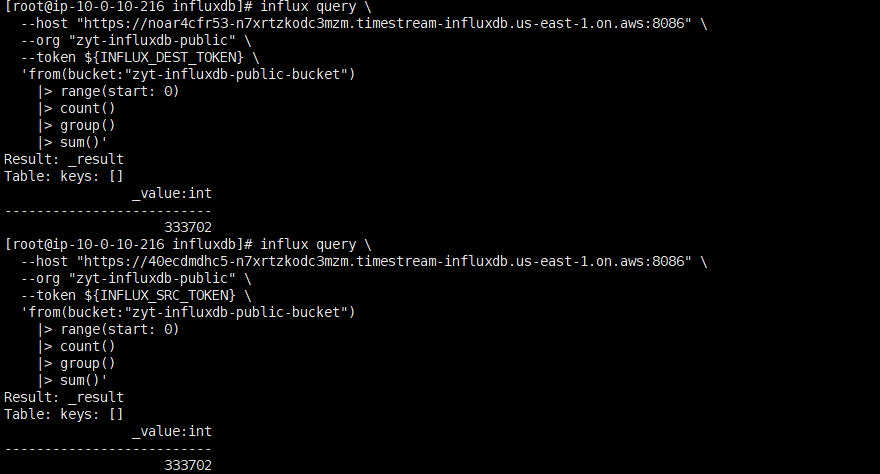
查询总条目
[root@ip-10-0-10-216 ~]# influx query \
  --host "https://40ecdmdhc5-n7xrtzkodc3mzm.timestream-influxdb.us-east-1.on.aws:8086" \
  --org "zyt-influxdb-public" \
  --token ${INFLUX_SRC_TOKEN} \
  'from(bucket:"zyt-influxdb-public-bucket")
    |> range(start: 0)
    |> count()
    |> group()
    |> sum()'
Result: _result
Table: keys: []
                _value:int
--------------------------
                    206502
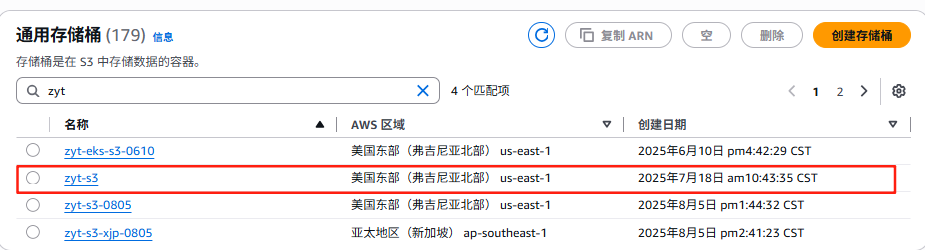
创建S3桶
拉取迁移脚本
curl -o influx_migration.py https://raw.githubusercontent.com/awslabs/amazon-timestream-tools/mainline/tools/python/influx-migration/influx_migration.py
数据迁移
yum install -y python3-pip
pip3 install boto3 influxdb-client
wget https://s3.amazonaws.com/mountpoint-s3-release/1.19.0/x86_64/mount-s3-1.19.0-x86_64.tar.gz
tar xf mount-s3-1.19.0-x86_64.tar.gz
mv bin/mount-s3 /usr/local/bin/
mount-s3 --version
python3 influx_migration.py --src-bucket zyt-influxdb-public-bucket --dest-bucket zyt-influxdb-private-bucket --src-host https://40ecdmdhc5-n7xrtzkodc3mzm.timestream-influxdb.us-east-1.on.aws:8086 --dest-host https://noar4cfr53-n7xrtzkodc3mzm.timestream-influxdb.us-east-1.on.aws:8086 --s3-bucket zyt-s3 --log-level debug
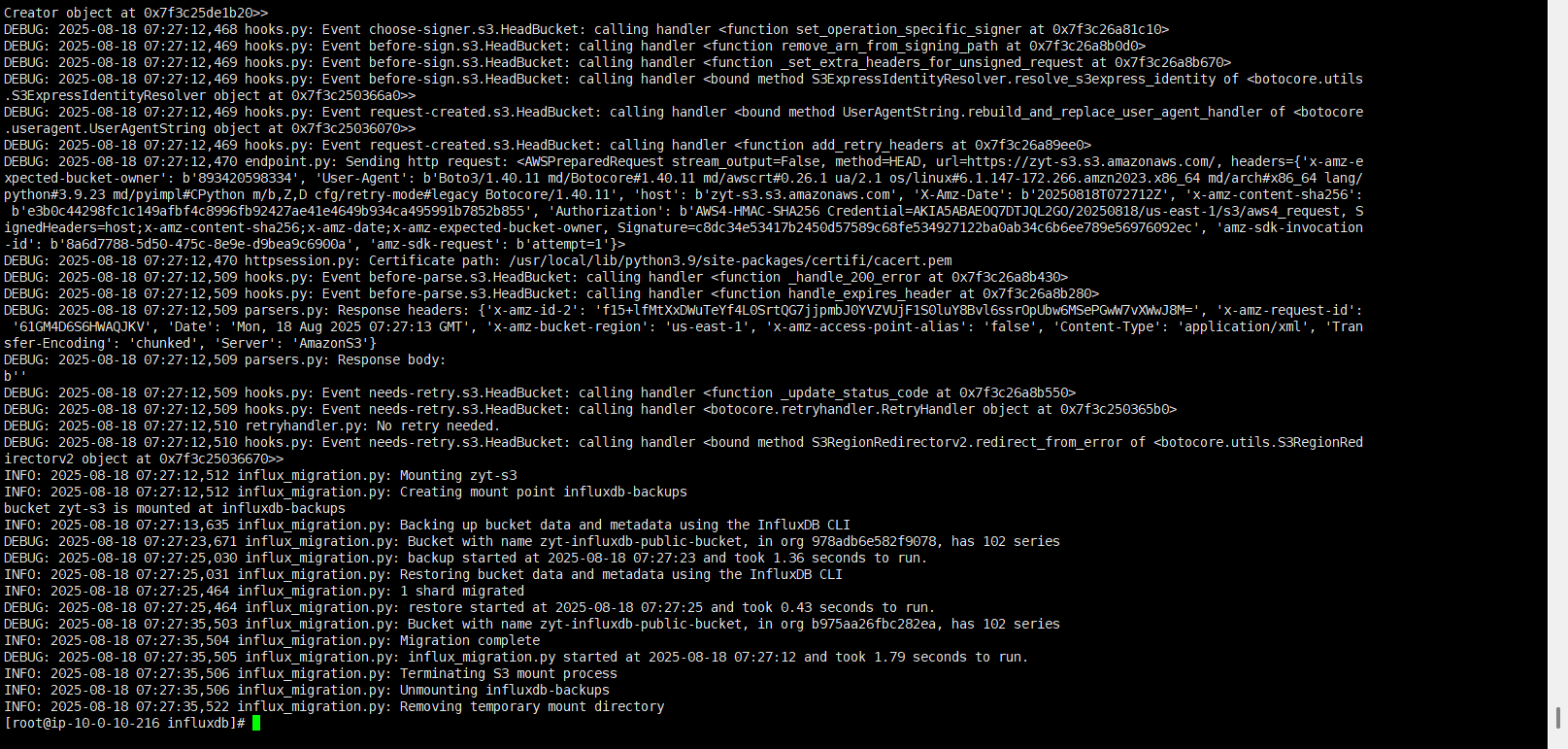
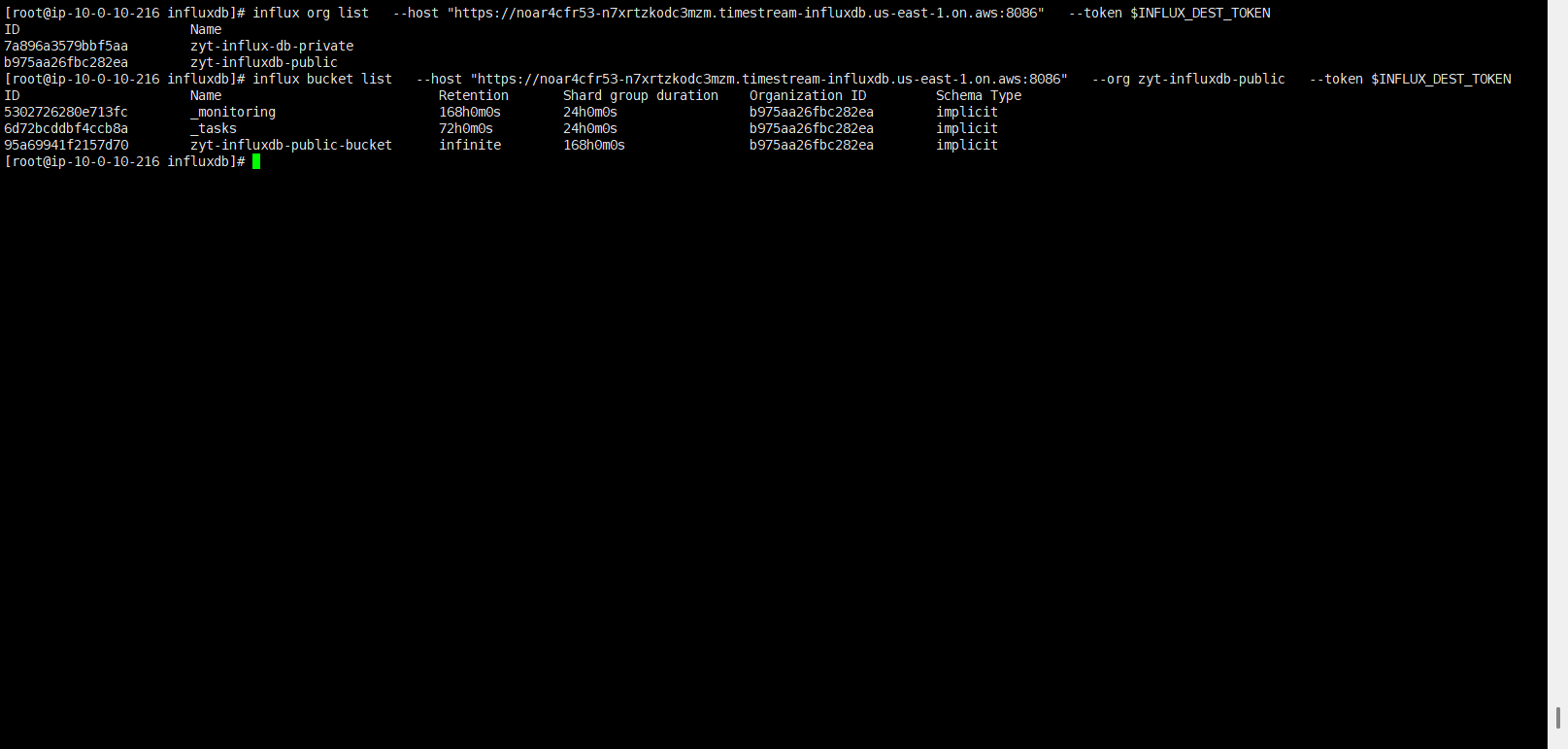
查看同步结果
查看耗时时间
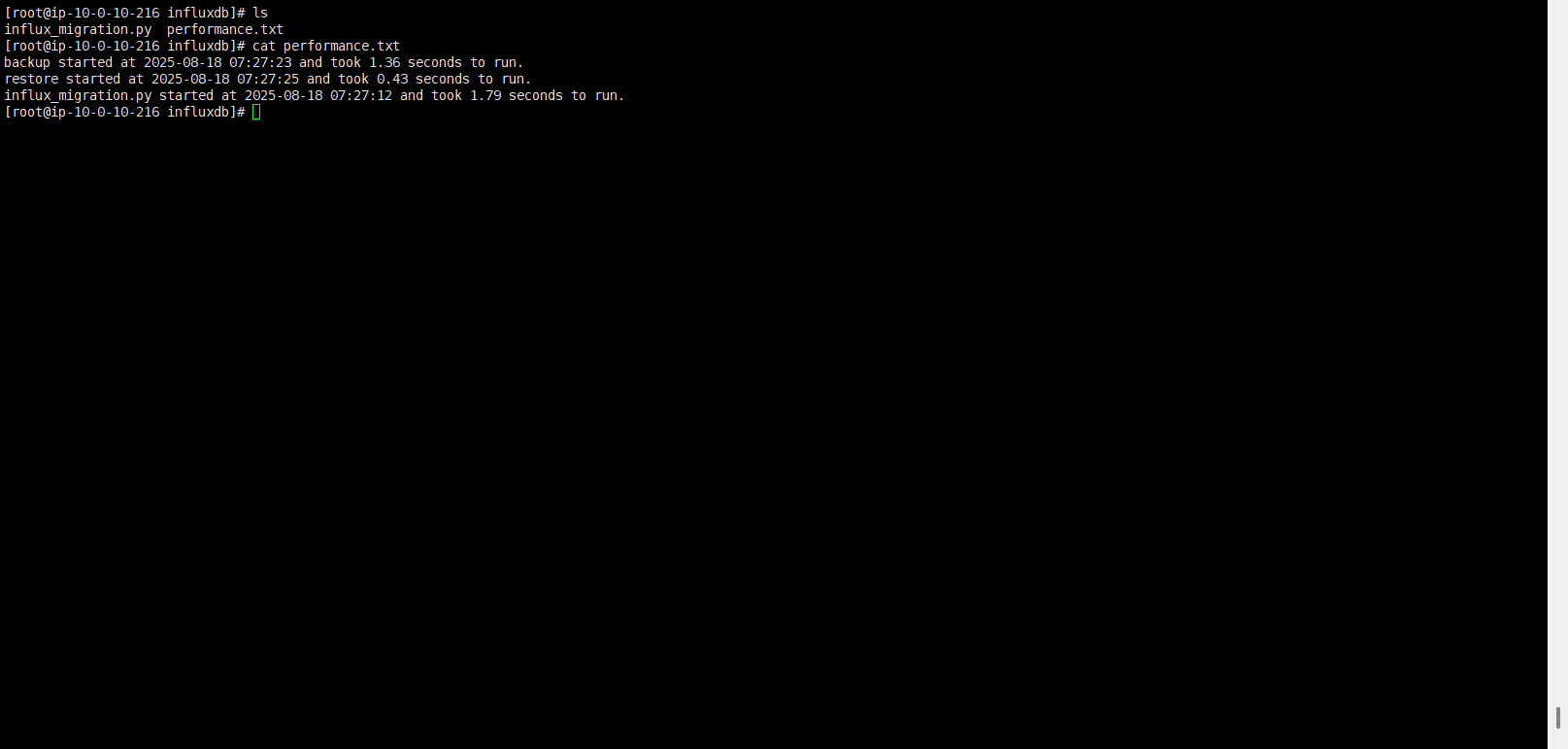
查看同步结果
方案二:
使用EC2+(EBS、EFS、S3)+influxdb
优缺点:
- 传输机制:
influx backup会把 整个 bucket 的 shard 文件 从源 DB 拷出来,influx restore再把 shard 文件直接写进目标 DB。
- 优点:
- shard 级别文件操作 → 很接近底层磁盘拷贝,速度很快。
- 没有额外的 Python 脚本逻辑,不需要逐条写点。
- 对大规模数据(几十 T ~ 上百 T)特别适合。
- 缺点:
- 没有“增量”概念,默认每次是全量拷贝(除非你加
--start/--end限制时间范围)。 - 需要临时磁盘空间存放
/tmp/backup-public文件夹(如果数据特别大,必须用 S3/EFS/NFS 这种挂载存储)。
操作流程:
源数据导出
influx backup \
  --host "https://40ecdmdhc5-n7xrtzkodc3mzm.timestream-influxdb.us-east-1.on.aws:8086" \
  --org "zyt-influxdb-public" \
  --token $INFLUX_SRC_TOKEN \
  /root/back/
目标数据导入
influx restore \
  --host "https://noar4cfr53-n7xrtzkodc3mzm.timestream-influxdb.us-east-1.on.aws:8086" \
  --org zyt-influxdb-public \
  --bucket zyt-influxdb-public-bucket \
  --token $INFLUX_DEST_TOKEN \
  /root/back