
背景说明
众所周知,监控在运维体系中是非常必要的.本文将会讲解一下如何安装cloudwatch插件进行指标数据采集
安装步骤
eksctl创建sa
 # 安装IRSA
export cluster_name=raymond
export role_name=AmazonEKS_CW_CSI_DriverRole


# 使用eksctl 创建 Amazon EFS CSI 插件 IAM 角色
eksctl create iamserviceaccount \
    --name cloudwatch-agent \
    --namespace amazon-cloudwatch \
    --cluster $cluster_name \
    --role-name $role_name \
    --role-only \
    --attach-policy-arn arn:aws:iam::aws:policy/CloudWatchAgentServerPolicy \
    --approve
安装cloudwatch插件
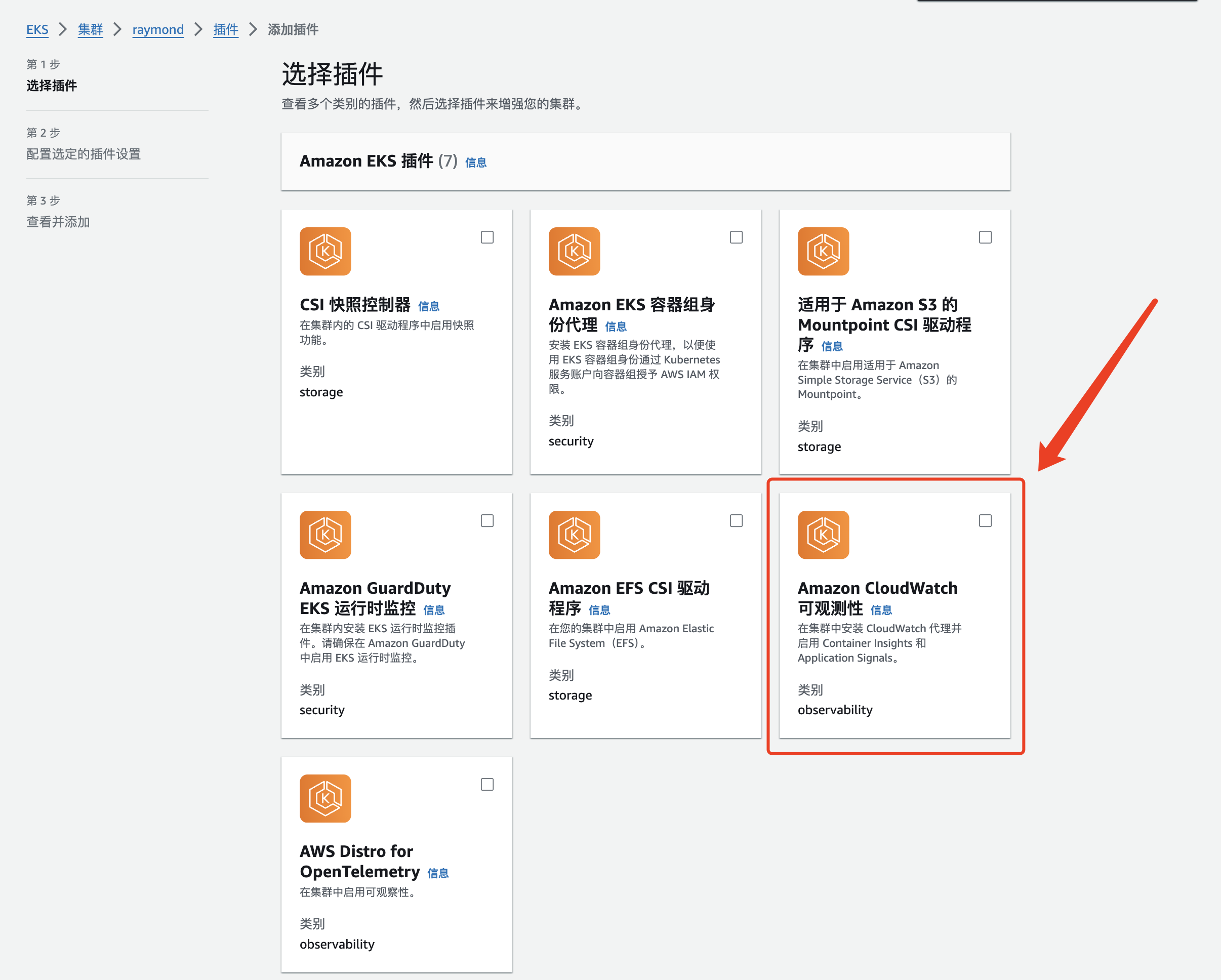
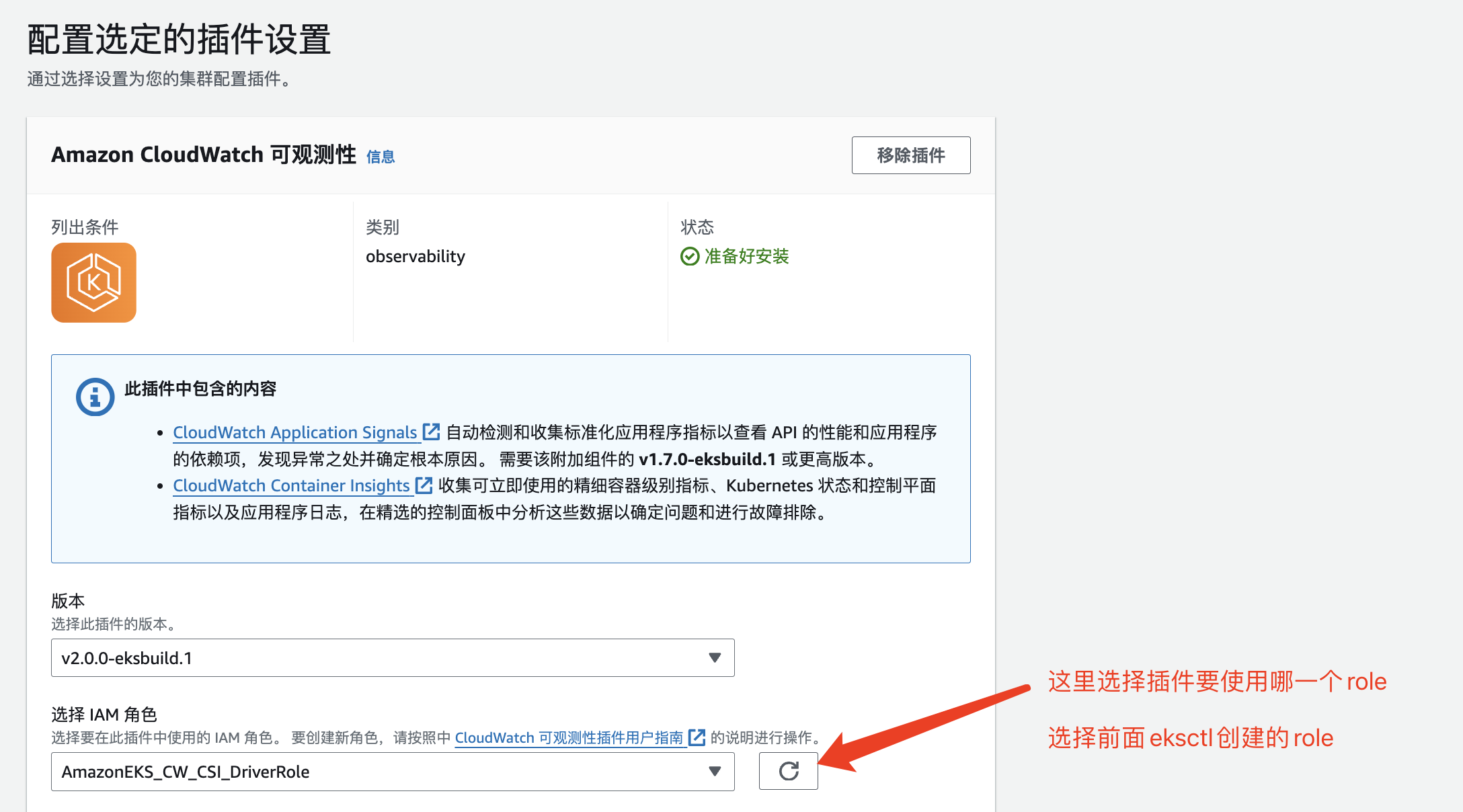
注意事项:
默认是日志+监控都采集.也可以只采集监控,不采集日志
# 不采集日志配置
{ "containerLogs": { "enabled": false } }
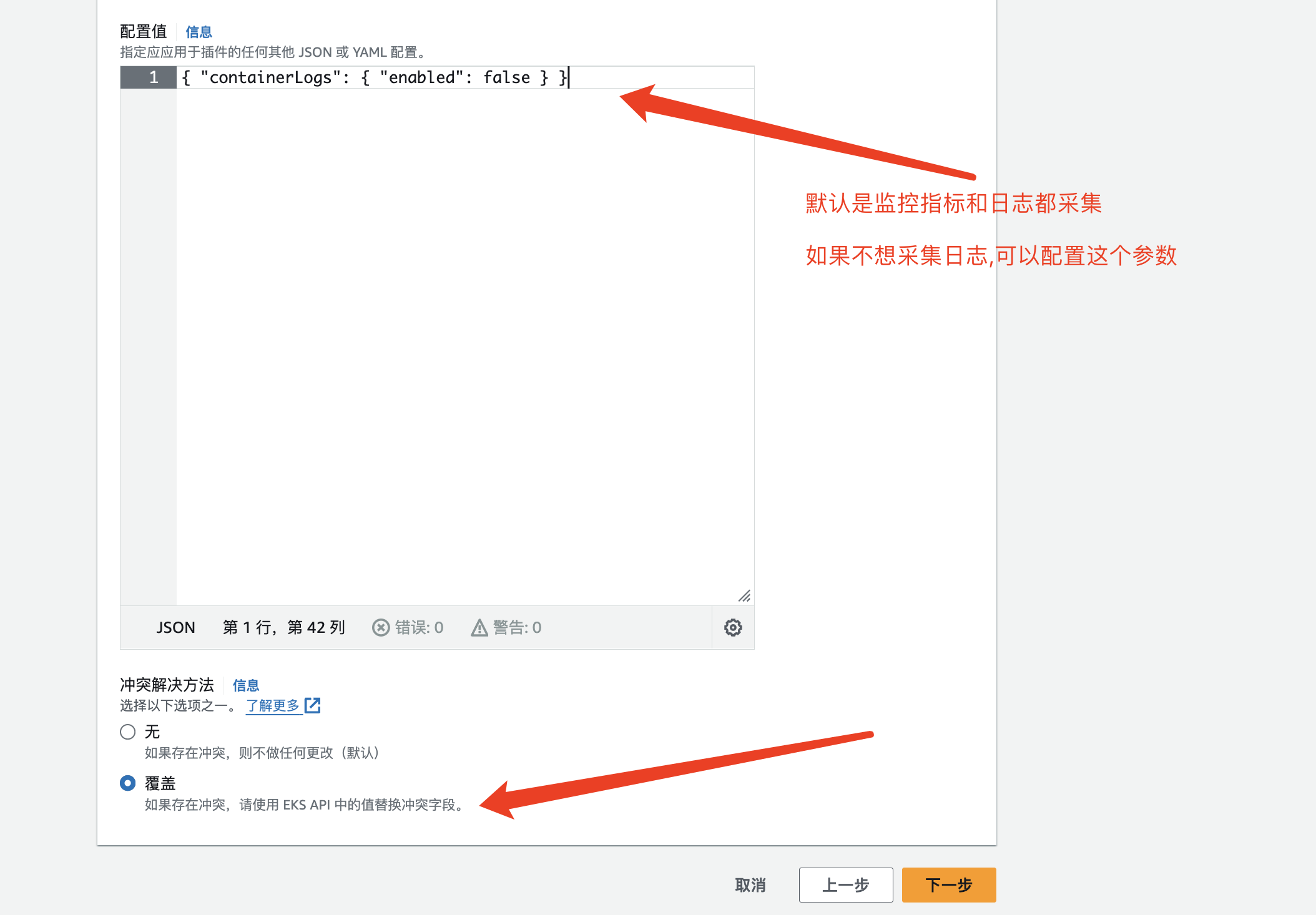
点击安装.选择模式是覆盖
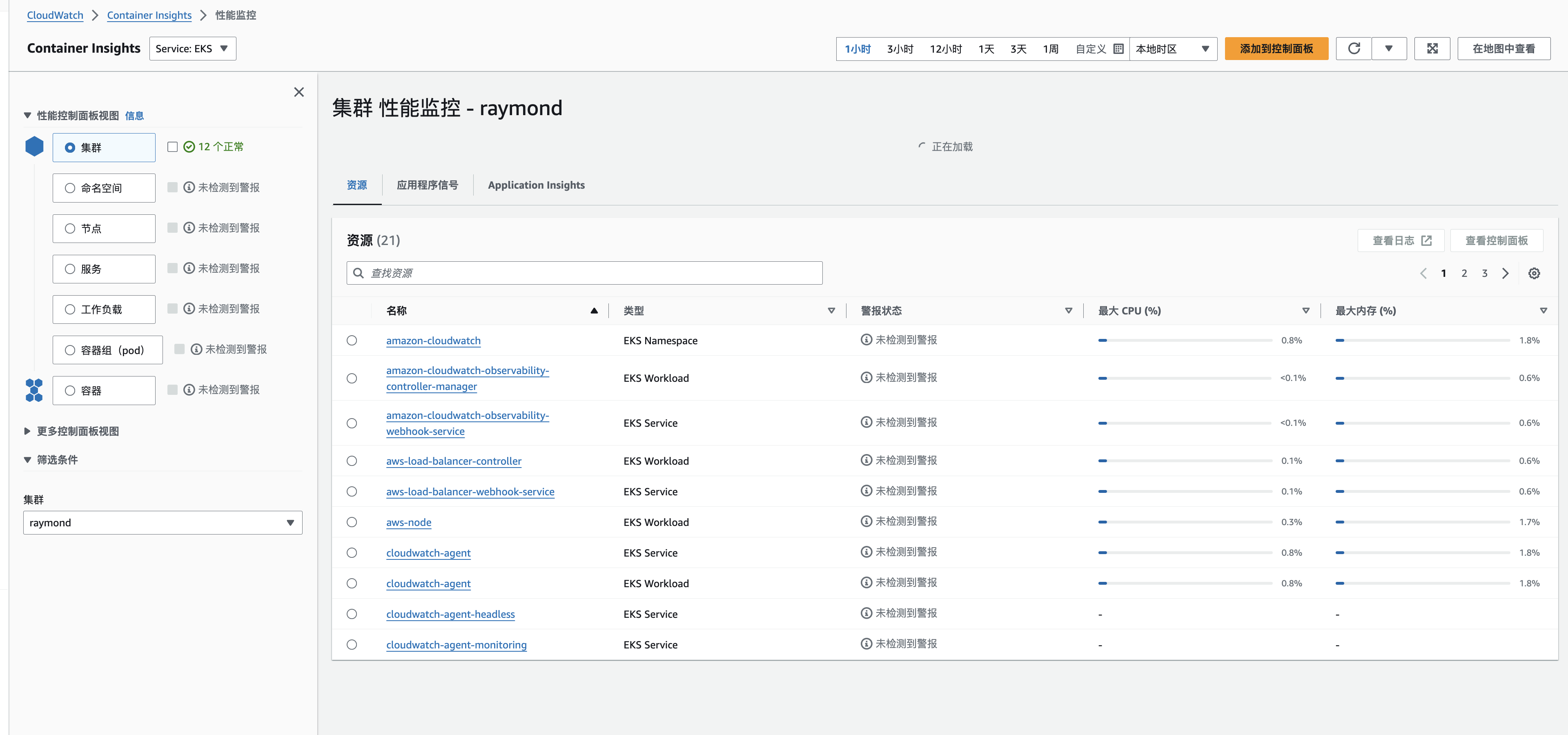
效果展示
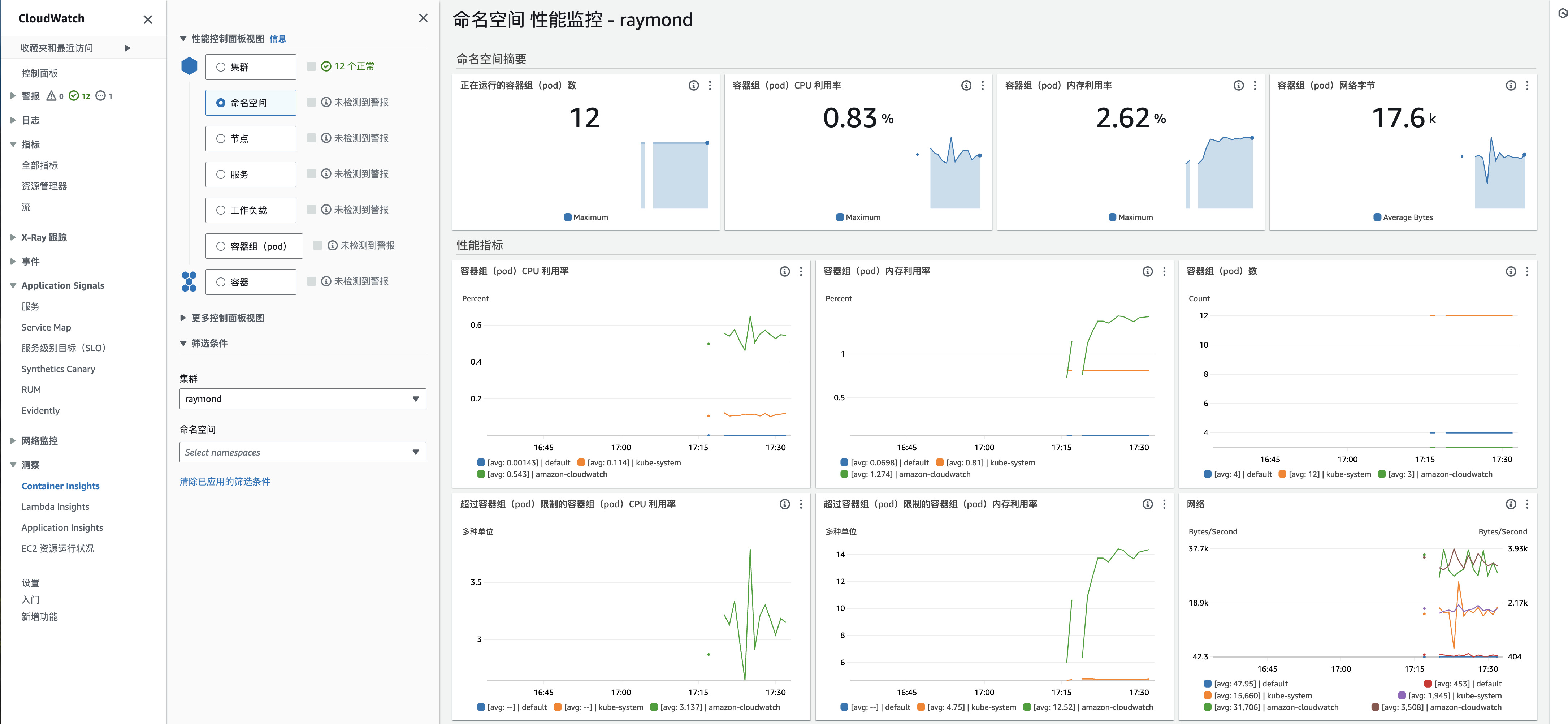
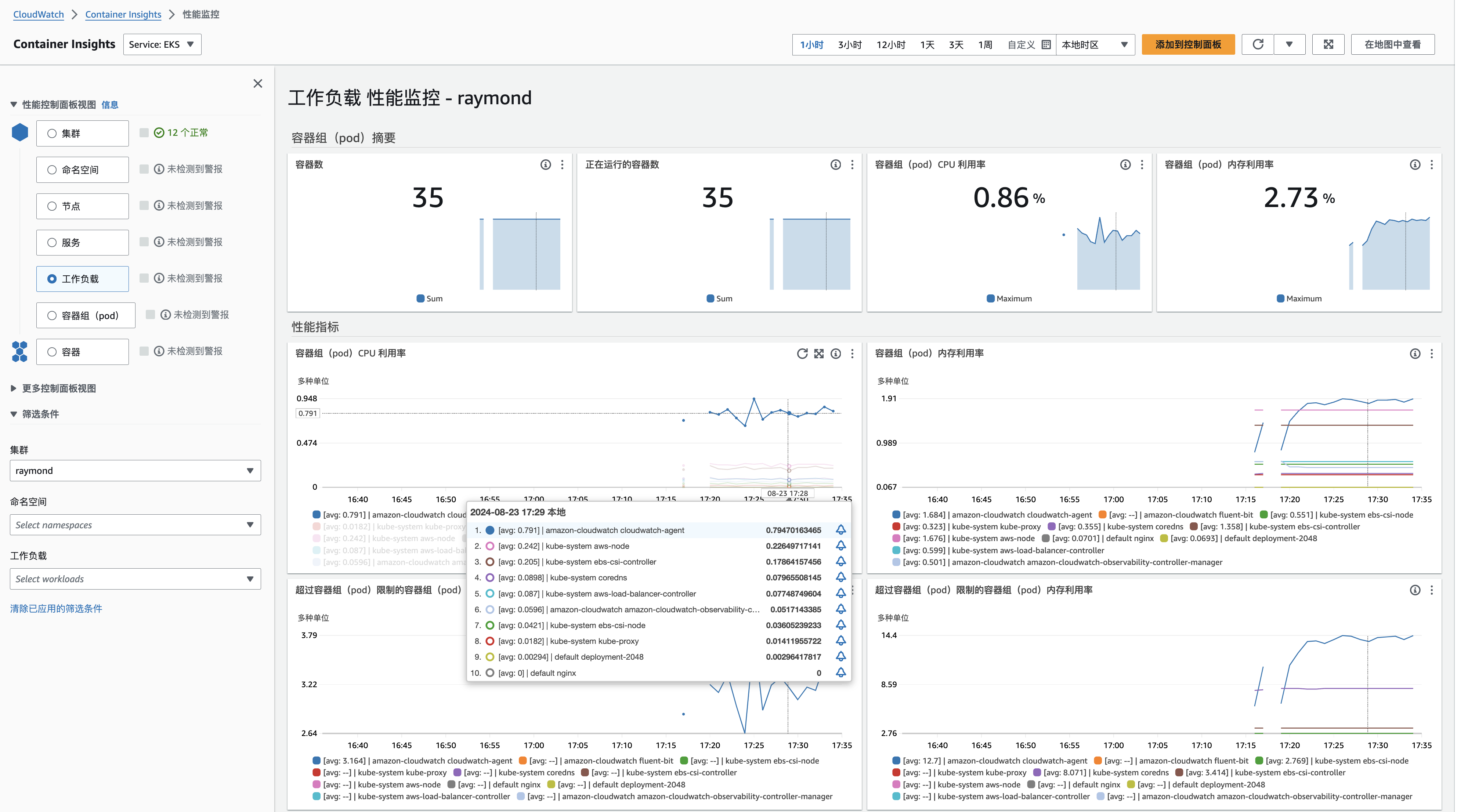

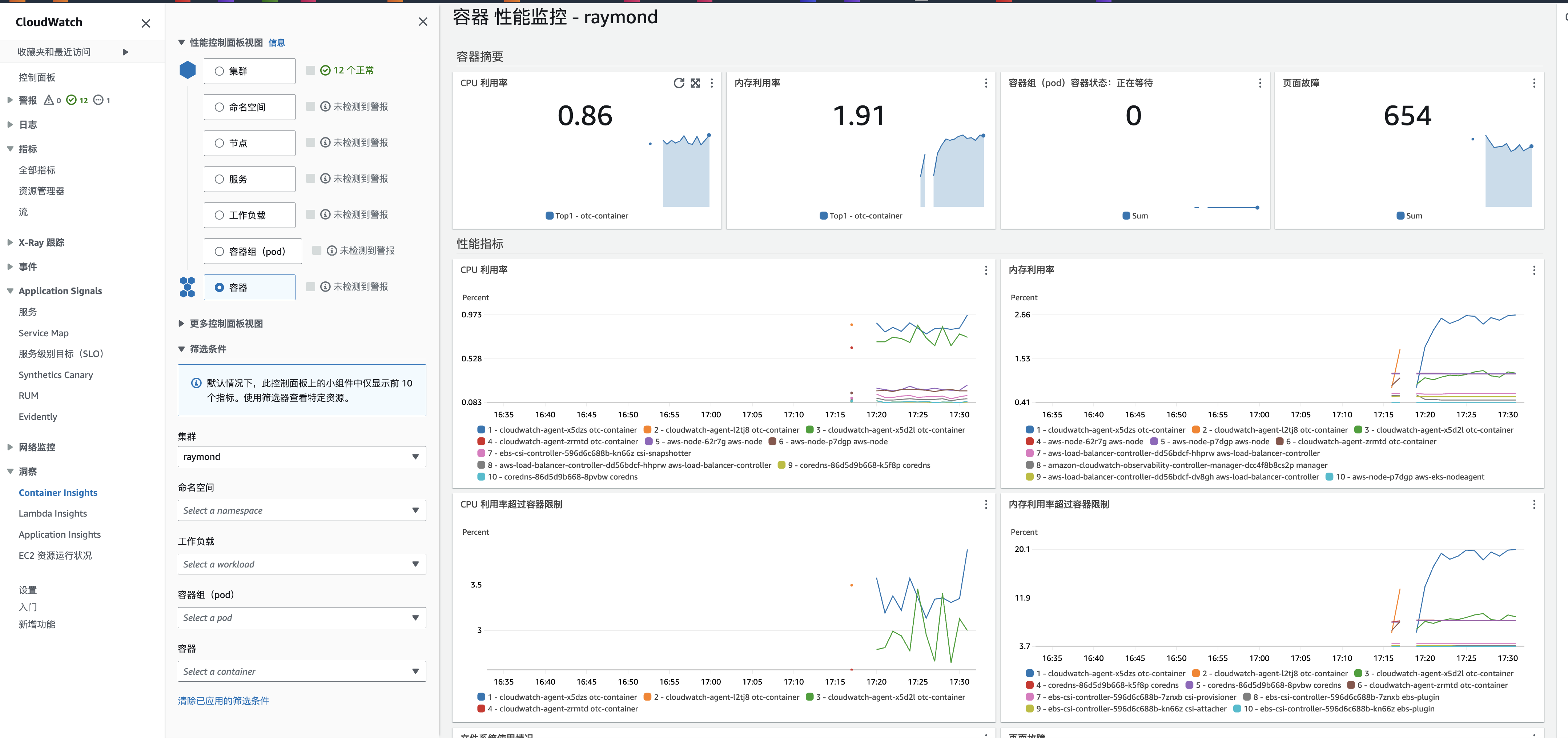
自我判定
# | 判定描述 | 自我判定(是/否) | 备注 |
|---|---|---|---|
| 1 | 在各搜索引擎中是否能找到知识信息(包括但不限于Google、百度、Bing) | 是 | |
2 | 是否需要代码集成开发 | 否 | |
3 | 是有有相关文章 | 否 |