
背景描述
客户在 EKS 里面使用了 ALB。但是随着业务的滚动更新,老的 Pod 被下线了,但是新的 Pod 还没办法注册到 ALB,老的 Pod 就已经被删除了。所以有没有什么方法可以去更好的规避这个问题。
解决思路:在新的 Pod 还没有就绪之前,老的 Pod 要能继续提供服务
实现方案
利用 elb 的一个功能特性叫做Readiness Gate
Utilize Pod readiness gates
One aspect of the readiness probe is the fact that there is no external feedback/influence mechanism in it, kubelet process on the node executes the probe and defines the state of the probe. This does not have any impact on the requests between microservices themselves in the Kubernetes layer (east west traffic) since the EndpointSlice Controller keeps the list of endpoints (Pods) always up to date. Why and when would you need an external mechanism then ?
When you expose your applications using Kubernetes Service type of Load Balancer or Kubernetes Ingress (for north - south traffic) then the list of Pod IPs for the respective Kubernetes Service must be propagated to the external infrastructure load balancer so that the load balancer also has an up to date list targets. AWS Load Balancer Controller bridges the gap here. When you use AWS Load Balancer Controller and leverage target group: IP , just like kube-proxy the AWS Load Balancer Controller also receives an update (via watch) and then it communicates with the ELB API to configure and start registering the Pod IP as a target on the ELB.
When you perform a rolling update of a Deployment, new Pods get created, and as soon as a new Pod’s condition is “Ready” an old/existing Pod gets terminated. During this process, the Kubernetes EndpointSlice object is updated faster than the time it takes the ELB to register the new Pods as targets, see target registration. For a brief time you could have a state mismatch between the Kubernetes layer and the infrastructure layer where client requests could be dropped. During this period within the Kubernetes layer new Pods would be ready to process requests but from ELB point of view they are not.
Pod Readiness Gates enables you to define additional requirements that must be met before the Pod condition is considered to be “Ready”. In the case of AWS ELB, the AWS Load Balancer Controller monitors the status of the target (the Pod) on the AWS ELB and once the target registration completes and its status turns “Healthy” then the controller updates the Pod’ s condition to “Ready”. With this approach you influence the Pod condition based on the state of the external network, which is the target status on the AWS ELB. Pod Readiness Gates is crucial in rolling update scenarios as it enables you to prevent the rolling update of a deployment from terminating old pods until the newly created Pods target status turn “Healthy” on the AWS ELB.
解释说明
- 类型必须是 ip,而不能是 instance.比如:ingress.kubernetes.io/target-type: ip
- alb 配置参数之后,必须需要更新一下参数
实践步骤
创建一个 alb控制器
###下载策略文件
curl -o iam-policy.json https://raw.githubusercontent.com/kubernetes-sigs/aws-load-balancer-controller/v2.10.0/docs/install/iam_policy.json

###创建策略
aws iam create-policy \
    --policy-name AWSLoadBalancerControllerIAMPolicy \
    --policy-document file://iam-policy.json

###创建role与sa绑定
eksctl create iamserviceaccount \
--cluster=<cluster-name> \
--namespace=kube-system \
--name=aws-load-balancer-controller \
--attach-policy-arn=arn:aws:iam::<AWS_ACCOUNT_ID>:policy/AWSLoadBalancerControllerIAMPolicy \
--override-existing-serviceaccounts \
--region <region-code> \
--approve
###添加helm 仓库
helm repo add eks https://aws.github.io/eks-charts
helm repo update
###部署alb控制器helm install aws-load-balancer-controller eks/aws-load-balancer-controller \
-n kube-system \
--set clusterName=my-cluster \
--set serviceAccount.create=false \
--set serviceAccount.name=aws-load-balancer-controller
部署应用
###创建命名空间
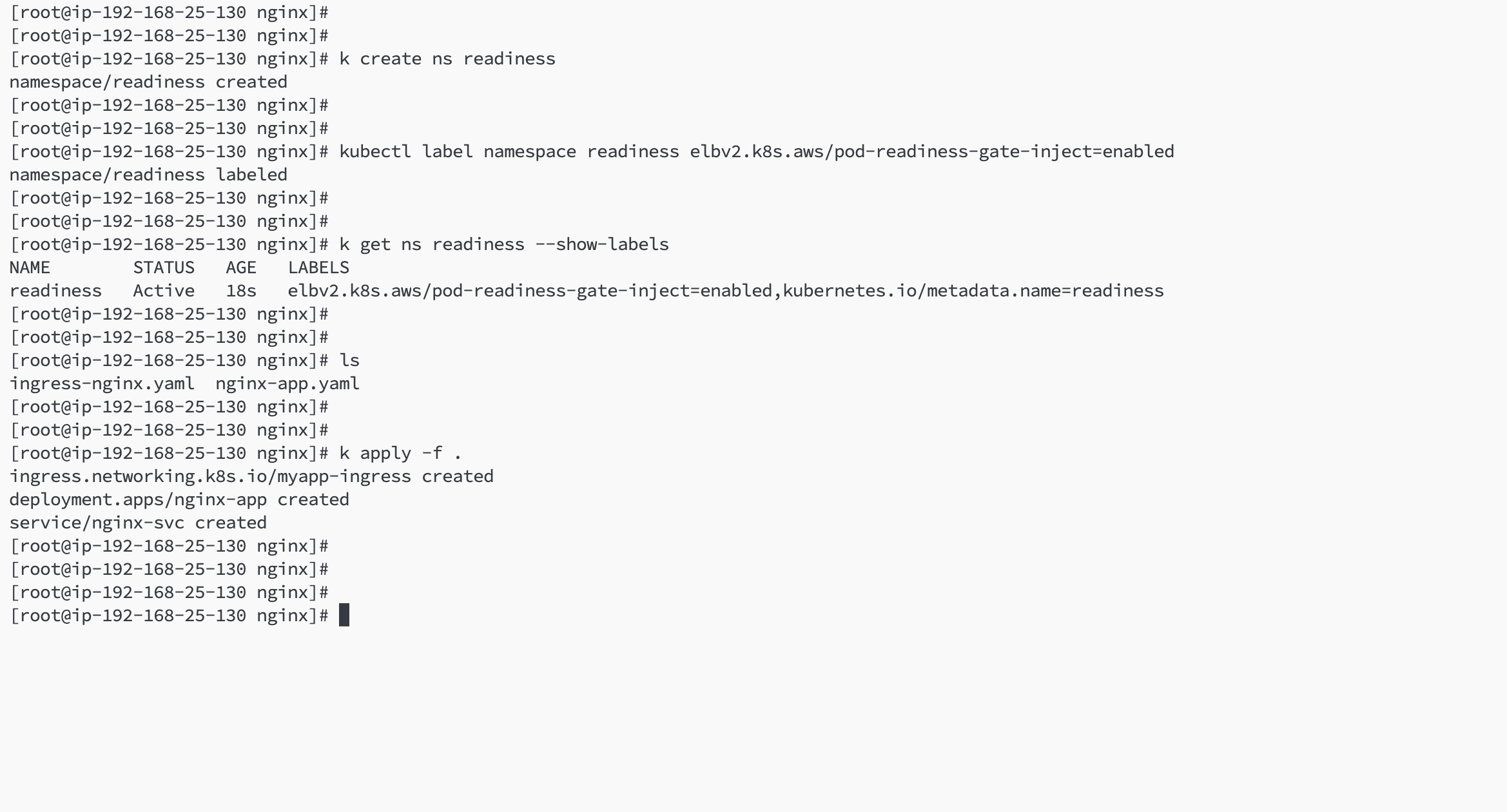
kubectl create ns readiness

###命名空间打标签
kubectl label namespace readiness elbv2.k8s.aws/pod-readiness-gate-inject=enabled

###创建应用
cat >app-nginx.yaml<<EOF
apiVersion: apps/v1
kind: Deployment
metadata:
  namespace: readiness
  name: nginx-app
  labels:
    app: nginx
spec:
  replicas: 3
  selector:
    matchLabels:
      app: nginx
  template:
    metadata:
      labels:
        app: nginx
    spec:
      containers:
      - name: nginx
        image: ikubernetes/myapp:v2
        ports:
        - containerPort: 80
---
apiVersion: v1
kind: Service
metadata:
  namespace: readiness
  name: nginx-svc
spec:
  selector:
    app: nginx
  ports:
    - protocol: TCP
      port: 80
      targetPort: 80EOF ###创建 ingress

###创建 ingress
---
apiVersion: networking.k8s.io/v1
kind: Ingress
metadata:
  name: myapp-ingress
  namespace: readiness
  annotations:
    alb.ingress.kubernetes.io/scheme: internet-facing
    alb.ingress.kubernetes.io/target-type: ip
    alb.ingress.kubernetes.io/listen-ports: '[{"HTTP": 80}, {"HTTPS": 443}]'
    alb.ingress.kubernetes.io/certificate-arn: "arn:aws:acm:us-east-1:893420598334:certificate/e12c3d71-2932-4406-a2c6-233aaf23d2ca"
    alb.ingress.kubernetes.io/subnets: "subnet-0a1c2b100ac0bc1f9,subnet-0322fa7a61e37d532,subnet-01c03cc8a7370200a"
    alb.ingress.kubernetes.io/actions.ssl-redirect: '{"Type": "redirect", "RedirectActionConfig": {"Protocol": "HTTPS", "Port": "443", "StatusCode": "HTTP_301"}}'
    alb.ingress.kubernetes.io/tags: owner=zhangruimeng@bosicloud.com
spec:
  ingressClassName: alb
  rules:
    - host: myapp.moriarty.link
      http:
        paths:
          - path: /
            pathType: Prefix
            backend:
              service:
                name: nginx-svc
                port:
                  number: 80
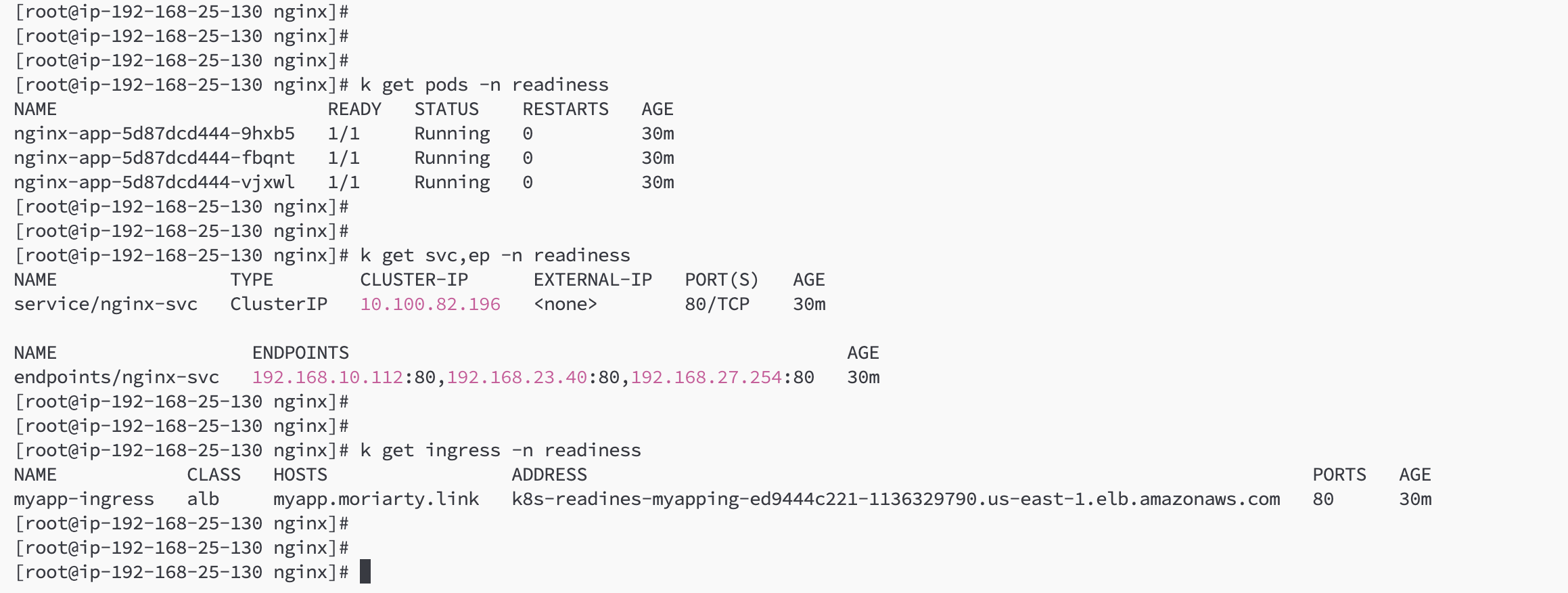
执行创建
访问验证
