
背景需求:
客户在当前账号下有多达50+个nat网关,想要对这些nat网关的进出口流量、运行状态进行监控并设置告警,但通过控制台上只能一个nat一个nat的创建,比较繁琐,不利于运维管理,因此想要一个批量创建nat告警的方法
解决:
通过aws cli 命令行的方式调用接口,循环执行,以达到批量创建告警的目的:
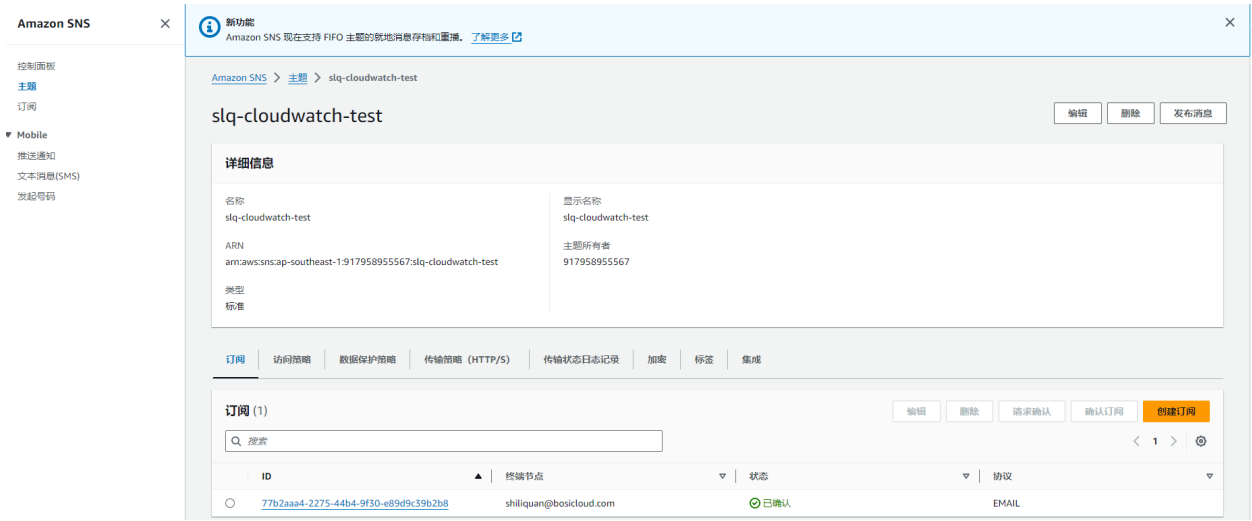
一、在当前区域通过sns创建一个topic
二、创建告警
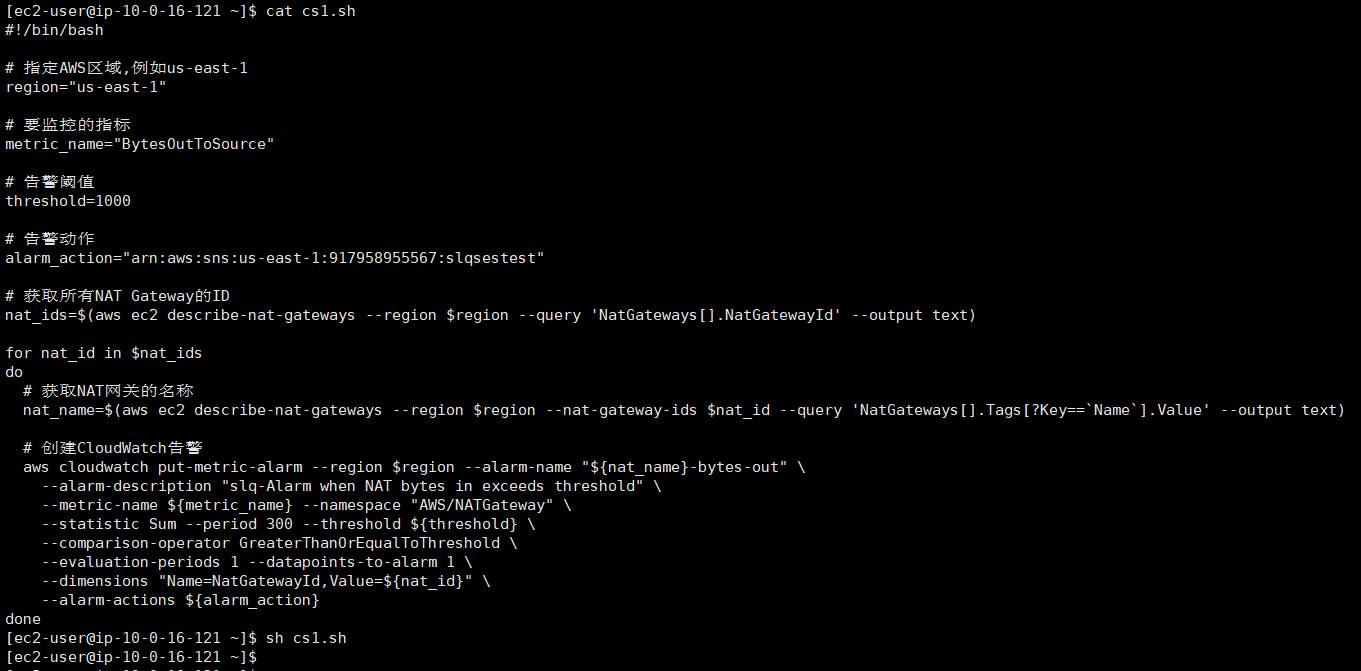
#!/bin/bash

# 指定AWS区域,例如us-east-1
region="us-east-1"

# 要监控的指标
metric_name="BytesOutToSource"

# 告警阈值
threshold=1000

# 告警动作
alarm_action="arn:aws:sns:us-east-1:917958955567:slqsestest"

# 获取所有NAT Gateway的ID
nat_ids=$(aws ec2 describe-nat-gateways --region $region --query 'NatGateways[].NatGatewayId' --output text)

for nat_id in $nat_ids
do
  # 获取NAT网关的名称
  nat_name=$(aws ec2 describe-nat-gateways --region $region --nat-gateway-ids $nat_id --query 'NatGateways[].Tags[?Key==`Name`].Value' --output text)

  # 创建CloudWatch告警
  aws cloudwatch put-metric-alarm --region $region --alarm-name "${nat_name}-bytes-out" \
    --alarm-description "slq-Alarm when NAT bytes in exceeds threshold" \
    --metric-name ${metric_name} --namespace "AWS/NATGateway" \
    --statistic Sum --period 300 --threshold ${threshold} \
    --comparison-operator GreaterThanOrEqualToThreshold \
    --evaluation-periods 1 --datapoints-to-alarm 1 \
    --dimensions "Name=NatGatewayId,Value=${nat_id}" \
    --alarm-actions ${alarm_action}
done
参数说明:
--region $region: 告警所在的区域,这里是shell脚本传入的$region变量

--alarm-name "${nat_id}-bytes-in": 告警名称,格式为NAT实例ID-bytes-in

--alarm-description: 告警描述

--metric-name: 要监控的指标,这里是传入的$metric_name变量

--namespace: 指标的命名空间,对于NAT Gateway是AWS/NATGateway

--statistic: 统计方法,这里是Sum求和

--period: 统计周期,300秒

--threshold: 告警阈值,这里是传入的$threshold变量

--comparison-operator: 比较运算符,这里是GreaterThanOrEqualToThreshold,大于等于阈值时告警

--evaluation-periods: 连续多少个周期后触发告警,这里是1个周期

--datapoints-to-alarm: 在一个周期内至少有多少个数据点超过阈值时触发告警,这里是1个数据点

--dimensions: 指标的维度,这里是每个NAT实例的ID

--alarm-actions: 告警动作,这里是传入的告警通知Topic
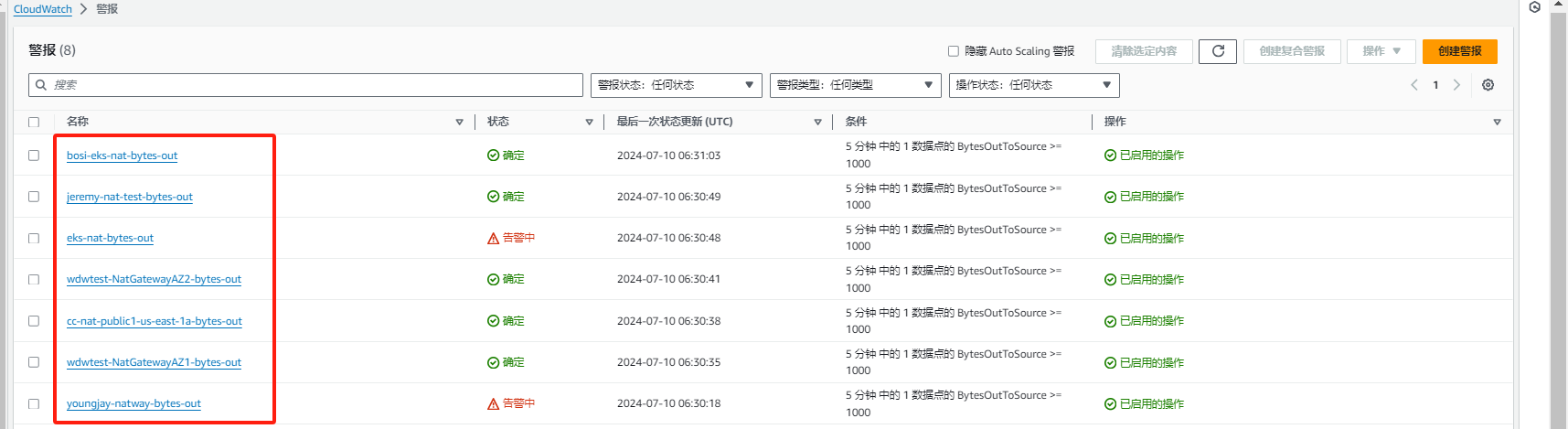
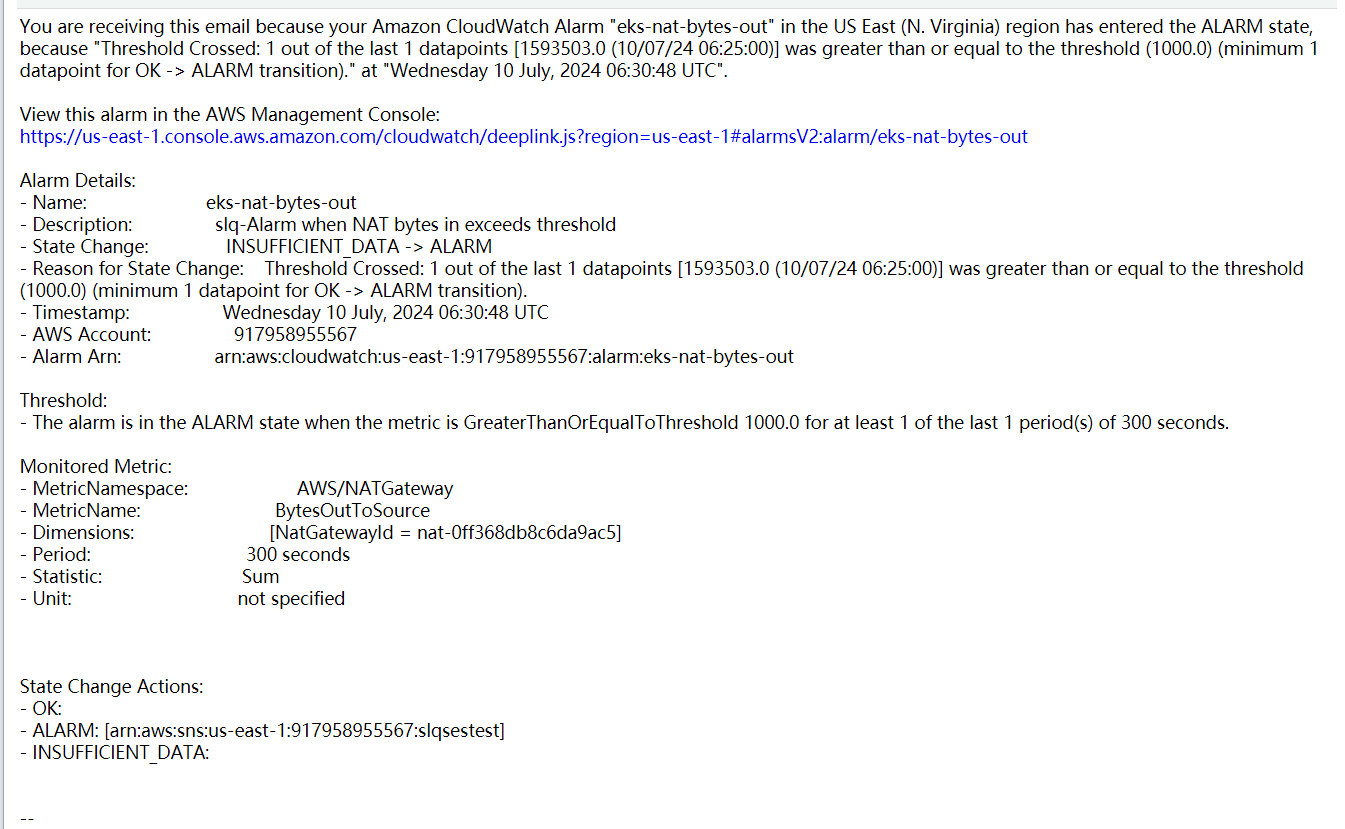
邮件收到的告警:
自我判定
序号 | 判定描述 | 自我判定(是/否) |
|---|---|---|
| 1 | 在各搜索引擎中是否能找到知识信息(包括但不限于Google、百度、Bing) | 是 |
| 2 | 是否需要代码集成开发 | 否 |